OPEN-SOURCE SCRIPT
Обновлено Sonarlab - Psych/Whole Number Levels
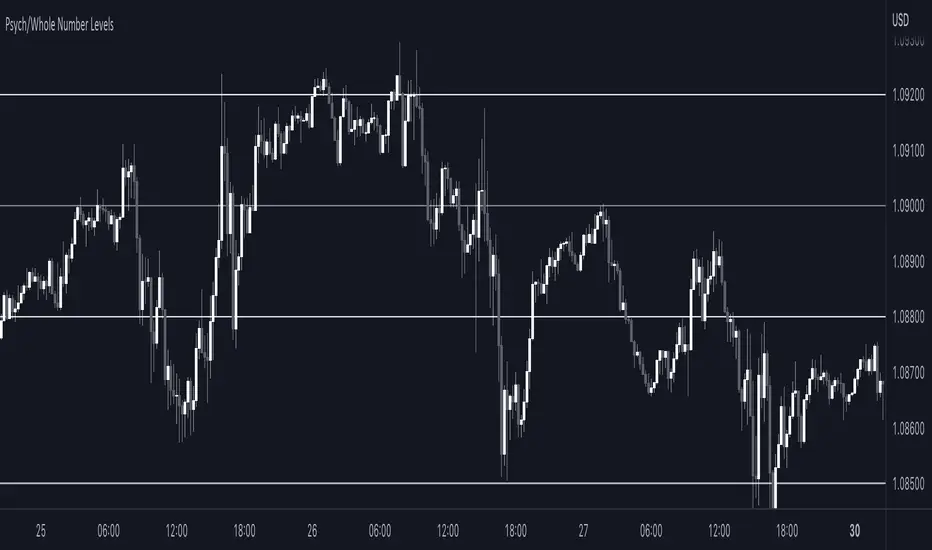
Have you ever noticed that prices seem to stick to certain “round numbers” like $1250, $1300, or $1350? It’s not just your imagination — these round numbers can actually act as psychological levels in the market, influencing trader behavior and shaping price action.
But why do traders care so much about these round numbers? It all comes down to our psychological wiring. Humans are naturally drawn to symmetry and simplicity, and round numbers offer a nice, neat way to measure price levels. Plus, these levels often coincide with important milestones or historical levels of support and resistance, giving them even more psychological weight.
To help you take advantage of these psychological levels in your trading, we’ve created a free TradingView indicator that automatically plots round numbers on your chart. Whether you’re a seasoned trader or just starting out, this indicator can give you a valuable edge in the market.
Here’s how the Indicator works:
1. Install the indicator on your TradingView chart. You can find it in the public library by searching for “Round Numbers Indicator”.
2. Select your preferred round numbers and customize the appearance of the indicator to fit your chart. The default settings are already set good.
3. Watch as the round numbers dynamically adjust to the current price action, providing you with a clear view of the market’s psychological levels.
But why do traders care so much about these round numbers? It all comes down to our psychological wiring. Humans are naturally drawn to symmetry and simplicity, and round numbers offer a nice, neat way to measure price levels. Plus, these levels often coincide with important milestones or historical levels of support and resistance, giving them even more psychological weight.
To help you take advantage of these psychological levels in your trading, we’ve created a free TradingView indicator that automatically plots round numbers on your chart. Whether you’re a seasoned trader or just starting out, this indicator can give you a valuable edge in the market.
Here’s how the Indicator works:
1. Install the indicator on your TradingView chart. You can find it in the public library by searching for “Round Numbers Indicator”.
2. Select your preferred round numbers and customize the appearance of the indicator to fit your chart. The default settings are already set good.
3. Watch as the round numbers dynamically adjust to the current price action, providing you with a clear view of the market’s psychological levels.
Информация о релизе
- Added alertsИнформация о релизе
- Minor bug fixesСкрипт с открытым кодом
В истинном духе TradingView, создатель этого скрипта сделал его открытым исходным кодом, чтобы трейдеры могли проверить и убедиться в его функциональности. Браво автору! Вы можете использовать его бесплатно, но помните, что перепубликация кода подчиняется нашим Правилам поведения.

Отказ от ответственности
Информация и публикации не предназначены для предоставления и не являются финансовыми, инвестиционными, торговыми или другими видами советов или рекомендаций, предоставленных или одобренных TradingView. Подробнее читайте в Условиях использования.
Скрипт с открытым кодом
В истинном духе TradingView, создатель этого скрипта сделал его открытым исходным кодом, чтобы трейдеры могли проверить и убедиться в его функциональности. Браво автору! Вы можете использовать его бесплатно, но помните, что перепубликация кода подчиняется нашим Правилам поведения.
Отказ от ответственности
Информация и публикации не предназначены для предоставления и не являются финансовыми, инвестиционными, торговыми или другими видами советов или рекомендаций, предоставленных или одобренных TradingView. Подробнее читайте в Условиях использования.