GHOST SNIPERGHOST SNIPER™ – BB Reversal Engine + Smart Entry / Exit Structure Core
MNQ / MES / Stocks / ETFs / Crypto / FX
BB Reversals · Breakouts · PD Structure · Liquidity Sweeps · Displacement · Smart Targets · Quick SL & TP Logic
________________________________________
Summary
Ghost Sniper™ is a high-precision reversal and breakout engine designed for intraday scalping on MNQ/MES, while remaining highly effective across equities, ETFs, crypto, and FX.
It blends a custom Bollinger Reversal Framework (BB Bottom / BB Top Sniper) with an internal ICT-style structure core to filter noise and isolate only high-quality turning points.
The system reads stretch and failure conditions, detects band breakouts, and identifies Bollinger Band failures to anticipate sharp reversals. It includes a Quick TP (QTP) and Quick SL (SL-Q) module for micro-scalps, along with full ICT-style structural targets (TP1, TP2, TP3) for extended runs.
All TP levels and SL placement are derived from smart structural logic, designed to reduce premature stop-outs and improve fill reliability during volatility.
Real-time intrabar logic ensures entries trigger the moment structure confirms — no repainting.
________________________________________
BUY / SELL Signal Activation & Checklist HUD
Ghost Sniper™ uses a rule-based BUY / SELL triggering system driven by real-time structural confirmation — not delayed indicators or hindsight logic.
Entries only activate when a multi-condition internal checklist aligns, combining:
• Bollinger stretch, failure, or breakout behavior
• Liquidity sweep or rejection context
• Micro structure confirmation (BOS / displacement)
• Premium / Discount positioning
• Momentum and reversal candle confirmation
A built-in Checklist Activation HUD visually displays when conditions are forming, aligning, or fully confirmed, allowing traders to see why a signal is valid — not just that it fired.
BUY / SELL signals trigger only when checklist confirmation is reached, filtering low-probability setups and maintaining clean, high-quality entries.
All logic operates intrabar and in real time, with no repainting.
________________________________________
Market Structure & Context Awareness
Ghost Sniper™ incorporates a streamlined ICT-inspired framework, including:
• Liquidity sweep awareness (stop-runs and grabs)
• Micro BOS confirmation
• Premium / Discount context
• Impulse and displacement reads
• Reversal candle assist
• Optional PD / HTF alignment gates
To support institutional-grade context without visual clutter, Ghost Sniper™ also includes a comprehensive set of fully optional, user-selectable tools, allowing traders to tailor the chart to their workflow:
• VWAP
• Up to 5 configurable moving averages
• Bollinger Bands
• Automatic liquidity sweep level detection
• Opening Range Breakout (ORB)
• Midnight Open
• 9:30 AM New York Open
• Previous Day High / Low (PDH / PDL)
• Previous Week High / Low (PWH / PWL)
• Current Week High / Low (CWH / CWL)
• Monthly High / Low
• Previous Month High / Low (PMH / PML)
• Global session tracking, including:
o Asia Session
o London Session
o New York Session
All levels and context tools are individually selectable, designed to provide structure and bias awareness while keeping charts clean and focused.
________________________________________
Execution & Risk Logic
Ghost Sniper™ automatically prints clean, minimal BUY / SELL signals, intelligent stop placement, and progressive target logic:
QTP → TP1 → TP2 → TP3
A built-in Break-Even engine, structural invalidation logic, and one-trade-at-a-time control help maintain disciplined execution and consistent risk management.
Designed for traders who want a fast, decisive, and high-probability entry engine without visual noise or unnecessary complexity.
________________________________________
Disclaimer
This tool is for educational and research purposes only and is not financial advice.
Always test thoroughly in replay or paper trading before using in live markets.
Полосы и каналы

Bollinger Bands with Price Labels============================================================================
BOLLINGER BANDS PRO - ENHANCED TRADING INDICATOR
============================================================================
HEADLINE: Professional Bollinger Bands with Dynamic Price Labels & Smart Alerts
DESCRIPTION:
// This advanced Bollinger Bands indicator goes beyond the basic implementation
// by providing real-time price tracking, customizable visual themes, and
// intelligent alert system for better trading decisions.
// KEY FEATURES:
• Dynamic Price Labels - Auto-formatting for readability (M/B/T for large numbers)
• Smart Alerts - Get notified on key price crossovers and band touches
• Dual Color Themes - Dark and Light modes for any chart background
• Custom Label Styling - Full control over size, shape, position, and colors
• Visual Clarity - Dotted lines connecting bands to labels
• Separate Color Zones - Different fills above/below basis for instant analysis
• Real-time Updates - Labels update dynamically with live price action
// BENEFITS OVER STANDARD BOLLINGER BANDS:
✓ No need to hover over lines to see exact prices
✓ Instant recognition of overbought/oversold zones with color coding
✓ Professional appearance with customizable branding
✓ Automated alerts eliminate constant chart monitoring
✓ Better readability for high-value assets (crypto, stocks)
✓ Cleaner charts with organized label placement
✓ Theme compatibility for day/night trading sessions
// PERFECT FOR:
- Day traders needing quick price reference
- Swing traders monitoring multiple timeframes
- Crypto traders dealing with large price numbers
- Professional chartists wanting clean, branded setups
// ========================================

Custom Weekly SeparatorShows week start with option to customize the separator line and change color, width, style

VD FRFS PROVD FRFS PRO
This trader centric, multi-functional indicator built on Pine Script v6 that seamlessly integrates four of the most critical price and volatility tools into a single overlay. Designed for day traders, swing traders, and institutional analysts, this tool provides a comprehensive view of volatility, trend, volume-based pricing, and structure, all without chart clutter.
Overview & Concept
The VD FRFS PRO is engineered for efficiency and clarity. Instead of layering four separate indicators, which can lead to performance issues and confusion, this script combines the calculations into one, allowing traders to execute complex technical analysis rapidly.
It serves as a powerful foundation for strategies that require:
1. Volatility Assessment (Bollinger Bands)
2. Volume-Weighted Fair Value (VWAP)
3. Price Structure & Swings (Zig Zag)
4. Dynamic Trend Filtering (Configurable SMA)
Customization & Settings
All inputs are logically grouped for ease of use in the indicator's settings menu.
Bollinger Bands Settings
BB Length: Period for the Basis SMA and StdDev calculation (default: 20).
BB Source: Price series for the calculation (default: `close`).
BB StdDev Multiplier: Multiplier for the Standard Deviation (default: 2.0).
BB Offset: Shifts the bands horizontally (default: 0).
VWAP Settings
VWAP Source: Price series for the VWAP calculation (default: `hlc3`).
Zig Zag Settings
Zig Zag High/Low Length: Lookback period for determining swing points (default: 3).
SMA Settings
SMA Period: Lookback period for the configurable SMA (default: 20).
Show SMA: Checkbox to toggle the visibility of this SMA (default: `true`).
Disclaimer
Feel free to reach out for suggestions and modification requests.

AlphaWave Band + Tao Trend Start/End (JH) v1.1AlphaWave Band + Tao Trend Start/End (JH)
이 지표는 **“추세구간만 먹는다”**는 철학으로 설계된 트렌드 시각화 & 트리거 도구입니다.
예측하지 않고,
횡보를 피하고,
이미 시작된 추세의 시작과 끝만 명확하게 표시하는 데 집중합니다.
🔹 핵심 개념
AlphaWave Band
→ 변동성 기반으로 기다려야 할 자리를 만들어 줍니다.
TAO RSI
→ 과열/과매도 구간에서 지금 반응해야 할 순간을 정확히 짚어줍니다.
🔹 신호 구조 (단순 · 명확)
START (▲ 아래 표시)
추세가 시작되는 구간
END (▼ 위 표시)
추세가 종료되는 구간
> 중간 매매는 각자의 전략 영역이며,
이 지표는 추세의 시작과 끝을 시각화하는 데 목적이 있습니다.
🔹 시각적 특징
20 HMA 추세선
상승 추세: 노란색
하락 추세: 녹색
횡보 구간: 중립 색상
기존 밴드와 세력 표시를 훼손하지 않고
추세 흐름만 직관적으로 강조
🔹 추천 사용 구간
3분 / 5분 (단타 · 스캘핑)
일봉 (중기 추세 확인)
> “예측하지 말고, 추세를 따라가라.”
---
📌 English Description (TradingView)
AlphaWave Band + Tao Trend Start/End (JH)
This indicator is designed with one clear philosophy:
“Trade only the trend.”
No prediction.
No noise.
No meaningless sideways signals.
It focuses purely on visualizing the START and END of trend phases.
🔹 Core Concept
AlphaWave Band
→ Defines where you should wait based on volatility.
TAO RSI
→ Pinpoints when price reaction actually matters near exhaustion zones.
🔹 Signal Logic (Clean & Minimal)
START (▲ below price)
Marks the beginning of a trend
END (▼ above price)
Marks the end of a trend
> Entries inside the trend are trader-dependent.
This tool is about structure, not over-signaling.
🔹 Visual Design
20 HMA Trend Line
Uptrend: Yellow
Downtrend: Green
Sideways: Neutral
Trend visualization without damaging existing bands or volume context
🔹 Recommended Timeframes
3m / 5m for scalping & intraday
Daily for higher timeframe trend structure
> “Don’t predict. Follow the trend.”

AI Adaptive Supertrend ChannelAI Supertrend Channel – The Adaptive Trend System
Beyond Basic Supertrend: An Intelligent Trading Framework
The AI Adaptive Supertrend Channel transcends traditional trend following indicators by delivering a self-optimizing trading system. Its core innovation is a triple-adaptive engine that automatically adjusts channel width based on real-time market conditions:
Market Efficiency Detection – Widens during clean trends, tightens in choppy ranges
Normalized Volatility – Scales appropriately to any asset's price level
Dynamic Momentum Response – Expands aggressively during powerful directional moves
The Result: A smarter tool that reduces false signals in consolidation while giving trends ample room to run—eliminating the constant parameter tweaking required by static indicators.
Visual Signal Framework & Strategic Applications
Channel Architecture:
Primary Trend Line (Thick Green/Red): Your dynamic trailing stop and core trend indicator. Green signals an uptrend (buying bias), Red signals a downtrend (selling bias).
Upper & Lower Bands: Form a dynamic support/resistance channel around the trend.
Mid-Line: A critical mean reversion level and the trigger for key early signals.
Trading Signals & Strategic Meaning:
Primary Signal: Momentum Diamonds (High Conviction)
💎 Green Diamond (Higher High): Price closes above the Upper Band after making a new high. Signals strong bullish momentum continuation. Ideal for adding to long positions or entering new longs in an established uptrend.
💎 Red Diamond (Lower Low): Price closes below the Lower Band after making a new low. Signals strong bearish momentum continuation. Ideal for adding to short positions or entering new shorts in a downtrend.
Secondary Signal: Mid-Line Crosses (Early Action)
🔼 Green Triangle (Bullish Mid-Line Cross - bullMidCross): Price crosses above the Mid-Line. This is an early bullish pullback signal within a larger uptrend or a potential early reversal sign in a downtrend. Use for early entries or to confirm the end of a bearish pullback.
🔽 Red Triangle (Bearish Mid-Line Cross - bearMidCross): Price crosses below the Mid-Line. This is an early bearish pullback signal within a larger downtrend or a potential early warning of weakness in an uptrend. Use for early short entries or to take profits on longs.
Practical Trading Strategies
Trend Following: Align trades with the Primary Trend Line color. Use the line itself as a dynamic stop-loss. The Momentum Diamonds confirm the trend's strength.
Pullback Trading: Use the Mid-Line Cross triangles (bullMidCross/bearMidCross) to identify high-probability entries during trend retracements. The channel bands provide natural profit targets.
Breakout Confirmation: A Momentum Diamond following a period of consolidation often confirms a genuine breakout, offering a signal to enter with the new momentum.
Optimal Settings Guide
Default (Universal)
For most markets, timeframes
ATR: 13 | ER: 144 | Channel Width: 0.7
Volatility Factor: 100 | Vol MA: HMA | Trend MA: EMA
Day Trading (Fast, Responsive)
*15M-1H charts, scalping*
ATR: 8 | ER: 89 | Channel Width: 0.6
Volatility Factor: 120 | Vol MA: EMA | Trend MA: WMA
*Swing Trading (Smooth, Conservative)*
*Daily-Weekly, position trading*
ATR: 21 | ER: 200 | Channel Width: 0.9
Volatility Factor: 80 | Vol MA: HMA | Trend MA: LINREG
Channel Width × Factor
0.5-0.7 → Tighter (more signals, less room)
0.8-1.2 → Wider (fewer signals, more room to run)
Volatility Regime Factor
50-80 → Less sensitive to volatility (stable markets)
100-150 → More sensitive (volatile markets like crypto)
Base ATR Length
8-13 → Faster signals (lower timeframes)
17-21 → Smoother signals (higher timeframes)
Quick Adjustments:
Whipsaws → Increase Channel Width × Factor
Lagging → Decrease ATR Length
Volatile markets → Increase Volatility Regime Factor
Start with Default, adjust one parameter at a time based on your market and trading style.

KOBK KILLSHOT PRO V 1.0KOBK KILLSHOT PRO is an advanced trading system that combines multiple layers of technical analysis into one powerful, easy-to-use indicator. Whether you're scalping on lower timeframes or swing trading, this indicator provides crystal-clear entry and exit signals backed by comprehensive market analysis.
## 📝 **TradingView Publication Description**
---
### **Title:**
**KOBK KILLSHOT PRO - Advanced Multi-Timeframe Signal System**
---
### **Short Description:**
Professional-grade trading indicator combining multiple proprietary confirmation layers for high-probability entries and exits. Features intelligent signal quality rating, real-time dashboard, and adaptive exit strategies. Designed for serious traders who demand precision.
---
### **Full Description:**
**KOBK KILLSHOT PRO** is an advanced trading system that combines multiple layers of technical analysis into one powerful, easy-to-use indicator. Whether you're scalping on lower timeframes or swing trading, this indicator provides crystal-clear entry and exit signals backed by comprehensive market analysis.
---
## 🎯 **KEY FEATURES:**
**Smart Signal System:**
- Clear BUY and SELL labels appear directly on your chart
- Quality rating system (★★★★★) shows signal strength
- Early warning dots alert you to potential setups before they trigger
- Color-coded bars show trend direction at a glance
**Real-Time Dashboard:**
- Live ENTRY SIGNAL status (🟢 BUY NOW / 🔴 SELL NOW / ⏳ WAIT)
- Live EXIT SIGNAL status (🟠 EXIT NOW / ✋ HOLD)
- Current position tracking (LONG/SHORT/FLAT)
- Multiple confirmation indicators displayed in real-time
- Trend, momentum, and strength metrics updated every candle
**Flexible Exit Strategies:**
Choose from three exit modes:
- **Flip Mode:** Exit when opposite signal fires (simplest)
- **Momentum Shift:** Exit when momentum changes (faster)
- **Trail Lock:** Trailing stop that locks in profits (let winners run)
**Professional Visuals:**
- Clean, uncluttered chart interface
- Customizable colors and display options
- Toggle individual components on/off
- Works on any timeframe from seconds to daily
---
## 📊 **HOW TO USE IT:**
### **FOR BEGINNERS:**
**Step 1: Add to Chart**
- Apply KOBK KILLSHOT PRO to your chart
- Default settings work great for most traders
- Recommended timeframes: 15-second to 15-minute for active trading
**Step 2: Watch for Signals**
- **GREEN "BUY" label** = Enter LONG position
- **RED "SELL" label** = Enter SHORT position
- **Orange "EXIT" X** = Close your position
- Check the dashboard in top-right corner for confirmation
**Step 3: Follow the Quality Rating**
- **★★★★★ (5 stars)** = Highest probability setup - take these!
- **★★★★☆ (4 stars)** = Strong setup - good to trade
- **★★★☆☆ (3 stars)** = Decent setup - use caution
- **Lower ratings** = Skip unless very experienced
**Step 4: Use the Dashboard**
The live HUD tells you everything you need:
- **Entry Signal:** Shows when to enter (BUY NOW / SELL NOW / WAIT)
- **Exit Signal:** Shows when to exit (EXIT NOW / HOLD)
- **Position:** Tracks if you're LONG, SHORT, or FLAT
- **Quality:** Current signal strength rating
---
### **FOR ADVANCED TRADERS:**
**Customization Options:**
- Adjust signal sensitivity via Key Value parameter
- Control ATR period for different market conditions
- Enable/disable individual filter components
- Choose signal quality threshold (Maximum/High/Medium/Standard)
- Select preferred exit strategy based on trading style
**Filter System:**
The indicator includes multiple proprietary filters that can be toggled individually:
- Trend alignment filters
- Momentum confirmation filters
- Volatility filters
- Flow strength analysis
- Key zone detection
**Signal Quality Control:**
Set minimum quality requirements:
- **Maximum:** Only 5-star signals (very selective)
- **High:** 4-star minimum (recommended for most)
- **Medium:** 3-star minimum (more opportunities)
- **Standard:** 2-star minimum (active trading)
- **All Signals:** Every signal (experienced only)
---
## ⚙️ **RECOMMENDED SETTINGS:**
**For Scalping (15-second to 1-minute charts):**
- Key Value: 1.0
- ATR Period: 10
- Signal Quality: High (4-star minimum)
- Exit Mode: Flip or Momentum Shift
**For Day Trading (5-minute to 15-minute charts):**
- Key Value: 1.0 to 1.5
- ATR Period: 14
- Signal Quality: High
- Exit Mode: Trail Lock
**For Swing Trading (1-hour+ charts):**
- Key Value: 1.5 to 2.0
- ATR Period: 14-20
- Signal Quality: Maximum (5-star only)
- Exit Mode: Trail Lock
---
## 🎮 **SIMPLE TRADING RULES:**
1. **Wait for the signal** - Don't predict, let the indicator tell you
2. **Check the stars** - Higher quality = higher probability
3. **Verify the dashboard** - Make sure Entry Signal shows BUY NOW or SELL NOW
4. **Enter immediately** - When signal fires, don't hesitate
5. **Follow the exit** - When EXIT NOW appears, close the position
6. **Be disciplined** - Trust the system, don't override it
---
## ⚠️ **IMPORTANT NOTES:**
- **Not a holy grail:** No indicator is perfect. Use proper risk management.
- **Backtest first:** Test on demo/paper account before using real money.
- **Position sizing matters:** Never risk more than 1-2% per trade.
- **Market conditions vary:** Some days are better than others.
- **Combine with fundamentals:** Technical signals work best with good market context.
---
## 🔧 **DISPLAY OPTIONS:**
Toggle on/off as needed:
- Live Dashboard (HUD)
- Signal Quality Stars
- Early Warning Signals
- Key Zone Markers
- Trend Lines
- Additional confirmation indicators
---
## 📈 **BEST MARKETS TO USE:**
Works on any liquid market:
- Futures (NQ, ES, YM, etc.)
- Forex pairs (major and minor)
- Crypto (BTC, ETH, etc.)
- Stocks (high volume)
- Indices
---
## 💡 **PRO TIPS:**
1. **Start with higher quality settings** (4-5 stars only) until you're comfortable
2. **Use the early warning dots** to prepare for entries (get your finger ready)
3. **Pay attention to the dashboard trend indicator** - trade with the trend
4. **Don't trade during major news events** - wait for clear market direction
5. **Keep a trading journal** - track which star ratings work best for your style
6. **Adjust Key Value if needed** - higher = fewer signals, lower = more signals
---
## 🎯 **WHAT MAKES THIS DIFFERENT:**
Unlike simple indicators that just draw lines or show one metric, KOBK KILLSHOT PRO combines multiple proprietary analysis layers into one cohesive system. The intelligent filtering ensures you only see high-probability setups, while the real-time dashboard keeps you informed of market conditions every step of the way.
The star rating system is particularly powerful - it instantly tells you how many confirmation factors are aligned, so you can make quick decisions about which signals to take and which to skip.
---
## 📞 **SUPPORT:**
For questions, setup help, or optimization tips, feel free to reach out via TradingView messages. I'm here to help you succeed with this system!
---
**Disclaimer:** This indicator is for educational and informational purposes only. Trading involves substantial risk. Past performance does not guarantee future results. Always use proper risk management and never trade with money you can't afford to lose.
---
## 🏆 **START TRADING SMARTER TODAY**

Adaptive 2-Pole Trend Bands [supfabio]Adaptive 2-Pole Trend Bands is a volatility-aware trend filtering indicator designed to identify the dominant market direction while providing dynamic reference zones around price.
Instead of relying on traditional moving averages, this indicator uses a two-pole digital filter to smooth price action while maintaining responsiveness. Around this central trend line, a multi-band structure based on ATR is applied to help traders evaluate pullbacks, extensions, and potential exhaustion areas within a trend.
Core Concept
The indicator is built around three key ideas:
Digital Trend Filtering
Volatility-Adjusted Bands
Trend Persistence Measurement
These components work together to separate meaningful price movement from noise and to provide context for how far price has moved relative to recent volatility.
Two-Pole Trend Filter
At its core, the indicator uses a two-pole smoothing filter, which produces a cleaner trend curve than common moving averages.
Compared to standard averages, this approach:
Reduces market noise
Produces smoother transitions
Responds faster to genuine trend changes
Avoids excessive lag in trending markets
The result is a trend line that represents the structural direction of price, rather than short-term fluctuations.
Adaptive Multi-Band System
Around the central trend filter, the indicator plots four independent volatility-based bands, each derived from the Average True Range (ATR).
Each band represents a different degree of price extension:
Band 1: Shallow pullbacks and minor reactions
Band 2: Moderate extensions within a trend
Band 3: Strong directional moves
Band 4: Extreme extensions relative to recent volatility
Because the bands are ATR-based, they automatically adapt to changing market conditions, expanding during high volatility and contracting during calmer periods.
This makes the indicator suitable for both slow and fast markets without manual recalibration.
Trend State Detection
The color of the central filter dynamically reflects trend persistence, not just direction:
Sustained upward movement highlights bullish conditions
Sustained downward movement highlights bearish conditions
Transitional phases are visually distinct, helping identify regime changes
This logic is based on how long price has maintained directional behavior, reducing sensitivity to isolated candles or short-lived spikes.
Practical Applications
This indicator can be used as:
A trend filter for discretionary or systematic strategies
A context tool to evaluate pullbacks versus overextension
A risk reference to avoid entries in extreme price zones
A confirmation layer when combined with price action or momentum tools
It performs consistently across different asset classes, including futures, cryptocurrencies, forex, indices, and equities.
Configuration
Key parameters such as filter length, damping factor, and band multipliers are fully configurable, allowing traders to adapt the indicator to different timeframes and trading styles.
Important Notes
This indicator does not predict future price movement
It does not generate guaranteed buy or sell signals
Best results are achieved when used in combination with sound risk management and additional confirmation tools
Past behavior does not imply future performance
Disclaimer
This indicator is provided for educational and analytical purposes only and should not be considered financial advice.
Se quiser, posso:
Criar uma versão resumida para a primeira linha da publicação
Ajustar o texto para um tom mais técnico ou mais comercial
Traduzir para português mantendo o inglês como idioma principal
Revisar o título para SEO dentro da Biblioteca Pública

Ichimoku + VWAP + OBV + ATR Full System (NQ Daytrade)Extended Indicator Description
Ichimoku + VWAP + OBV + ATR Full System is a rule-based intraday trading indicator designed specifically for NQ day trading, focusing on trend alignment, participation confirmation, and volatility-aware execution.
This indicator does not rely on a single signal or crossover. Instead, it integrates multiple market dimensions into one structured framework to help traders identify high-probability trend continuation scenarios while avoiding low-quality, range-bound conditions.
System Philosophy
The core idea of this system is simple:
trade only when trend, price location, volume, and volatility are aligned.
Each component plays a specific role and is not meant to be used in isolation. The indicator works best when all conditions reinforce the same directional bias.
Component Breakdown
Ichimoku Cloud
Used to define the primary market structure and directional bias. The system favors trades only when price action aligns clearly above or below the cloud, helping filter out indecisive or transitional phases.
VWAP
Acts as a session-based equilibrium reference. Price position and distance relative to VWAP are used to confirm whether the market is trending with intent rather than reverting to the mean.
OBV (On-Balance Volume)
Provides participation and flow confirmation. OBV helps validate whether price movement is supported by volume, reducing the likelihood of false breakouts or weak trend signals.
ATR (Average True Range)
Used as a volatility filter and risk-awareness tool. ATR conditions help the system avoid low-volatility environments and support more realistic expectations for intraday movement.
Trade Logic Overview
The system is designed around trend-following pullbacks, not prediction or counter-trend trading.
When trend structure is established and confirmed by VWAP positioning and OBV behavior, pullback zones within the trend become areas of interest. ATR conditions ensure that trades are taken only when sufficient movement potential exists.
Rather than generating frequent signals, the system prioritizes selectivity and clarity, making it suitable for disciplined day traders who value context over quantity.
Intended Use
This indicator is built for:
NQ intraday and day trading
Trend continuation and pullback strategies
Traders who prefer structured, confirmation-based systems
Lower to mid intraday timeframes such as 3-minute, 5-minute, and 15-minute charts
Important Notes
This is not an automated trading system and does not provide guaranteed results. The indicator is designed as a decision-support tool to assist with market context, directional bias, and trade timing. Risk management, execution, and position sizing remain the responsibility of the user.
롱/숏 삼각형 시그널
동그라미 청산 시그널
VWAP 밴드 기반 방향성
OBV 보조지표
이름 (Name)
BTC Scalping Signal – VWAP + OBV
짧은 설명 (Short Description)
VWAP 밴드와 OBV를 기반으로 방향성, 진입·청산 시그널을 제공하는 스캘핑 지표입니다.
긴 설명 (Long Description)
이 지표는 BTC 단기 스캘핑을 위해 설계된 것으로, 특히 15분봉 환경에 최적화되어 있습니다.
VWAP 밴드의 위치와 추세 판별 로직을 기반으로 롱·숏 진입 신호를 제공합니다.
OBV 모멘텀을 보조 필터로 사용하여 돌파 및 되돌림 가능성을 판단합니다.
시장 변동성이 축소되거나 평균회귀 신호가 감지될 때 청산 시그널을 표시합니다.
삼각형(진입), 원형(청산) 등 직관적 시각 요소를 통해 빠른 의사결정을 지원합니다.

Rectangle Breakout Patterns📊 Rectangle Breakout Pattern Detector (Support & Resistance)
This indicator is a dynamic tool designed to automatically identify and visualize Rectangle Continuation Patterns and Trading Ranges based on pure price action. It focuses on finding horizontal areas of long-term support and resistance where price is consolidating before an eventual breakout.
💡 What It Does
The core function of this indicator is to detect and plot the boundaries of significant consolidation areas on your chart. It follows a multi-step confirmation process:
Level Detection: It automatically identifies significant Pivot Highs and Lows.
Pattern Confirmation: It confirms Support and Resistance by counting the number of times price 'touches' a level (controlled by the Min Pivot Touches setting).
Visualization: Once confirmed, it draws a Box around the consolidation area. This box automatically extends to the right as long as the price remains contained, showing the active trading range.
This provides an objective, code-driven approach to a classic chart pattern often relied upon by technical analysts.

Market + Direction + Entry + Hold + Exit v1.5 FINALIndicator Description
Market + Direction + Entry + Hold + Exit is a rule-based intraday trading indicator designed to identify high-quality trend opportunities while filtering out low-probability market conditions.
Instead of relying on a single signal, this indicator combines market activity, trend direction, momentum, structure, and pullback logic into one unified framework. It is built to support disciplined, rule-driven trading rather than discretionary or predictive approaches.
Core Logic
The indicator operates through a multi-layer confirmation process.
First, it evaluates whether the market is active enough to trade. Market activity is determined by volatility expansion, volume participation, and price displacement from VWAP. When sufficient activity is detected, the indicator allows trades to be considered.
Next, directional bias is defined using exponential moving averages and price positioning. This creates a clear long-only or short-only environment and helps avoid counter-trend trades.
Entry Structure
Entries are based on pullbacks within an established trend rather than breakout chasing.
The first valid pullback is marked as the initial entry. If the trend continues and additional controlled pullbacks occur, re-entry opportunities are identified and labeled sequentially. This structure helps traders scale into trends in a systematic and measured way.
Hold Confirmation
While a position is active, the indicator provides hold confirmation using momentum alignment and candle behavior. This is designed to help traders remain in strong trends and reduce premature exits during normal pullbacks.
Exit Logic
Exit signals appear only when two conditions align: market structure failure and clear trend weakening. This approach avoids exits based on minor price noise and focuses on objective trend invalidation.
Intended Use
This indicator is designed for intraday trading and scalping on indices, futures, and cryptocurrency markets. It performs best on lower to mid timeframes such as 3-minute, 5-minute, and 15-minute charts, where trend continuation and pullback behavior are most visible.
Asset Presets
Built-in presets are provided for NQ, Gold, and BTC. Each preset automatically adjusts internal parameters such as volatility thresholds, structure sensitivity, and trend strength filtering.
Important Notes
This indicator does not predict future price movements. It is a decision-support tool designed to help traders align with market conditions, manage entries systematically, and maintain consistency. Risk management, position sizing, and execution remain the responsibility of the user.
지표 설명
Market + Direction + Entry + Hold + Exit는 시장의 흐름이 명확한 구간에서만 거래 기회를 포착하도록 설계된 규칙 기반 인트라데이 트레이딩 지표입니다.
이 지표는 단일 신호에 의존하지 않고, 시장 활성도, 추세 방향, 모멘텀, 가격 구조, 되돌림 조건을 단계적으로 결합하여 낮은 확률의 구간을 걸러내는 데 초점을 둡니다. 예측보다는 정렬과 필터링을 통해 일관된 의사결정을 돕는 것이 목적입니다.
핵심 개념
지표는 여러 단계의 조건을 순차적으로 통과해야 신호를 생성하는 구조로 설계되어 있습니다.
먼저, 현재 시장이 거래하기에 충분히 활성화되어 있는지를 판단합니다. 변동성, 거래량, VWAP 대비 가격 이탈 정도를 기준으로 시장 상태를 평가하며, 일정 기준 이상일 때만 거래를 고려합니다.
이후, 이동평균과 가격 위치를 기반으로 추세 방향을 정의하여 롱 또는 숏 한 방향만 허용합니다. 이를 통해 역추세 진입을 자연스럽게 차단합니다.
진입 구조
진입은 돌파가 아닌 추세 내 되돌림을 기준으로 설계되어 있습니다.
첫 번째 유효한 되돌림 구간을 초기 진입으로 표시하며, 추세가 유지되는 동안 추가적인 되돌림이 발생할 경우 재진입 기회를 순차적으로 제공합니다. 이러한 구조는 감정적인 물타기가 아닌, 규칙 기반의 분할 진입을 가능하게 합니다.
홀드 신호
포지션 보유 중에는 모멘텀 정렬과 캔들 흐름을 통해 추세 지속 여부를 확인할 수 있습니다. 이를 통해 정상적인 조정 구간에서는 성급한 청산을 줄이고, 추세가 유지되는 동안 포지션을 안정적으로 관리할 수 있도록 돕습니다.
청산 로직
청산 신호는 가격 구조 붕괴와 추세 약화가 동시에 확인될 때만 발생합니다. 단기적인 노이즈에 의한 잦은 청산을 피하고, 추세가 객관적으로 무너지는 구간에 집중하도록 설계되었습니다.
활용 대상
이 지표는 인트라데이 트레이딩과 스캘핑에 적합하며, 지수, 선물, 암호화폐 시장에서 활용할 수 있습니다. 특히 3분, 5분, 15분 차트에서 추세와 되돌림 구조가 명확하게 나타나는 환경에서 효과적입니다.
자산 프리셋
NQ, Gold, BTC에 대해 사전 설정된 프리셋이 제공되며, 각 자산의 변동성과 특성에 맞게 내부 파라미터가 자동으로 조정됩니다.
유의 사항
본 지표는 가격의 미래를 예측하지 않습니다. 시장 환경을 정리하고 거래 판단을 보조하는 도구로서 사용되며, 손절 기준과 포지션 사이즈 관리는 사용자 책임입니다.

LSTM-Inspired BB Mean Reversion// ============================================================================
// BOLLINGER BANDS MEAN REVERSION STRATEGY
// Based on LSTM Model True Positive Signal Characteristics
// ============================================================================
// Model learned to identify:
// 1. Price at/below Lower Bollinger Band (100% of TP signals)
// 2. RSI < 30 (Oversold) (75% of TP signals)
// 3. High volatility (wide BB bands)
// 4. Below average volume (contrarian)
// ============================================================================

Ultimate Squeeze & BreakoutTitle: Ultimate Squeeze & Breakout
Description: This indicator is a volatility analysis tool designed to identify periods of market compression ("The Squeeze") and validate subsequent breakouts using momentum logic. It builds upon the classic relation between Bollinger Bands and Keltner Channels but adds a directional filter to reduce false signals.
The Problem It Solves: Standard squeeze indicators often signal a breakout the moment price exits the bands, even if the underlying trend is weak or flat. This can lead to entering "wicks" or fakeouts. This script solves this by requiring the Basis Line Slope to align with the breakout direction before generating a signal.
How It Works:
1. Compression (The Setup) The script monitors the relationship between Bollinger Bands (Standard Deviation) and Keltner Channels (ATR).
Red Cloud: When the Bollinger Bands contract completely inside the Keltner Channels, it indicates a critical drop in volatility. The market is coiling and storing energy.
2. The Momentum Filter (The Validation) Unlike basic squeeze indicators, a breakout is not signaled solely by price closing outside the bands.
Logic: The script calculates the slope of the 20-period Basis Line (Simple Moving Average).
Bullish Validation: Price > Upper Band AND Basis Line is sloping UP.
Bearish Validation: Price < Lower Band AND Basis Line is sloping DOWN.
Visual Guide:
🟥 Red Cloud: Squeeze ON. Volatility is compressed. Do not trade; wait for expansion.
🟣 Fuchsia Cloud: Bullish Breakout (Price released upward + Positive Momentum).
🔵 Blue Cloud: Bearish Breakout (Price released downward + Negative Momentum).
⬜ Gray/Green Cloud: Standard Trending phase (Volatility is normal).
Features:
Precision Inputs: Multipliers for Standard Deviation and ATR can be adjusted in 0.01 increments for fine-tuning sensitivity.
Visual Toggles: Option to color the neutral trending cloud Green or Gray based on preference.
Alerts: Built-in alerts for "Squeeze Started" and validated "Bullish/Bearish Breakouts."
Credits: Core mechanics based on the TTM Squeeze concept popularized by John Carter. Momentum filtering logic added for enhanced signal reliability.

DMcTrades Trading EngineDMcTrades Trading Engine
Multi-Layer Trend, Structure & Momentum Analysis
This indicator is a comprehensive, rule-based trading framework designed to identify high-quality buy and sell opportunities through multi-timeframe confluence, trend alignment, and price-action confirmation. It combines structure breaks, moving-average alignment, volatility filters, and momentum confirmation into a single, unified visual system.
The script is intended for intraday and short-term swing trading, with particular effectiveness on lower timeframes when higher-timeframe trend alignment is respected.
Core Architecture
The indicator is divided into two independent but complementary engines:
1) Multi-Timeframe Structure & Trend Engine
This engine focuses on directional bias and structural validation.
Key components:
Multi-timeframe EMA alignment (fast and slow timeframes)
Supertrend direction agreement across timeframes
Swing-based Break of Structure (BOS) detection
Configurable trend strictness (Conservative / Balanced / Aggressive)
Optional wick-based or close-based structure confirmation
Signals generated here establish trend-qualified entry permission, not standalone entries.
2) Momentum & Breakout Signal Engine
This engine evaluates entry quality and follow-through probability.
Key components:
Breakout and breakdown detection from recent swing levels
ATR-adjusted volatility and impulse candle filtering
MACD and RSI momentum confirmation
VWAP and higher-timeframe EMA confluence (optional)
Retest-based and impulse-based entry logic
Overextension protection to avoid late entries
Signals are classified as:
CONFIRMED (strong multi-filter confluence)
BASE (core conditions met, fewer filters passed)
Signal Types & Visuals
The indicator provides multiple visual layers:
BUY / SELL triangles for core entries
CONFIRMED BUY / SELL labels for high-confluence setups
Classification boxes highlighting active signal zones
Supertrend overlays (current timeframe + optional 5-minute overlay)
EMA stack visualization (9 / 21 / 50 / 200)
Impulse candle highlighting
Optional reversal warning triangles based on momentum divergence
All visuals are fully configurable and can be enabled or disabled independently.
Risk & Trade Context Features
To help filter lower-probability trades, the suite includes:
Minimum ATR and volume thresholds
Trend stability checks (avoids fresh flips unless momentum is strong)
EMA slope and distance validation
Liquidity sweep and recent structure awareness
Optional higher-timeframe trend agreement
These filters are designed to reduce over-trading and improve signal quality during ranging or low-volatility conditions.
Recommended Usage
Best suited for 1-minute to 15-minute charts
Designed for trend-following and momentum continuation
Works across Forex, indices, commodities, and crypto
Use in conjunction with proper risk management and session awareness
This indicator does not provide take-profit or stop-loss levels and should be used as a decision-support tool, not an automated trading system.
Disclaimer
This script is provided for educational and analytical purposes only.
It does not constitute financial advice. Trading involves risk, and past performance does not guarantee future results.

Student Wyckoff Multi MA ChannelsSTUDENT WYCKOFF Multi MA Channels puts all major moving averages and their dynamic channels into one compact tool.
It is designed for traders who work with trend, structure and volatility, and want a clean way to compare different MAs on price.
━━━━━━━━━━
1. Concept
━━━━━━━━━━
Instead of adding several separate indicators to the chart, this script lets you:
• choose the type of moving average,
• optionally plot a second MA for comparison,
• and build a volatility or percent-based channel around each line.
The goal is not to create automatic signals, but to give you a flexible “trend and context layer” that works together with your own price action, Wyckoff logic and volume analysis.
━━━━━━━━━━
2. Moving averages inside the script
━━━━━━━━━━
The following MA types are available from a single dropdown:
• SMA – Simple Moving Average
• EMA – Exponential Moving Average
• WMA – Weighted Moving Average
• RMA – Relative/Smoothed Moving Average (SMMA)
• VWMA – Volume-Weighted Moving Average
• HMA – Hull Moving Average
• ALMA – Arnaud Legoux Moving Average
• LinReg – Linear Regression line
You can configure:
• source (default: close),
• length of the main MA,
• optional second MA with its own type and length,
• colors for both lines and their channels.
This makes it easy to compare, for example, EMA 50 vs SMA 200, or VWMA vs HMA, without loading multiple separate indicators.
━━━━━━━━━━
3. Channels around each MA
━━━━━━━━━━
For both the main and the second MA, you can enable a channel and choose how it is calculated:
Channel mode:
• None – no channel, only the moving averages.
• ATR – upper/lower band = MA ± ATR * multiplier.
• Percent – upper/lower band = MA ± N% of the MA value.
Inputs let you control:
• ATR length and multiplier,
• percent width for Percent mode,
• whether to show only the lines, only the fill, or both.
Each MA has its own color and its own semi-transparent fill, so you clearly see two separate “pipes” around the price if you use two MAs at the same time.
━━━━━━━━━━
4. Practical use cases
━━━━━━━━━━
This script can help you:
• Identify trend direction and strength
– The main MA acts as a core trend filter.
– The second MA can show a slower “background trend” or a faster signal line.
• Visualize dynamic support and resistance
– Price often reacts to MA + channel as a dynamic zone rather than a single line.
– ATR mode automatically widens/narrows the channel when volatility changes.
• Work with stops and targets
– ATR channels can be used as a visual guide for dynamic stop placement or “stretch zones” where price is extended away from the mean.
– Percent channels show how far price deviates from the chosen MA in relative terms.
• Combine with Wyckoff / volume logic
– Use MA + channel only as a context: where is the midline of the move, where is price overextended, where do reactions hit support/resistance zones?
– Decisions to enter or exit should still be based on the story of price, volume and higher-timeframe structure.
The indicator is not a complete trading system. It is a visual framework that helps you read trend, volatility and mean-reversion potential more clearly.
━━━━━━━━━━
5. Notes and disclaimer
━━━━━━━━━━
• Works on any symbol and timeframe supported by TradingView.
• There are no repaint tricks inside – the script uses standard built-in functions for moving averages and ATR. The last bar can change in real time as new data comes in, which is normal behaviour for any MA.
This script is published for educational and analytical purposes only. It does not provide financial or investment advice and

MAJOR PA Zones + Structure + Targets (Gray/Purple)This script highlights major price-action structure (HH/HL/LH/LL), marks BOS/CHOCH events, and draws key supply/demand zones to help visualize trend shifts and potential targets.

RTH & ETH VWAPs (Unified Style)AVWAP indicator showing only the current session. Shows ETH VWAP even when RTH is turned on. Has standard deviation and fills for settings.

online Moment-Based Adaptive Detection🙏🏻 oMBAD (online Moment-Based Adaptive Detection): adaptive anomaly || outlier || novelty detection, higher-order standardized moments; at O(1) time complexity
For TradingView users: this entity would truly unleash its true potential for you ‘only’ if you work with tick-based & seconds-based resolutions, otherwise I recommend to keep using original non-online MBAD . Otherwise it may only help with a much faster backtesting & strategy development processes.
...
Main features :
O(1) time complexity: the whole method works @ O(1) time complexity, it’s lighting fast and cheap
HFT-ready: frequency, amount and magnitude of data points are irrelevant
Axiomatic: no need to optimize or to provide arbitrary hyperparameters, adaptive thresholds are completely data-driven and based on combination of higher-order central moments
Accepts weights: the method can gain additional information by accepting weights (e.g. volume weighting)
Example use cases for high-frequency trading:
Ordeflow analysis: can be applied on non-aggregated flow of market orders to gauge its imbalance and momentum
Liquidity provision: can be applied to high-resolution || tick data to place and dynamically adjust prices of limit orders
ML-based signals: online estimates of higher-order central moments can be used as features & in further feature engineering for trading signal generation
Operation & control: can be applied on PnL stream of your strategy for immediate returns analysis and equity control
Abstract:
This method is the online version of originally O(n) MBAD (Moment-Based Adaptive Detection) . It uses higher-order central & standardized moments to naturally estimate data’s extremums using all data while not touching order-statistics (i.e. current min and max) at all. By the same principles it also estimates “ever-possible” values given the data-generating process stays the same.
This online version achieves reduced time complexity to O(1) by using weighted exponential smoothing, and in particular is based on Pebay et al (2008) work, which provides mathematically correct results for the moments, and is numerically stable, unlike the raw sum-based estimates of moments.
Additionally, I provide adjustments for non-continuous lattice geometry of orderbooks, and correct re-quantization math, allowing to artificially increase the native tick size.
The guidelines of how to adjust alpha (smoothing parameter of exponential smoothing) in order to completely match certain types of moving averages, or to minimize errors with ones when it’s impossible to match; are also provided.
Mathematical correctness of the realization was verified experimentally by observing the exact match with the original non-recursive MBAD in expanding window mode, and confirmed by 2 AI agents independently. Both weighted and non-weighted versions were tested successfully.
...
^^ On micro level with moving window size 1
^^ With artificial tick size increase, moving window size 64
^^ Expanding window mode anchored to session start
^^ Demonstrates numerical stability even on very large inputs
...
∞

Momentum Gamma StraddleExact definition of what that script does
1) Purpose
The script is a decision aid for intraday expiry-day ATM straddle trades. It detects intraday structure breakouts and signals candidate long straddle entries for Nifty or Sensex using price structure, volume, RSI momentum, and a user-supplied combined ATM premium value (CE + PE). It draws support/resistance, shows an info box, and raises alerts.
2) Inputs the user can change
Trading time window: startHour, startMin, endHour, endMin.
Structure lookback: res_lookback (how many candles to use to compute resistance/support).
Minimum candle body as fraction of candle range: min_body_pct.
Volume multiplier threshold: vol_mult (breakout candle volume must exceed vol_mult * sma5).
RSI length and thresholds: rsi_len, rsi_bull_thresh, rsi_bear_thresh.
Combined premium source: choose Manual or Symbol. If Manual, set manual_combined. If Symbol, provide a TradingView symbol that returns CE+PE combined ATM premium.
Combined premium acceptable band: min_combined_ok and max_combined_ok.
Profit target percent and SL percent (target_pct and sl_pct).
Misc pattern heuristics: min_res_hits (min tests of resistance inside lookback), low_slope_min (used to detect rising lows).
Micro-confirmation toggle, micro timeframe, nonrepaint option, show_entry_label toggle (in the later fixed versions some of these were added, but the earlier fixed script had basic combined_symbol options and a lookahead fallback).
3) Data calculated on each bar
Safety check hasEnough: true when bar_index >= res_lookback.
resistance: the highest high over res_lookback bars.
support: the lowest low over res_lookback bars.
res_hits: count of bars within lookback whose high is within a tolerance of resistance. Tolerance is 10 percent of the range between resistance and support.
low_slope: simple slope of lows over res_lookback bars.
body_pct: the candle body as a fraction of its high-low range. strong_body true when body_pct >= min_body_pct.
bull_breakout: true if hasEnough and current close > resistance and strong_body and res_hits >= min_res_hits.
bear_breakout: true if hasEnough and current close < support and strong_body and res_hits >= min_res_hits.
vol_sma5 and vol_ok: vol_ok true when current volume > vol_mult * vol_sma5.
rsi and rsi checks: rsi_bull_ok true if rsi >= rsi_bull_thresh; rsi_bear_ok true if rsi <= rsi_bear_thresh.
combined_premium: either the manual_combined input or the value read from combined_symbol via request.security. The script attempted a fallback to manual when the symbol was not valid.
combined_ok: true if combined_premium lies between min_combined_ok and max_combined_ok.
final signals: bull_signal when in_time_window and bull_breakout and vol_ok and rsi_bull_ok and combined_ok. bear_signal similar for bearish breakout.
4) Visual output and alerts
Plots resistance and support lines on the chart.
Plots a label shape "STRADDLE BUY" below the bar for bull_signal and above the bar for bear_signal.
Creates an info label (on last bar) that shows TimeOK, VolOK and vol ratio, RSI, Combined premium and whether it is OK, ResHits and LowSlope.
Sets two alertcondition events: "Bull Straddle BUY" and "Bear Straddle BUY" with a short candidate message. The alerts fire when the corresponding signal is true.
5) Execution assumptions you must follow manually
The script does not place any orders or compute option strike-level prices or greeks. It only flags candidate entry bars.
When combined_source is Manual you must type CE+PE yourself. The indicator will only accept the manual number and treat it as the combined premium.
When combined_source is Symbol the script uses request.security to read that symbol. For historical bars the indicator may repaint depending on lookahead settings. The earlier fixed script attempted to use request.security inside a conditional which leads to runtime or compile errors. You experienced that exact error.
6) Known implementation caveats and bugs you encountered
Pine typing issue with low_slope. The earlier version set low_slope = na without explicit type. That triggers the Pine error: "Value with NA type cannot be assigned to a variable that was defined without type keyword". This required changing to float low_slope = na.
The earlier version attempted to call request.security() inside an if block or conditional. Pine prohibits request.security in conditional blocks unless allowed patterns are followed. That produced the error you saw: "Cannot use request.* call within loops or conditional structures" or similar. The correct pattern is to call request.security at top-level and decide later which value to use.
If combined_symbol is invalid or not available on your TradingView subscription, request.security can return na and the script must fall back to manual value. The earlier fixed script attempted fallback but compiled errors prevented reliable behavior.
The earlier script did not include micro-confirmation or advanced nonrepaint controls. Those were added in later versions. Because of that, the earlier script may have given signals that appear to repaint on historical bars or may have thrown errors when using combined_symbol.
7) Decision logic summary (exact)
Only operate if current chart time is inside user set time window.
Only consider trade candidates when enough history exists for res_lookback.
Identify a resistance level as the highest high in the lookback. Count how many times that resistance was tested. Ensure the breakout candle has a strong body and volume spike. Ensure RSI is aligned with breakout direction.
Require combined ATM premium to be inside a user preferred band. If combined_symbol is used the script tries to read that value and use it; otherwise it uses manual_combined input.
If all the above conditions are true on a confirmed bar, the script plots a STRADDLE BUY label and triggers an alertcondition.
8) What the script does not do
It does not calculate CE and PE prices by strike. It only consumes or accepts combined premium number.
It does not compute greeks, IV, or OI. OI and IV checks must be done manually.
It does not manage positions. No SL management or automatic exits are executed by the script.
It does not simulate fills or account for bid/ask spreads or slippage.
It cannot detect off-exchange block trades or read exchange-level auction states beyond raw volume bars.
It may repaint historical labels if the combined_symbol was read with lookahead_on or the script used request.security in a way that repainted. The corrected final version uses nonrepaint options.
9) Manual checks you must always perform even when the script signals BUY
Confirm the live combined ATM premium and the bid/ask for CE and PE.
Check ATM IV and recent IV movement for a potential IV crush risk.
Check option OI distribution and recent OI changes for strike pinning or large player exposure.
Confirm CE and PE liquidity and depth. Wide spreads make fills unrealistic.
Confirm there is no scheduled news or auction within the next few minutes.
Confirm margin and position sizing fits your risk plan.
10) Quick testing checklist you can run now
Add the script to a 5-minute chart with combined_source = Manual.
Enter manual_combined equal to the real CE+PE at the moment you test.
Set startHour and endHour so the in_time_window is true for current time.
Look for STRADDLE BUY label on confirmed bars. Inspect the info box to see why it did or did not signal.
If you set combined_source = Symbol, verify the symbol exists and that TradingView returns values for it. If you previously saw the request.security error, that was caused by placing the request inside a conditional. The correct behavior is to call request.security unconditionally at top-level like in the final fixed version.

BVWY Stamp WatermarkOverview
This script creates a clean, compact watermark “stamp” for your charts — combining a custom title/subtitle with symbol info (ticker, timeframe, date) in one neat block. It’s designed for traders and educators who want their charts branded and professional without clutter.
Features
• 🖋️ Customizable title and subtitle (default: RICH BVYWY)
• 📊 Symbol info line with independent toggles for ticker, timeframe, and date
• 🎨 Full control over colors, sizes, alignment, and background opacity
• 📍 Position anywhere on the chart (top/middle/bottom, left/center/right)
• 🪶 Lightweight and efficient — no redundant tables or clearing logic
Use Cases
• Branding your shared charts with a signature watermark
• Teaching and documentation — stamp your visuals with context and identity
• Clean overlays for presentations, reports, or social media posts
Notes
This script is built with Pine Script v5 and follows TradingView’s style guide for clarity and efficiency. It’s streamlined to overwrite cells each bar, ensuring smooth performance without flicker or lag

Two individual BB - AxeThis indicator combines two Bollinger Bands into a single script, designed for traders who utilize dual-band strategies but want to keep their chart and indicator list clean.
Instead of adding two separate indicators, this script allows you to manage two Bollinger Bands within one interface. It maintains the full flexibility of the classic Bollinger Bands while adding independent toggles for better visibility control.

Long an Short Liq filter rev 3.0 /nnaCan help you to see horizontal Liquidation maps on cryptocurrency market. Script created to help you with EP. Calibration parameters for different coins could be different. Write me in Dm. i can help you with that

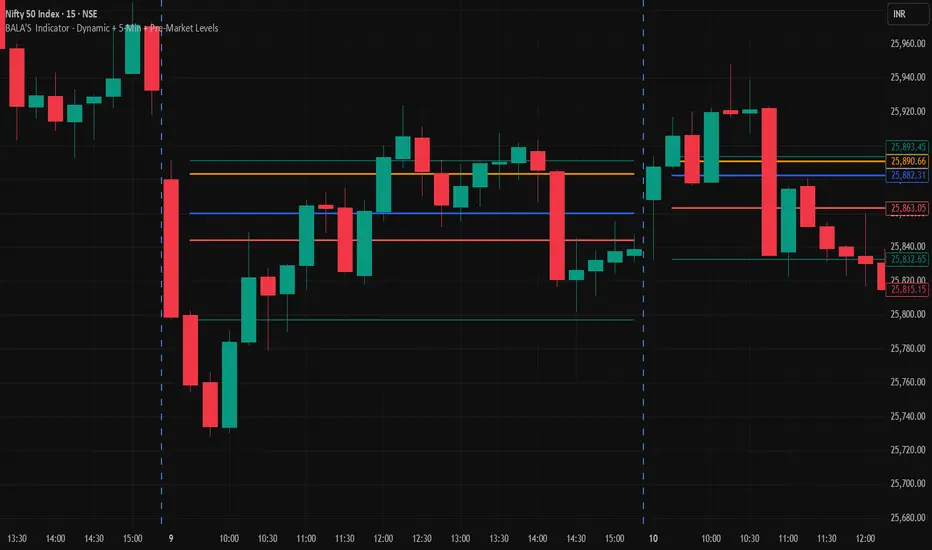
BALA'S Indicator - Dynamic + 5-Min + Pre-Market LevelsINTRADAY Strategy on Nifty with 15min Candle Setup.