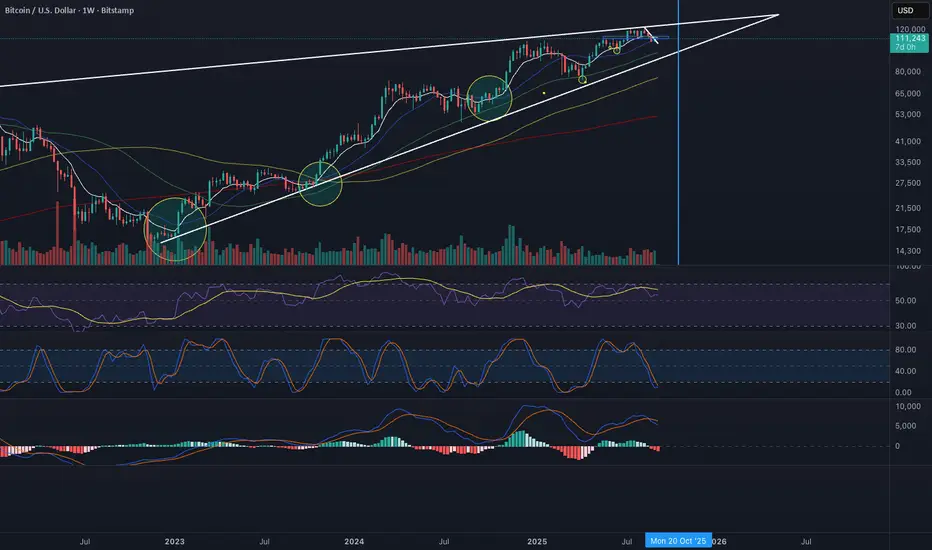
Force of Multi Strategy Bot: Backtest Webhook Alert Adaptive MTFForce of Multi Strategy (FoMS) - Innovative solution designed for crypto trading 📈
Overview:
An intraday algorithmic trading bot with 29 strategies, up to 10 symbols, and multi-timeframe filters sends pre-configured Webhook Alerts in TTA format to major crypto exchanges and features a live strategy Switcher that selects the best-performing strategy based on real-time backtest data
Key Features:
29 non-repaint strategies on up to 10 symbols
Buy/Sell signals based on TV Technical Rating, as well as classic and adaptive indicators
Higher Timeframe filters (ADX, Volatility, Volume, ATR) with multipliers from chart TF
Advanced risk management and backtest metrics
Automated "Switcher” to pick the best-performing strategies from backtest data in real time
Webhook alerts in TTA format (tradingview to anywhere) pre-configured to major Crypto Exchanges: Binance, Bitget, BingX, Bybit, GateIO, KuCoin and OKX
Main Inputs:
"All Strategies" on/off - trading all strategies on chart symbol or one strategy for 10 symbols
HTF Mult 1/2 - multipliers for 2 higher timeframes filters
InitCap/Trade$/Leverage - position size of one trade and initial capital
Min ROI/WR/PF/SRP/MAR/Trades - minimal cutoff for key strategy performance metrics. When "All Strategies" is "on", the switcher will open trades for strategies which meet these criteria
"Check Last" on/off - check performance metrics for a specified number of recent trades.
If the option is disabled, metrics are checked for the entire duration of the backtest
BacktestDays/MaxBars - set how long the script will perform backtests in days, with a limitation on the number of bars for acceptable calculation speed
How it works:
Only one trade can be opened at a time for each symbol. Strategies or symbols are calculated using their own initial capital settings
FoMS operates in two modes: ‘All Strategies’ on and off. When ‘All Strategies’ is off, it focuses on a single, user-selected strategy for each symbol. If ‘All Strategies’ is on, it's continuously evaluates 29 strategies and uses the Switcher to select the most promising ones
“All Strategies” Off Mode:
When the ‘All Strategies’ option is disabled, the script executes trades and sends alerts based on a single, user-selected strategy for each symbol. The script records backtest results for the selected strategy, allowing you to analyze its performance
In attached example you see how FoMS works on 10 symbols (first ones in alphabetical order with a leverage of 50) with chosen strategy #2 and enabled ATR HTF filter. Summary Profit & Loss for Backtest strategy #2: +$162.20 across 119 trades, with a $10 per-trade margin
This mode ideal when you calibrate risk management options on different symbols, or if you find that one of 29 strategies is profitable on many symbols and want trade with many of them simultaneously. This opens up the possibility of mass diversification, for example, launching trading on 200 symbols with just 20 notifications
“All Strategies” On Mode:
When the ‘All Strategies’ enabled, FoMS continuously evaluates 29 strategies for chart symbol and records backtest results continuously from each of them enabling the switcher to work
In this example, you can see how FoMS operates with all 29 strategies on a single chart symbol, with a summary P&L of +554.7$ from the backtest across 403 trades. Over the last 20 days from the backtest starting point, each strategy executed a different number of trades, from 2 to 41, getting different P&L from -26.1$ to +74.2$. Based on the results obtained, it seems prudent to continue trading only with strategies that have been more successful in the backtest
This is where he comes into play: strategy switcher executes trades and send alerts only from strategies that meet your pre-defined performance criteria, based on backtest results of all strategies. This opens up opportunities, allowing you to not only test the performance of one or many strategies, but also test the logic behind switching them
In attached example switcher use next logic: trades opened only for strategies who reached in test minimal setting ROI >= 0.2, PF >= 1.75 and SRP >= 1. As a result of testing this given logic: profit/loss = $84 , return on investment = 0.33, number of trades in 20 days = 34 .
P&L per trade rises from 1,37$ (all strategies backtest trades) to 2.47$ (switcher work)
Another backtest of logic example, switcher does the same thing but after check 6 last trades for each strategy. This rise ROI from 0.33 to 0.43, P&L rises from 84$ to 98.7$, P&L per trade rises from 2.47$ (check 20 days test) to 3.3$ (check last 6 trades)
Also, switcher has abilities to check strategies and update decisions about their performance with setting time period , for example every 2 days, and additionally it’s can choose for trading only Top ROI Rated Strategies, at say for example it can open trades from only Top 3 of them all
Interface:
Labels: on chart show open long/short and result in USD for closed trades, when "All strategies" is active - labels at bottom of indicator window show which exactly number of strategy opens a deal. The "No" label means that none of the strategies that meet the performance criteria have opened a trade at this time
Lines: indicator window contained equity line (aqua) and HTF Technical rating area, chart contain SL/TP (red/green) and open price (blue) lines for opened trades
Table 1 (all strategies or all symbols):
- TR: count of closed trading deals; WR: Winning Rate; PF: Profit Factor
- MDD: Max Draw Down for all calculated time from initial capital
- R$: trading Profit & Losses Result in USD
First row shows some of script settings, in published example: initial capital 100$, leverage 50L, 20 backtest days, 10$ is invest in one deal, 15m is chart timeframe, 60m is higher timeframe 1 and 120m is higher timeframe 2.
The exchange name in the second row determines the alert messages format
If strategy meet cutoff criteria you will see "Ok" label, if strategy meet criteria and have maximum from other reached ROI they labeled "Best". Chart strategy labeled "Chart", Chart and Ok labels in one time is "Chart+", "Chart" and "Best" is labeled "Best+"
Green or red color of strategy number/symbol means a long or short trade is currently active
Table 2 (chart symbol):
- PT: Result in USD Per one Trade; PW: Result Per Win, PL: Result Per Loss
- ROI: Return On Investment; SR: Sharpe Ratio, MR: CalMAR ratio
- Tx: Commission Fee in $; R$: trading Profit & Losses Result in USD
There separate trade results of backtesting for longs and shorts. In first column you see how many USD were invested in one trade, taking into account possible position splitting
Update frequency: closed trades information updated every bar, but check "ok"/"best" labels in table 1 would be when chart have not open trade. Its need for calculation speed purpose
Risk management options:
When a buy or sell trade is opened, you'll see three lines on the chart: a red stop-loss line ( SL ), a green take-profit line ( TP ), and a blue line representing the entry price . The trade will be closed if the high price or low price reaches the line TP or SL (no wait for bar close) and alert will be triggered once per bar when script recalculates
Several options are available to control the behaviour of SL/TP lines, such as stop-loss by percent, ATR, Highest High (HH) and Lowest Low (LL) . Take Profit can be in percent, ATR, Risk Reward ratio . There some Trailing Stop with start trail trigger options - ATR, % or HH/LL
Available Kelly position sizing option with multiplier to reduce growth
Additionally, implemented a function for adding a position when the breakeven level expressed in the current ROI is reached for opened trade (splitting). The position is added within the bar
Webhook alerts in TTA format with message contained next info : Buy / Sell or adding Quantity, Leverage, SL price, TP price and close trade Result in USD
(for easy forward tests and check difference between actual trade result and alerts logs)
Backtest Engine:
Profit or Loss is USD = close trade price * open trade quantity - open trade price * open trade quantity - open trade quantity * (open trade price + close trade price)/2 * commission
Possible slippage or alert sending delay needed to be include in commission % which you will set in risk management settings block, default settings is 0.15% (0,06% for open, 0,06% for close and 0,03% for possible slippage or additional fees)
Maximum Draw Down Drawdown = (peak - current equity) / peak * 100 ;
Drawdown > maxDrawdown ? maxDrawdown = Drawdown
ROI = profit result in USD / sum of all positions margin
CalMAR Ratio = ROI / (-MaxDrawDown)
Sharpe Ratio = ROI / standard deviation for (Sum of all results) / (Sum of all Position Margins)
Strategies:
Before describing them, I’ll provide extensive statistics on the results of using the listed strategies:
Number 1, 2 and 3: based on Higher Timeframe TradingView Technical Ratings at self. 1 is summary total rating, 2 is oscillators and 3 is moving averages. When TR filter cross user setting filter levels trade will be open at chart bar close. By Default on chart you see Summary Technical Rating oscillator, but here the options for change it to Oscillator TR or Moving Average TR
Number 4, 5 and 6: based on Chart TimeFrame TR. Trades will open when its values (Summary, Oscillators and Moving Averages) reached setting buy/sell level. To seeing plot of Chart TF Technical Ratings you can just set HTF multipliers to 1
Number 7, 8 and 9: is Alternative buy sell logic for Chart TimeFrame TR, trades will open when counting rising or falling setting values will be reached
Number from 10 to 18: based on user-selected adaptive Moving Averages and Oscillators indicators. In settings you will see different types of Adaptive Algorithms, Moving Averages (By default: SMA, RMA, WMA, Hann, JMA) and Oscillators (By default: RSI, LRSI, MomentumRSI, RVI) - more than 30 options in total. The standard adaptive algorithm is unique, developed by the author and based on ADX: it shortens the length of the MA/OSC when the market is defined as trending, and increases it when the market is defined as sideways. Other available adaptive length algorithms options based on identification of Volatility, Market Cycles or Trending and works on a similar principle adjusting the length setting of MA/OSC within market condition. All adaptive strategies have their options for calibrating. You can plot on chart any MA/OSC and its length obtained from adaptive algorithms. Trades are opened when the MA/OSC are crossed user-specified in settings buy/sell levels
Number from 19 to 29: They are calibrated between two options "Fast React" or "Strong Signal" for avoid overfitting. "Fast React" mean trades would be more, indicators will detect buy/sell condition faster. "Strong Signal" buy/sell will identifies slower and open potentially more accurate trades. I tried to found mostly time worked classic strategies within thousands tests, at the time of publication this script uses :
- Swing HH LL ( 19 ): trades open when trend swing is determined by comparing the timing of the latest high vs. low within time window sensitive to Fast or Strong setting;
- Composite indicator ( 20 ): implemented Fast or Strong variations based on normalized and weighted 0.25 * SMA + 0.15 * RSI + 0.25 * MaCD + 0.35 * ROC, buy/sell signals trigger when overbought/oversell (ob/os) levels is crossed;
-%R ( 21,22 ): buy/sell signals occur when fast or strong long term Williams %R and short %R cross centre line or ob/os levels;
- Pivot Point SuperTrend ( 23 ): identifies pivot point centreline with ATR bands, buy/sell signal triggered when fast or strong trend direction is changed;
- Ichimoku ( 24 ): buy/sell when tenkan cross kijun with strong or fast cloud trend confirmation;
- TSI ( 25 ): trades open when fast/strong variations of true strength index crossing ob/os levels;
- Band Level RSI ( 26 ): identifies bands based on fast/strong close price wma and stdev, buy/sell signals triggered when RSI cross ob/os levels with price out of bands;
- RSI/MacD ( 27, 28 ): trades open when macd crossing signal line if RSI was in ob/os condition long time ago or short time ago in a fast or strong variations, and open trades when macd line (fast) or signal line (strong) crossed zero line;
- Bars UpDown( 29 ): trades open when last bars ups or downs in fast or strong variations
- Overbought/oversold levels are sensitive to the “Fast React” or “Strong Signal” settings
Why this mashup: No one single trading strategy works consistently in all conditions. I combine 29 unique strategies to dynamically identify the best-performing ones at any given time
You can enable or disable various Higher Timeframes Filters (ADX, Volume, Volatility, Tech rating). If enabled, trades will only open when the filter setting are reached for one of two HTF
And after this describe i will show you another great statistics:
In showed tables you see backtest results for all strategies on 100 random crypto coins. Uses default script settings: InitCap 20$, One trade 3$, L50, commission 0.15%, 15m chart TF and two HTF 60m and 120m, ATR 2.5 SL and ATR trailing with trigger at 7 ATRs by open price
What in this stats: First test was without any HTF filtering, second table show result for same strategies and coins, but with enabled ADX Filter. As you can see Filter reduce Losses radically
Without filtration just 24 crypto coins averages from 100 was profitable, with ADX filtration this number rises to 32 from 100 , note that after filter best performed become another strategies. Bear in mind, all filters or risk management options will affect their backtest performance
For clarity: classic indicators are not plotted on chart in this script to avoid overloading the interface. You can easily understand what exactly do listed upper strategies by the “Long” and “Short” labels on the chart and the trades counted in the tables. While you can collect the massive statistics by yourself as shown upper, it is not part of this script
Originality and Value:
Diverse: fully customizable rules for the first 18 strategies, as well as a choice of "fast" or "strong" signals for the remaining 11, allow you to build a suite with different trading frequency
Risk Control and Backtest: dynamic SL/TP and position sizing with immediate test performance of many assets/strategies in one framework help optimize the risk-reward profile
Automated Strategy Switching: author developed unique feature allows to pick on the best-performing strategies in real-time and can backtest the logic behind switching them.
It designed to finding profitable habits in market behaviours and to cut out unprofitable ones
This combination, along with the developer’s extensive research and testing, sets the “Force of Multi Strategy” apart from many other trading solutions available on the market
Another usage example:
Tips that I found through tests: Last 4 trades say more about the next one #5 than 10 do about #11. You can use many instances of FoMS on one symbol. An attached example demonstrates how 4 instances of FoMS work with different filter settings (No Filters, ADX, ATR, TV.TR)
All instances have the same settings : Symbol: PEPE, Chart TF 15m, HTF Mult 4/8, InitCap $100, One trade $10/50 Leverage. Strategies switch based on the same logic : choosing a strategy that achieved an ROI ≥ 0.4 and a win rate ≥ 50% over the last 4 trades. As you can see: the TV.TR filter opened 24 trades with best P&L 118.9$. The ATR filter (no trade if ATR 5 / ATR 20 < 1.2) performed best 1.37 ROI, achieving a P&L 95.9$ with 9 trades in 20 days of backtest
Now you can choose the preferred option and create a new alert with the Webhook address provided by TTA. That’s all. The next signal from the strategy that meets the set ROI and WR criteria from the last 4 trades with the HTF filter will be executed by the script and sent to the Webhook address to open a position on the exchange
Keep in mind , script open a market orders and alerts have slight delay, some negative or positive difference (usually 3-10%, L50) in close trade result between alert and actual trade results is possible, alert message example: Close 1000PEPEUSDT C=LINEAR +2.27$ Buy 1000PEPEUSDT Q=13276.2944 SL=0.006545 TP=0.010168 L=50 D=2 C=LINEAR St:21
Might be important , this script generates alerts for market orders that are then executed on pre-configured crypto exchanges via the TTA service, along with native SL/TP orders
Finally:
There is no universal instruction or ‘how to’ for profitability in all markets at any time. However, I will continue researching and will share more tips in the future. I believe that FoMS’s capabilities can revolutionize your understanding of intraday trading
Invite-only status safeguards the author’s unique multi-strategy framework, unavailable in public scripts, ensuring users access tailored tools without imitation risks.
To get access please see the Author's instructions!
Wishing you successful trades! Stay tuned for updates
DISCLAIMER: No sharing, copying, reselling, modifying, or any other forms of use are authorized for this script, and the information published with them. This script is strictly for individual use. No one knows the future and Investments are always made at your own risk. I am not responsible for any losses you may incur. Before investment make sure that your logic is profitable on demo account
Индикатор Pine Script®