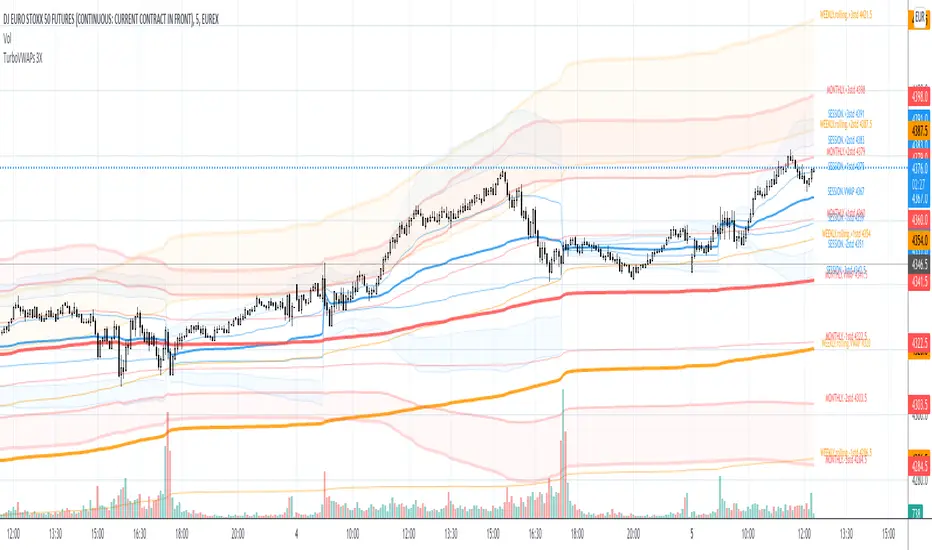
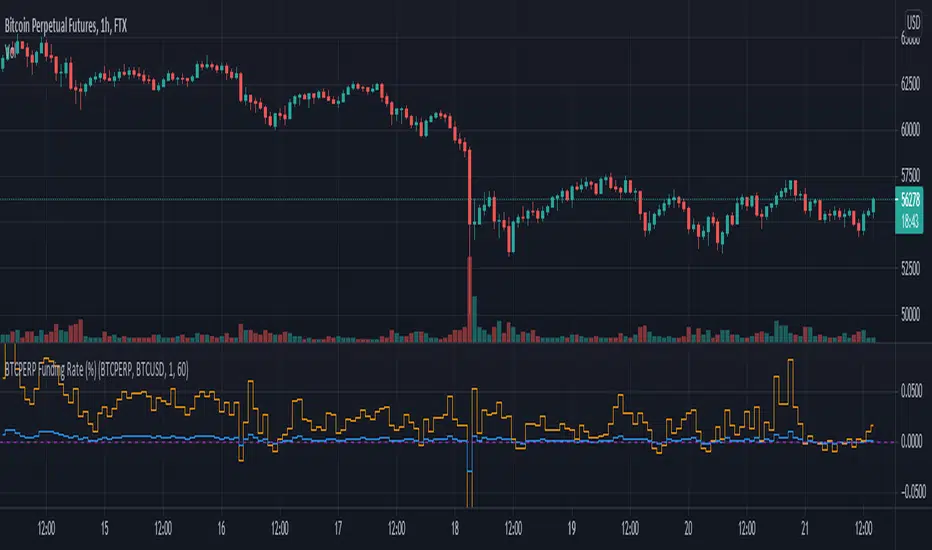
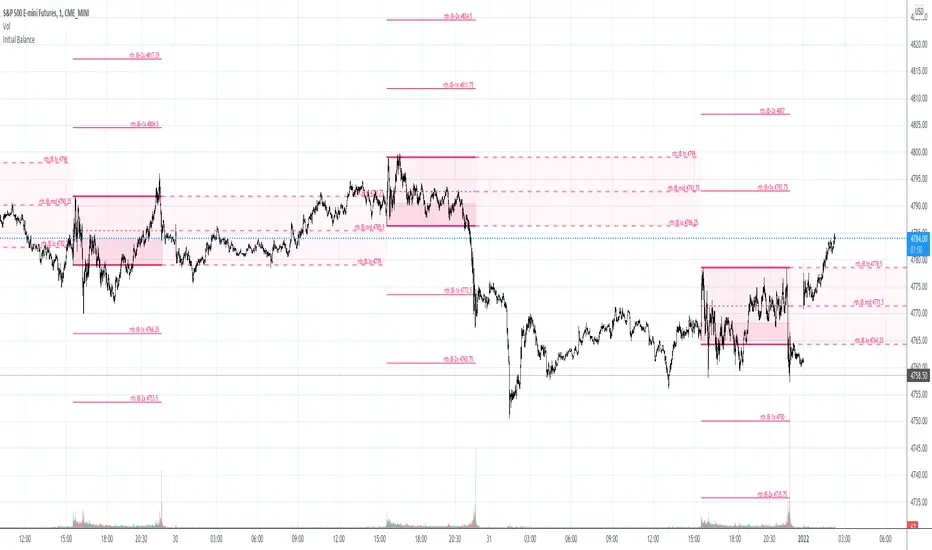
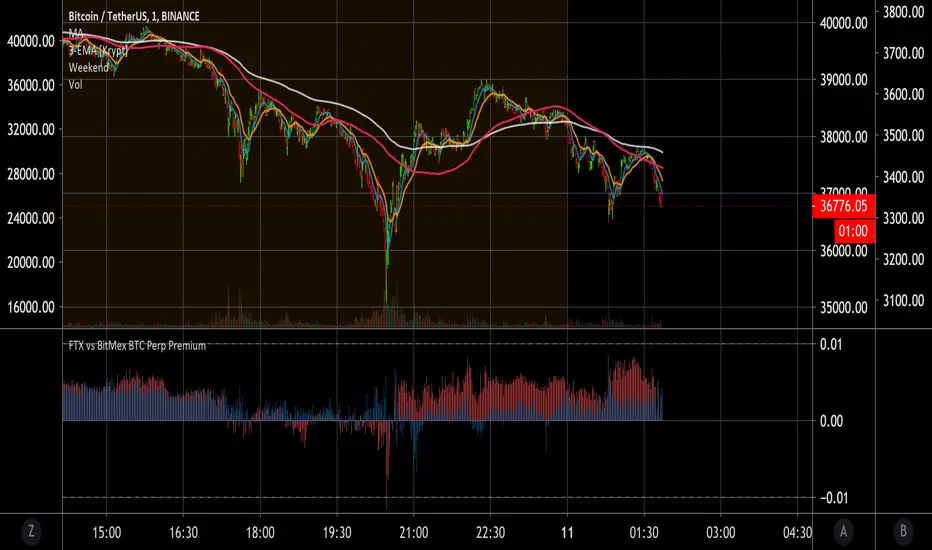
DTG Open Range Breakout
Description:
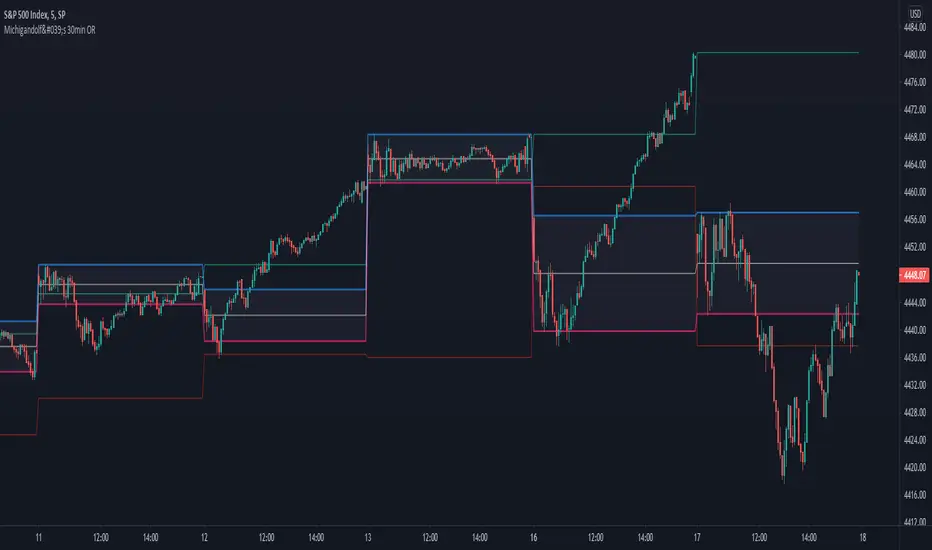
Overview The Open Range Breakout (ORB) is one of the most statistically significant strategies for day traders, particularly in Futures (ES/NQ) and Forex markets. This indicator automates the process of identifying the "Opening Range" (e.g., the first 30 minutes of the New York session) and visualizing the key High/Low levels that define the day's bias.
Unlike standard indicators that clutter the chart, this tool focuses on Price Action context. It highlights the critical volatility window and alerts you only when price makes a definitive move outside of this established range.
Key Features
Fully Customizable Session: Defaults to 09:30–10:00 (ET), but can be adjusted for any market (London Open, Tokyo Open, etc.).
Visual "No-Trade" Zone: Draws a shaded box representing the range formation period. This helps traders avoid "choppy" price action during the initial volatility.
Auto-Reset: The script automatically detects a new trading day and resets the range, keeping your chart clean without manual intervention.
Dynamic Support/Resistance: Once the range is closed, the High and Low lines extend forward, acting as key support or resistance levels for the rest of the session.
Smart Alerts: Alerts are programmed to trigger only after the range has fully formed, preventing false signals during the volatility establishment phase.
Reversals: If price breaks out but immediately fails and re-enters the box, consider this a "Fakeout" and look for a move to the opposite side.
Settings
Open Range Session: The specific time window to measure (Format: HHMM-HHMM).
Range Box Color: Visual preference for the shaded area.
Extend High/Low Lines: Toggle the dashed projection lines on/off.
DON.TRADES.GOLD@GMAIL.COM
Disclaimer This script is for educational and analytical purposes only. Past performance of a breakout strategy does not guarantee future results. Always manage risk.
Поиск скриптов по запросу "Futures"
Macro Risk Sentiment - Intermarket Timing SignalOverview
This indicator builds a composite macro sentiment score by analyzing intermarket relationships between bonds, credit spreads, the US dollar, and volatility. The core premise is that these markets often signal shifts in risk appetite before equities react, providing a timing edge for managing exposure.
When macro conditions favor risk assets, the indicator signals RISK-ON (green). When conditions deteriorate, it signals RISK-OFF (red). This is not a predictive tool but rather a systematic way to assess the current macro environment.
The Problem It Solves
Markets do not move in isolation. Before major equity drawdowns, stress often appears first in credit markets, bonds, and volatility. By monitoring these leading indicators systematically, we can identify periods when holding equity exposure carries elevated risk.
The goal is not to catch every move but to avoid the worst drawdowns by stepping aside when multiple macro factors align negatively.
How It Works
Step 1: Data Collection
The indicator pulls daily data from four key markets:
Risk-On Inputs (positive for equities when rising):
- TLT (20+ Year Treasury Bonds): Rising bonds can signal improving liquidity or flight-to-safety ending
- JNK (High-Yield Corporate Bonds): Rising junk bonds indicate credit conditions improving and risk appetite increasing
Risk-Off Inputs (negative for equities when rising):
- DXY (US Dollar Index): Strong dollar tightens global financial conditions and signals risk-off flows
- VIX (Volatility Index): Elevated VIX indicates fear and hedging demand
Step 2: Z-Score Normalization
Each input trades at different absolute levels, so direct comparison is impossible. The indicator converts each to a z-score: how many standard deviations the current value is from its 252-day (1 year) average.
A z-score of +1 means "unusually high relative to recent history." A z-score of -1 means "unusually low." This puts all inputs on the same scale.
Step 3: Composite Calculation
The macro score combines the normalized inputs:
Macro Score = (TLT z-score + JNK z-score) - (DXY z-score + VIX z-score)
The result is clamped between -1.5 and +1.5 to prevent outliers from dominating, then smoothed with an EMA to reduce noise.
Step 4: Signal Generation
Seven different methods are available for determining when conditions shift:
1. EMA Cross: Classic crossover between smoothed macro and its signal line
2. Slope: Simple direction of the macro trend
3. Momentum: Rate of change exceeding a threshold
4. Session Delta: Comparing today's reading to yesterday's
5. Pivot: Market structure analysis (higher lows vs lower highs)
6. Acceleration: Second derivative (is momentum increasing?)
7. Multi-Confirm: Requires 4 or more methods to agree
Why These Specific Markets?
Bonds (TLT)
Treasury bonds often lead equities at turning points. When institutions rotate into bonds, it signals caution. When they rotate out, it signals risk appetite returning.
Credit (JNK)
High-yield bonds price credit risk faster than equities. Widening credit spreads (falling JNK) often precede equity weakness by days or weeks.
Dollar (DXY)
A strong dollar creates headwinds for multinational earnings, tightens global USD liquidity, and signals defensive positioning globally.
Volatility (VIX)
The options market prices fear before it manifests in price. Sustained elevated VIX readings indicate hedging demand and uncertainty.
Research Application: Weekly Put Selling
One application of this indicator is timing premium-selling strategies. I tested using the EMA Cross method to filter 7-day-to-expiration (7DTE) put sales on ES futures with 90% Profit Target and 600% Stop Loss, only selling puts when the indicator showed RISK-ON.
Results with Macro Filter (2020-2025):
- Trades: 200
- Win Rate: 96.0%
- Total P/L: +$33,636
- Max Drawdown: 2.91%
- Profit Factor: 3.51
Results without Filter (same period):
- Trades: 357
- Win Rate: 96.1%
- Total P/L: +$63,492
- Max Drawdown: 10.30%
- Profit Factor: 2.90
Key Insight:
The filtered approach made less total profit (fewer trades) but reduced maximum drawdown by 72% (from 10.30% to 2.91%). This significantly improves risk-adjusted returns and allows for potentially higher position sizing with confidence.
Note: These results are from external backtesting on actual options data, not the TradingView backtest engine. Past performance does not guarantee future results.
Features
Seven configurable signal methods for different trading styles
Adjustable weights for each data source
Z-score normalization puts all inputs on equal footing
Visual info table showing all metrics at a glance
Background coloring for quick regime identification
Alert conditions for signal changes
Secondary plot showing method-specific metrics
Settings Guide
Macro Settings
Z-Score Lookback (default 252): Period for calculating standard deviations. 252 equals approximately one trading year. Longer periods are more stable but slower to adapt.
Macro EMA (default 7): Smoothing for the raw composite score. Lower values give faster but noisier signals.
Signal EMA (default 8): Secondary smoothing for the signal line. Used primarily in EMA Cross method.
Signal Method
EMA Cross : Recommended starting point. Signals when smoothed macro crosses its signal line.
Slope : Simpler approach based purely on trend direction.
Momentum : Requires rate of change to exceed a threshold.
Session Delta : Compares today to yesterday (daily timeframe focus).
Pivot : Uses market structure (higher lows for bullish, lower highs for bearish).
Acceleration : Measures change in slope (second derivative).
Multi-Confirm : Conservative approach requiring 4+ methods to agree.
Data Sources
Each source can be enabled/disabled and weighted from 0 to 3
Default is equal weighting (1.0) for all four sources
Experiment with emphasizing sources most relevant to your trading (tested on SPX)
How to Use
Basic Interpretation:
Green background / RISK-ON: Macro conditions favor equity exposure
Red background / RISK-OFF: Macro conditions suggest caution
Arrow markers indicate regime changes
For Risk Management:
Use RISK-OFF signals to reduce position size or hedge
Use RISK-ON signals to resume normal exposure
Consider the indicator as one input among many, not a complete system
For Options Strategies:
Avoid selling premium during RISK-OFF periods
Resume premium selling when RISK-ON returns
This approach trades frequency for reduced tail risk
Alert Setup:
Set alerts on "Bullish Turn" and "Bearish Turn" conditions
Receive notifications when the macro regime changes
Research Ideas
This indicator is designed as a research framework. Consider testing:
Different signal methods for your specific strategy
Adding or removing data sources based on what you trade
Varying the z-score lookback for different market regimes
Combining with price-based filters (moving averages, support/resistance)
Using the multi-confirm method for higher-conviction signals only
Limitations
The indicator uses daily data, so intraday signals may lag
Overnight gaps from surprise news cannot be anticipated
False signals will occur, especially in choppy, range-bound markets
The z-score lookback creates a recency bias; what was "normal" a year ago may not be relevant today
Not all drawdowns are preceded by macro deterioration; some come from idiosyncratic events
Past intermarket relationships may not persist in the future
Disclaimer
This indicator is for educational and research purposes only. It does not constitute financial advice.
Past performance does not guarantee future results
The research results shared are from historical backtesting and may not reflect actual trading conditions
Always conduct your own research and due diligence
Consider your personal risk tolerance before making any trading decisions
Never risk more than you can afford to lose
Credits
Intermarket analysis concepts draw from established macro trading principles. The multi-signal approach is original work designed to give users flexibility in how they interpret the macro data.
mua HARSI RSI Shadow Strategy M1 (Fixed)HARSI – Heikin Ashi RSI Shadow Indicator
HARSI (Heikin Ashi RSI Shadow) is a momentum-based oscillator that combines the concept of Heikin Ashi smoothing with the Relative Strength Index (RSI) to reduce market noise and highlight short-term trend strength.
Instead of plotting traditional price candles, HARSI transforms RSI values into a zero-centered oscillator (RSI − 50), allowing traders to clearly identify bullish and bearish momentum around the median line. The smoothing mechanism inspired by Heikin Ashi candles helps filter out false signals, making the indicator especially effective on lower timeframes such as M1.
The RSI Shadow reacts quickly to momentum shifts while maintaining smooth transitions, which makes it suitable for scalping and intraday trading. Key threshold levels (such as ±20 and ±30) can be used to detect momentum expansion, exhaustion, and potential continuation setups.
HARSI works best in liquid markets and can be used as a standalone momentum indicator or combined with trend filters such as moving averages or VWAP for higher-probability trades.
Key Features:
Zero-centered RSI oscillator (RSI − 50)
Heikin Ashi–style smoothing to reduce noise
Clear momentum-based entry signals
Optimized for lower timeframes (M1 scalping)
Suitable for both Spot and Futures trading
mua HARSI RSI Shadow Strategy M1 (Fixed)HARSI – Heikin Ashi RSI Shadow Indicator
HARSI (Heikin Ashi RSI Shadow) is a momentum-based oscillator that combines the concept of Heikin Ashi smoothing with the Relative Strength Index (RSI) to reduce market noise and highlight short-term trend strength.
Instead of plotting traditional price candles, HARSI transforms RSI values into a zero-centered oscillator (RSI − 50), allowing traders to clearly identify bullish and bearish momentum around the median line. The smoothing mechanism inspired by Heikin Ashi candles helps filter out false signals, making the indicator especially effective on lower timeframes such as M1.
The RSI Shadow reacts quickly to momentum shifts while maintaining smooth transitions, which makes it suitable for scalping and intraday trading. Key threshold levels (such as ±20 and ±30) can be used to detect momentum expansion, exhaustion, and potential continuation setups.
HARSI works best in liquid markets and can be used as a standalone momentum indicator or combined with trend filters such as moving averages or VWAP for higher-probability trades.
Key Features:
Zero-centered RSI oscillator (RSI − 50)
Heikin Ashi–style smoothing to reduce noise
Clear momentum-based entry signals
Optimized for lower timeframes (M1 scalping)
Suitable for both Spot and Futures trading
Auction Context Engine ( Value Area, VWAP & Regime)📌 Indicator Name
Auction Context Engine (Value Area, VWAP & Regime)
Short name: ACE Context
🧠 Description
Auction Context Engine (ACE) is a professional market context and structure indicator based on Auction Market Theory.It is designed to help traders understand where the market is positioned, not to generate trade signals.
ACE focuses on:
• Developing Value Area (VAH / VAL)
• Developing Point of Control (POC)
• Session VWAP positioning
• Volatility regime expansion
• Opening Range context
• Failed auction / trap detection
• Market bias and environment quality
This indicator provides context only and is intended to be used alongside a separate execution strategy or system.
🎯 What This Indicator Is
✔ A context engine
✔ A market structure filter
✔ A bias alignment tool
✔ A regime and environment classifier
❌ What This Indicator Is NOT
✘ Not a signal generator
✘ Not a buy/sell system
✘ Not a strategy
✘ Not a profitability promise
📊 How To Use
Use ACE to answer:
• Is price accepting or rejecting value?
• Is the market in balance or expansion?
• Is VWAP supporting or opposing price?
• Is this a breakout environment or a trap?
• Is volatility expanding?
• Is the market trending or ranging?
You may then use your own execution strategy aligned with this context.
🟢 Core Components
Developing Value Area
• VAH / VAL dynamically update through the session
• POC tracks highest traded volume area
VWAP Position
• Above VWAP = bullish bias
• Below VWAP = bearish bias
Opening Range Context
• Detects breakouts or balance after session open
Volatility Regime
• Identifies expansion vs normal conditions
Failed Auction Detection
• Highlights trap conditions near value extremes
Market Quality
• Strong / Mixed / Weak environment classification
Context Table
• Clean 1-column vertical dashboard with color-coded bias
🔵 Visual Elements
• Developing VAH, VAL, POC lines
• Session VWAP
• Small context dots when environment turns READY
• Compact professional context table
⚙️ Settings
• Value Area bin size
• Value area percentage
• Opening range duration
• Regime expansion factor
• Line colors and thickness
• Context table ON/OFF
• Context dots ON/OFF
🧩 Best Use Case
This indicator is ideal for:
• Intraday trading
• Index futures and equities
• Options context filtering
• Trend / range regime identification
• Professional discretionary traders
⚠️ Disclaimer
This script is provided for educational and informational purposes only.It does not constitute financial or investment advice.Trading involves risk. Always use proper risk management.
Scalp Hunter [Scalping-Algo]═══════════════════════════════════════════════════════════════════════════════
🎯 SCALP HUNTER
Precision ATR Momentum System for Fast Timeframes
═══════════════════════════════════════════════════════════════════════════════
📌 OVERVIEW
━━━━━━━━━━━━━━━━━━━━━━━━━━━━━━━━━━━━━━━━━━━━━━━━━━━━━━━━━━━━━━━━━━━━━━━━━━━━━━━
Scalp Hunter is a high-accuracy scalping indicator designed specifically for
low timeframe trading (3M, 4M, 5M). It combines ATR-based trailing stops with
multiple confirmation filters to deliver clean, actionable signals.
✅ No Repaint
✅ No Delay
✅ Confirmed Signals Only
✅ Multi-Filter Validation
═══════════════════════════════════════════════════════════════════════════════
⚙️ HOW IT WORKS
━━━━━━━━━━━━━━━━━━━━━━━━━━━━━━━━━━━━━━━━━━━━━━━━━━━━━━━━━━━━━━━━━━━━━━━━━━━━━━━
The indicator uses an ATR Trailing Stop as its core engine. When price crosses
the trail line, a potential signal is generated. But here's what makes it
accurate — signals must pass through 4 additional filters:
│
├─ 📊 PRICE ACTION FILTER
│ • Candle must close in signal direction
│ • Body size > 50% of full candle range
│ • Confirms strong momentum, not weak wicks
│
├─ 📈 VOLUME FILTER
│ • Volume must exceed 1.1x of 10-period average
│ • Filters out low-conviction moves
│ • Toggle on/off in settings
│
├─ 📉 EMA TREND FILTER
│ • Long signals: price must be above 21 EMA
│ • Short signals: price must be below 21 EMA
│ • Keeps you trading with the trend
│
└─ 🔥 MOMENTUM FILTER (RSI)
• RSI must confirm direction (>50 for longs, <50 for shorts)
• Avoids overbought/oversold extremes
• Fast 7-period RSI tuned for scalping
═══════════════════════════════════════════════════════════════════════════════
🎨 VISUAL GUIDE
━━━━━━━━━━━━━━━━━━━━━━━━━━━━━━━━━━━━━━━━━━━━━━━━━━━━━━━━━━━━━━━━━━━━━━━━━━━━━━━
🟢 GREEN TRIANGLE (▲) = Long Entry Signal
🔴 RED TRIANGLE (▼) = Short Entry Signal
━━ GREEN LINE = Bullish Trail Stop (support)
━━ RED LINE = Bearish Trail Stop (resistance)
🟢 GREEN BARS = Bullish Trend Active
🔴 RED BARS = Bearish Trend Active
═══════════════════════════════════════════════════════════════════════════════
📖 HOW TO USE
━━━━━━━━━━━━━━━━━━━━━━━━━━━━━━━━━━━━━━━━━━━━━━━━━━━━━━━━━━━━━━━━━━━━━━━━━━━━━━━
STEP 1: Add to Chart
• Apply indicator to 3M, 4M, or 5M chart
• Works on any liquid market (crypto, forex, stocks, futures)
STEP 2: Wait for Signal
• 🟢 Triangle appears below bar = LONG opportunity
• 🔴 Triangle appears above bar = SHORT opportunity
• Signal fires at bar OPEN (no repaint, you can act immediately)
STEP 3: Entry
• Enter at market or use limit order near signal bar close
• Trail stop line shows your initial stop level
STEP 4: Stop Loss
• Place stop just beyond the trail line
• Long: stop below green trail line
• Short: stop above red trail line
STEP 5: Take Profit
• Option A: Fixed R:R (1:1.5 or 1:2 recommended)
• Option B: Trail your stop using the indicator line
• Option C: Exit when opposite signal appears
═══════════════════════════════════════════════════════════════════════════════
⚡ RECOMMENDED SETTINGS
━━━━━━━━━━━━━━━━━━━━━━━━━━━━━━━━━━━━━━━━━━━━━━━━━━━━━━━━━━━━━━━━━━━━━━━━━━━━━━━
For 3M / 4M / 5M (Default - Aggressive Scalping):
• ATR Sensitivity: 0.8
• ATR Length: 8
• RSI Length: 7
• EMA Length: 21
• All filters: ON
For 15M / 30M (Slower Scalps):
• ATR Sensitivity: 1.0
• ATR Length: 10
• RSI Length: 10
• EMA Length: 34
• All filters: ON
For Volatile Markets (Crypto/News Events):
• ATR Sensitivity: 1.2
• ATR Length: 12
• Volume Filter: ON (important!)
• Other filters: ON
═══════════════════════════════════════════════════════════════════════════════
🔔 ALERTS
━━━━━━━━━━━━━━━━━━━━━━━━━━━━━━━━━━━━━━━━━━━━━━━━━━━━━━━━━━━━━━━━━━━━━━━━━━━━━━━
Three alert conditions available:
📲 "Scalp Long" → Fires on long entry signal
📲 "Scalp Short" → Fires on short entry signal
📲 "Any Signal" → Fires on both
To set up:
1. Click "Alert" button (clock icon)
2. Select "Scalp Hunter "
3. Choose condition
4. Set notification method (popup, email, webhook, mobile)
═══════════════════════════════════════════════════════════════════════════════
⚠️ RISK DISCLAIMER
━━━━━━━━━━━━━━━━━━━━━━━━━━━━━━━━━━━━━━━━━━━━━━━━━━━━━━━━━━━━━━━━━━━━━━━━━━━━━━━
Trading involves substantial risk. This indicator is a tool, not financial
advice. Past performance does not guarantee future results. Always:
• Use proper position sizing
• Set stop losses on every trade
• Never risk more than you can afford to lose
• Backtest before live trading
• Combine with your own analysis
═══════════════════════════════════════════════════════════════════════════════
💡 TIPS FOR BEST RESULTS
━━━━━━━━━━━━━━━━━━━━━━━━━━━━━━━━━━━━━━━━━━━━━━━━━━━━━━━━━━━━━━━━━━━━━━━━━━━━━━━
✦ Trade during high-volume sessions (London/NY open)
✦ Avoid signals during major news releases
✦ Confirm with higher timeframe trend
✦ Best results on liquid pairs/assets
✦ Keep all filters ON for highest accuracy
✦ Turn off filters only if you need more signals
═══════════════════════════════════════════════════════════════════════════════
📊 WHAT MAKES THIS DIFFERENT
━━━━━━━━━━━━━━━━━━━━━━━━━━━━━━━━━━━━━━━━━━━━━━━━━━━━━━━━━━━━━━━━━━━━━━━━━━━━━━━
Most ATR trailing indicators give too many signals. Scalp Hunter is different:
❌ Other indicators: Signal on every trail cross
✅ Scalp Hunter: Signal only when 5 conditions align
This means fewer trades, but higher probability setups.
═══════════════════════════════════════════════════════════════════════════════
Risk Size Calculator - Indices/Metals This indicator is a universal position sizing tool that automatically calculates how many contracts or units to trade based on your defined dollar risk and stop size, while intelligently adapting to the asset you’re trading.
Key Features
Works on any asset: indices, metals, futures, stocks, crypto, etc.
Auto stop interpretation:
Metals (GC, MGC, SI, SIL, etc.) → Ticks
Everything else → Points
Single stop input (no switching between points/ticks manually)
Auto preset stops per asset class (optional)
Uses TradingView’s native contract data (pointvalue, mintick) for accuracy
Clean, readable top-right panel with:
Risk ($)
Stop (Points or Ticks, auto-labeled)
Contracts / Units
Actual Risk ($)
Optional manual $-per-point override for edge cases or custom instruments
Designed for fast execution with zero mental math and minimal chart disruption.
Simple RSI Strategy - Rule Based Higher Timeframe Trading
HOW IT WORKS
With the default settings, the strategy buys when RSI reaches 30 and closes when RSI reaches 40 .
That’s it.
A simple, rule-based mean reversion strategy designed for higher timeframes , where market noise is lower and trading becomes easier to manage.
Core logic:
Long when RSI moves into oversold territory
Exit when RSI mean-reverts upward
Optional short trades from overbought levels
One position at a time (no pyramiding)
No filters.
No discretion.
Just clear, testable rules.
MARKETS & TIMEFRAMES
This strategy is intended for:
Indices (Nasdaq, S&P 500, DAX, etc.)
Liquid futures and CFDs
Higher timeframes: 2H, 4H and Daily
The published example is Nasdaq (NDX) on the 2-hour timeframe .
Higher timeframes are strongly recommended.
HOW TO USE IT
Apply the strategy on a higher timeframe
Adjust RSI levels per market if needed
Use TradingView alerts to avoid constant screen-watching
Focus on execution, risk control, and consistency
This strategy is meant to be a building block , not a complete trading business on its own.
For long-term consistency, it works best when combined with other uncorrelated, rule-based systems.
IMPORTANT
This is not financial advice
All results are historical and not indicative of future performance
Always forward-test and apply proper risk management
For additional notes, setups and related systems, visit my TradingView profile page .
Previous Close Percentage LevelsInstitutional Previous Close Percentage Levels (Visual).
This indicator plots percentage-based levels calculated from the previous daily close, designed for clean intraday context and Replay analysis.
Features:
• Automatic daily recalculation
• Levels displayed only for the current trading day
• Clear 0% reference line (previous close) without label
• Configurable percentage steps (+ / −)
• Right-side percentage labels
• Visual TOUCH markers (price interaction)
• Visual BREAK markers (confirmed close beyond level)
• Replay-safe logic (no infinite lines)
• Pine Script v6 compatible
This script is focused on visual clarity and price context.
No audible or popup alerts are used — only on-chart visual signals.
Ideal for:
• Intraday bias
• Mean reversion
• Breakout confirmation
• Futures, Forex, Crypto, Stocks
HOHO Oscillator Squeeze With AGAIG TurnsHOHO OSCILLATOR SQUEEZE WITH AGAIG TURN DETECTION
═════════════════════════════════════════════════════════════
OVERVIEW
This powerful indicator combines three proven trading concepts into one visually stunning, highly accurate momentum and trend analysis tool:
• HOHO (Hump Oscillator) - Multi-timeframe momentum oscillator
• Squeeze Indicator - Bollinger Bands/Keltner Channel volatility compression detector
• AGAIG (As Good As It Gets) Turn Detection - Intelligent price reversal identification
The result is a comprehensive trading system that identifies high-probability entry and exit points with exceptional visual clarity.
═════════════════════════════════════════════════════════════
KEY FEATURES
HOHO OSCILLATOR
The foundation of this indicator is the Hump Oscillator, which creates distinctive wave patterns ("humps") above and below the zero line. These colorful columns provide instant visual feedback on momentum direction and strength:
• Fast oscillator (thin columns) - Responsive to immediate price action
• Slow oscillator (wide columns) - Confirms underlying trend momentum
• Color-coded bars shift from bright (strong momentum) to dark (weakening momentum)
• Fully customizable MA types (EMA/SMA) and lengths
SQUEEZE DETECTION
Integrated Bollinger Band and Keltner Channel analysis identifies volatility compression:
• Yellow zero-line dots signal active squeeze conditions
• Optional yellow background highlights compression zones
• Anticipates explosive breakout moves
• Adjustable BB and KC parameters for different markets and timeframes
AGAIG TURN DETECTION
Intelligent price reversal identification based on the "As Good As It Gets" methodology:
• Automatically identifies significant market turning points
• Adjustable sensitivity via "Turn Detection Length" (lower = more signals, higher = fewer signals)
• Strength filter ensures only quality setups are marked (1-10 scale)
• Eliminates noise and false signals common in traditional pivot indicators
VISUAL SIGNALS
• BUY arrows (green triangles) mark bullish reversal opportunities
• SELL arrows (red triangles) mark bearish reversal opportunities
• Text labels positioned for optimal readability
• All arrows appear at actual turning points with configurable lookback offset
FLEXIBLE CUSTOMIZATION
• Choose between EMA or SMA for all moving average calculations
• Adjustable oscillator lengths for different trading styles
• Configurable turn detection sensitivity
• Optional bar coloring based on Fast or Slow momentum
• Clean, professional visual design
═════════════════════════════════════════════════════════════
HOW TO USE
ENTRY SIGNALS
Look for BUY/SELL arrows combined with:
1. Squeeze conditions (yellow markers) for highest-probability setups
2. Oscillator color confirmation (green for longs, red for shorts)
3. Turn strength that meets your minimum requirements
TREND CONFIRMATION
• Strong green humps = bullish momentum building
• Strong red humps = bearish momentum building
• Oscillator crossing zero = momentum shift
• Color transitions = momentum strengthening or weakening
VOLATILITY ANALYSIS
• Yellow zero-line dots = consolidation/squeeze active
• Expansion after squeeze = high-probability breakout opportunity
• Combine with turn arrows for precise entry timing
PARAMETER TUNING
For scalping/day trading (5m-15m charts):
• Turn Detection Length: 3-5
• Turn Strength: 2-4
For swing trading (1H-4H charts):
• Turn Detection Length: 5-8
• Turn Strength: 3-5
For position trading (Daily charts):
• Turn Detection Length: 8-15
• Turn Strength: 5-7
═════════════════════════════════════════════════════════════
CREDITS & ATTRIBUTION
This indicator builds upon the excellent work of:
• HOHO (Hump Oscillator) - Original concept from ThinkorSwim community
• Squeeze Indicator - Based on TTM Squeeze by John Carter
• AGAIG (As Good As It Gets) - Turn detection methodology by NPR21
Converted and enhanced for TradingView with permission from the trading community.
═════════════════════════════════════════════════════════════
BEST PRACTICES
✓ Use on liquid markets (major indices, forex pairs, crypto)
✓ Combine with support/resistance levels for confluence
✓ Wait for oscillator color confirmation before entry
✓ Higher turn strength settings = fewer but higher-quality signals
✓ Squeeze breakouts offer exceptional risk/reward opportunities
✓ Practice proper risk management and position sizing
✗ Don't trade every arrow - wait for confluence
✗ Don't ignore the oscillator colors - they show momentum health
✗ Don't use overly sensitive settings in choppy markets
✗ Don't trade counter to the oscillator trend without strong confirmation
═════════════════════════════════════════════════════════════
WHAT MAKES THIS INDICATOR UNIQUE
Unlike standalone momentum oscillators or simple pivot indicators, this tool synthesizes three proven methodologies into a single, coherent visual system. The combination of momentum analysis (HOHO), volatility detection (Squeeze), and intelligent turn identification (AGAIG) provides traders with a comprehensive view of market conditions and high-probability trading opportunities.
The indicator's visual design uses color psychology and positioning to make complex market analysis instantly understandable at a glance - critical for fast-moving markets and quick decision-making.
═════════════════════════════════════════════════════════════
SUITABLE FOR
• Day traders on 5m-30m timeframes
• Swing traders on 1H-Daily timeframes
• Scalpers seeking momentum confirmation
• Options traders identifying reversal points
• Futures traders (especially /ES, /NQ, /YM)
• Forex traders on major pairs
• Cryptocurrency traders
HTR Reclaim Hunter
🏹 HTR Reclaim Hunter
(1H Execution + Zones + 4H Bias)
HTR Reclaim Hunter is a trend-continuation indicator designed to identify high-probability pullback & reclaim entries using multi-timeframe bias, EMA structure, and dynamic reclaim zones.
This indicator is best suited for swing trading and intraday continuation setups, especially in trending markets.
🔑 CORE CONCEPT
Trade WITH the higher-timeframe trend.
Enter on pullbacks.
Confirm strength on reclaim.
HTR Reclaim Hunter combines:
4H trend bias
1H execution logic
EMA reclaim structure
Supply & demand reclaim zones
Built-in SL / TP visualization
🧭 RECOMMENDED SETTINGS
Best timeframe: 1H (designed for this)
Markets: Stocks, Crypto, Futures, Forex
Works best in: Trending markets (not chop)
📊 WHAT YOU SEE ON THE CHART
🔹 EMA Structure
EMA 50 (green): Trend filter
EMA 9 (colored): Momentum & pullback guide
🔹 Reclaim Zones
Green boxes: Support / demand zones
Red boxes: Resistance / supply zones
These zones highlight areas where price previously reacted and may reclaim.
🔹 Trade Signals
LONG label: Bullish reclaim setup
SHORT label: Bearish reclaim setup
🔹 Risk Levels (Optional)
Stop Loss (Red)
TP1 (Orange)
TP2 (Green)
🟢 LONG TRADE RULES
A LONG signal appears when ALL of the following are true:
4H trend is bullish
Price above 4H EMA 50
EMA 50 is rising
1H trend is bullish
Price above EMA 50
EMA 9 above EMA 50
Pullback occurs
Price pulls back below EMA 9
Reaches or taps EMA 50
Reclaim confirmation
Strong bullish candle closes back above EMA 9
Candle is not a doji
Signal prints
A green LONG label appears
👉 This indicates a trend continuation entry, not a reversal.
🔴 SHORT TRADE RULES
A SHORT signal appears when ALL of the following are true:
4H trend is bearish
Price below 4H EMA 50
EMA 50 is falling
1H trend is bearish
Price below EMA 50
EMA 9 below EMA 50
Pullback occurs
Price pulls back above EMA 9
Reaches or taps EMA 50
Reclaim confirmation
Strong bearish candle closes back below EMA 9
Candle is not a doji
Signal prints
A red SHORT label appears
🛑 STOP LOSS & TAKE PROFIT
When enabled, the indicator automatically plots:
Stop Loss
Based on recent swing high / low
TP1
1R (1× risk)
TP2
Configurable runner target (default 2R)
These are visual guides only — always manage risk according to your plan.
⚠️ IMPORTANT NOTES
This indicator is not meant for ranging or choppy markets
Best results occur when:
EMA 50 is clearly sloped
Price respects reclaim zones
Always confirm with:
Market structure
Volume
Higher-timeframe context
🔔 ALERTS
Alerts are available for:
HRH LONG
HRH SHORT
Alerts trigger on confirmed reclaim signals, not on every pullback.
❗ DISCLAIMER
This indicator is for educational purposes only.
It does not provide financial advice.
Always test and manage risk appropriately.
🏹 FINAL TIP
HTR Reclaim Hunter works best when you are patient.
Skip chop.
Wait for clean trends.
Hunt only high-quality reclaims.
If you want, I can also:
Write a short description version
Create a “Quick Start” section
Add example captions for screenshots
Help you choose TradingView tags & category
trend-following
ema reclaim
pullback strategy
multi-timeframe
price action
NSDT LatticeThis script automatically detects the Open price once the Futures markets open (6PM Eastern Time) and plots Support/Resistance levels based on the "Ticks Between Levels" that the trader enters in the settings.
The trader can also chose to set their own Custom Start Price should they wish to. For example: If they want to use the New York session Open price (for RTH) instead of the Asia session Open price (ETH).
You can change the colors and thickness of the lines, as well as the numbers of levels plotted.
BTC Scalping 3m | Supertrend + MACD Squeeze (NY) [v6 FINAL]BTC 3-Minute Scalping Strategy
Supertrend Bias + MACD Squeeze (New York Session)
This is a fully mechanical BTC scalping strategy designed to capture short momentum bursts that occur when volatility expands in the direction of the higher-timeframe trend.
The strategy combines trend confirmation, volatility compression/expansion, and strict session filtering to reduce noise and improve consistency.
How It Works
Trend Bias
Uses a 15-minute Supertrend to define market direction.
Trades are taken only in the direction of the higher-timeframe trend.
Counter-trend signals are ignored.
Timing & Entry
Executes on the 3-minute chart.
Waits for volatility compression using a LazyBear-style MACD Squeeze.
Enters only when the squeeze releases and momentum turns positive.
Entry occurs on candle close above the execution-timeframe Supertrend.
Session Filter
Trades only during the New York session (13:00–21:00 UTC).
This avoids low-liquidity periods and reduces false breakouts.
Risk & Exits
Dynamic stop-loss placed at the execution-timeframe Supertrend.
Risk is calculated using the actual filled entry price for accurate R-based exits.
Primary profit target is 0.5R, optimized for scalping.
Positions are exited immediately if:
Price closes against Supertrend
Supertrend flips direction
Momentum (MACD histogram) turns negative
Trades are typically short-lived (1–3 candles), keeping exposure minimal.
Key Characteristics
Non-repainting logic
Fully rule-based (no discretion)
High win-rate, low-RR scalping profile
Designed for BTC futures/perpetuals
Optimized for New York session volatility
Usage Notes
Run on BTC 3-minute charts
Best results during active NY hours
Performance will vary by exchange, fees, and slippage
This strategy is intended for education and testing, not financial advice
Summary
This strategy focuses on trading volatility expansion aligned with trend, using Supertrend for structure and MACD Squeeze for timing. By restricting trades to high-liquidity hours and enforcing strict exits, it aims for consistent, repeatable scalps rather than large directional bets.
Advanced Volume & Liquidity SuiteThe Institutional Code is an advanced trading system designed to reveal the footprint of "Smart Money" in the Futures and Indices markets. Unlike traditional indicators that track price, this algorithm tracks Real Volume and Liquidity, comparing retail data with institutional (CME) data to identify zones of manipulation and absorption.
This script transforms your chart into an institutional command board, ideal for trading NQ (Nasdaq), ES (S&P 500), and YM (Dow Jones) with surgical precision.
NIFTY 5m Bull Ratio + SL/TP Trackersimple, practical Bull Ratio formula tailored for NIFTY (index or NIFTY futures) on a 5-minute timeframe.
Nth Candle movement🔷 Indicator Name
Nth candle movement – Nth Candle Projection & Dynamic EMA System
________________________________________
🔷 Short Description
Nth candle movement is an advanced price-based indicator that uses Nth candle mathematics, percentage projections, and a dynamic EMA system to visualize intraday structure and evolving market momentum.
________________________________________
🔷 Overview
Nth candle movement combines time-based Nth candle logic, percentage offset zones, and a stage-based dynamic EMA to help traders understand how price behaves around mathematically derived reference points.
Instead of using fixed indicators, this script dynamically adapts to:
• Day structure
• Time progression
• Price reaction around calculated levels
The indicator automatically resets every new trading day, ensuring fresh, non-repainting levels.
________________________________________
🔷 Core Concepts Used
• Nth candle calculation based on day of month
• Percentage-based expansion and contraction zones
• 0.2611% precision micro-levels
• Dynamic EMA length that evolves with time
• Angle-inspired mathematical projections
________________________________________
🔷 Key Features
🔹 Nth Candle Projection Systems (4 Systems)
• Four independent Nth systems based on angle mathematics
• Automatically captures the Nth candle close
• Projects:
o Upper & lower percentage zones
o Precision 0.2611% levels
• Daily auto-reset (no clutter)
Each system can be individually enabled or disabled.
________________________________________
🔹 Visual Zone Highlighting
• Upper and lower projection bands
• Color-filled zones for better clarity
• Clean object management (lines, labels, fills)
________________________________________
🔹 Nth Marker Labels
• Optional Nth candle markers
• Helps visually identify the exact calculation point
________________________________________
🔹 Dynamic EMA System (Angle-Based)
• EMA length dynamically changes as market progresses
• Uses multiple Nth stages to shift EMA behaviour
• Color-coded EMA reflects the active mathematical phase
This allows traders to see momentum transitions instead of guessing them.
________________________________________
🔷 How to Use
1. Apply the indicator on any intraday or higher timeframe
2. Observe Nth candle markers and projected zones
3. Watch how price reacts inside or outside the zones
4. Use the Dynamic EMA color and slope as momentum guidance
5. Combine with price action or confirmation logic for entries
⚠️ This is a decision-support tool, not a buy/sell signal generator.
This indicator is for educational and informational purposes only.
It does not constitute financial advice.
Trading involves risk, and past performance does not guarantee future results.
Always do your own analysis before entering any trade.
________________________________________
🔷 Best Use Cases
• Intraday structure analysis
• Volatility expansion tracking
• Time-based price reaction studies
• Momentum phase identification
________________________________________
🔷 Timeframe Compatibility
✅ Works on all timeframes
Best suited for:
• 3m, 5m, 15m (Intraday)
• 1H, 4H (Swing structure)
________________________________________
🔷 Asset Compatibility
✔ Stocks
✔ Indices
✔ Forex
✔ Crypto
✔ Futures
Hull DMI - MattesHull DMI - Mattes
A Directional Movement Index enhanced with Hull Moving Average smoothing for refined trend detection.
This indicator reimagines the classic Directional Movement Index (DMI) by incorporating Hull Moving Average (HMA) smoothing on high and low prices. It calculates the +DI and -DI components based on changes in these hulled values, then derives the ADX for trend strength. The core plot displays the difference between +DI and -DI, colored to indicate bullish (blue) or bearish (purple) dominance when ADX is rising. Additionally, it overlays colored candles on the price chart to visually represent the prevailing trend direction.
Key Features:
Hull-Smoothed Inputs: Applies HMA to highs and lows before computing directional changes, reducing noise and lag compared to standard DMI.
Customizable Lengths: Adjustable periods for HMA, DI, and ADX smoothing to suit various timeframes and assets.
Trend Visualization: Plots DI difference with dynamic coloring and overlays trend-colored candles for at-a-glance analysis.
Alert Conditions: Built-in alerts for long (bullish) and short (bearish) signals when conditions shift.
How It Differs from Standard DMI/ADX:
Unlike the traditional DMI, which uses raw price changes and true range, this version employs Hull Moving Averages on highs and lows for smoother, more responsive directional calculations. This minimizes whipsaws in choppy markets while preserving sensitivity to genuine trends. The ADX is integrated to filter signals, ensuring color changes and alerts only occur during strengthening trends, setting it apart from basic oscillator-based indicators. Why It's Useful:
Enhanced Trend Identification: The HMA smoothing provides clearer signals in volatile environments, helping traders spot emerging trends earlier.
Visual Clarity: Colored DI plot and candle overlays make it easy to interpret market bias without cluttering the chart.
Versatility: Suitable for stocks, forex, crypto, and more; excels in trend-following strategies or as a filter for other systems.
Risk Management Aid: By focusing on ADX-confirmed moves, it reduces false signals, potentially improving win rates in systematic trading.
This Hull DMI variant offers several practical advantages that can directly improve trading decisions and performance:
Reduced Lag with Smoother Signals: By applying Hull Moving Average smoothing to highs and lows, the indicator responds faster to genuine trend changes than the standard DMI while filtering out much of the noise that causes false signals in ranging or choppy markets. Traders get earlier entries into trending moves without excessive whipsaws.
Built-in Trend Strength Filter: The optional ADX confirmation (enabled by default) ensures bullish signals and blue coloring only activate when trend strength is increasing (ADX rising). This helps traders avoid entering long positions during weakening or sideways trends, focusing capital on higher-probability setups.
Clear Visual Bias at a Glance: The single oscillator line (+DI – -DI) centered on zero, combined with dynamic blue/purple coloring and full candle overlay on the price chart, instantly shows the dominant trend direction. No need to interpret multiple lines—traders can quickly assess market bias across multiple charts or timeframes.
Versatile Across Markets and Styles: Works effectively on stocks, forex, futures, and cryptocurrencies. Trend-following traders can use it standalone for entries/exits, swing traders can use it for bias confirmation, and scalpers/day traders benefit on lower timeframes due to the reduced lag.
Improved Risk Management: By prioritizing ADX-confirmed directional moves, the indicator naturally filters low-conviction setups. This can lead to higher win rates and better risk-reward ratios when used systematically, especially when combined with proper stop-loss placement below/above recent swings.
Easy Integration: Built-in alert conditions and simple long/short logic make it straightforward to incorporate into automated strategies, watchlists, or as a confirming filter alongside other indicators (e.g., moving averages, RSI, volume profile).
Customizable Sensitivity: Separate inputs for Hull length, DI period, and ADX smoothing allow traders to optimize the indicator for specific assets, volatility regimes, or personal trading horizons—making it adaptable rather than one-size-fits-all.
Signals & Interpretation
The oscillator plots the difference between +DI and -DI (positive = bullish dominance, negative = bearish).
Bullish Signal (Long): +DI crosses above -DI, and (if ADX confirmation enabled) ADX is rising — triggers blue coloring, candle overlay, and long alert.
Bearish Signal (Short): -DI crosses above +DI — triggers purple coloring, candle overlay, and short alert.
Zero line acts as neutrality; crossings indicate potential trend shifts.
Best used in trending markets; ADX rising filter helps avoid whipsaws.
// Example Usage in Strategy
strategy("Hull DMI Strategy Example", overlay=true)
if L
strategy.entry("Long", strategy.long)
if S
strategy.entry("Short", strategy.short)
Great Inventions Require great care
Disclaimer: This indicator is provided for educational and informational purposes only and should not be considered as financial advice. Past performance is not indicative of future results. Always backtest thoroughly on your specific assets and timeframes, and consult a qualified financial advisor before making trading decisions. The author assumes no responsibility for any losses incurred from its use.
Market Regime | NY Session Killzones Indicator [ApexLegion]Market Regime | NY Session Killzones Indicator
Introduction and Theoretical Background
The Market Regime | NY Session Killzones indicator is designed exclusively for New York market hours (07:00-16:00 ET). Unlike universal indicators that attempt to function across disparate global sessions, this tool employs session-specific calibration to target the distinct liquidity characteristics of the NY trading day: Pre-Market structural formation (08:00-09:30), the Morning breakout window (09:30-12:00), and the Afternoon Killzone (13:30-16:00)—periods when institutional order flow exhibits the highest concentration and most definable technical structure. By restricting its operational scope to these statistically significant time windows, the indicator focuses on signal relevance while filtering the noise inherent in lower-liquidity overnight or extended-hours trading environments.
I. TECHNICAL RATIONALE: THE PRINCIPLE OF CONTEXTUAL FUSION
1. The Limitation of Acontextual Indicators
Traditional technical indicators often fail because they treat every bar and every market session equally, applying static thresholds (e.g., RSI > 70) without regard for the underlying market structure or liquidity environment. However, institutional volume and market volatility are highly dependent on the time of day (session) and the prevailing long-term risk environment.
This indicator was developed to address this "contextual deficit" by fusing three distinct yet interdependent analytical layers:
• Time and Structure (Macro): Identifying high-probability trading windows (Killzones) and critical structural levels (Pre-Market Range, PDH/PDL).
• Volatility and Scoring (Engine): Normalizing intraday momentum against annual volatility data to create an objective, statistically grounded AI Score.
• Risk Management (Execution): Implementing dynamic, volatility-adjusted Stop Loss (SL) and Take Profit (TP) parameters based on the Average True Range (ATR).
2. The Mandate for 252-Day Normalization (Z-Score)
What makes this tool unique is its 252-day Z-Score normalization engine that transforms raw momentum readings into statistically grounded probability scores, allowing the same indicator to deliver consistent, context-aware signals across any timeframe—from 1-minute scalping to 1-hour swing trades—without manual recalibration.
THE PROBLEM OF SCALE INVARIANCE
A high Relative Strength Index (RSI) reading on a 1-minute chart has a completely different market implication than a high RSI reading on a Daily chart. Simple percentage-based thresholds (like 70 or 30) do not provide true contextual significance. A sudden spike in momentum may look extreme on a 5-minute chart, but if it is statistically insignificant compared to the overall volatility of the last year, it may be a poor signal.
THE SOLUTION: CROSS-TIMEFRAME Z-SCORE NORMALIZATION
This indicator utilizes the Pine Script function request.security to reference the Daily timeframe for calculating the mean (μ) and standard deviation (σ) of a momentum oscillator (RSI) over the past 252 trading days (one year).
The indicator then calculates the Z-Score (Z) for the current bar's raw momentum (x): Z = (x - μ) / σ
Core Implementation: float raw_rsi = ta.rsi(close, 14) // x
= request.security(syminfo.tickerid, "D",
, // σ (252 days)
lookahead=barmerge.lookahead_on)
float cur_rsi_norm = d_rsi_std != 0 ? (raw_rsi - d_rsi_mean) / d_rsi_std : 0.0 // Z
This score provides an objective measurement of current intraday momentum significance by evaluating its statistical extremity against the yearly baseline of daily momentum. This standardized approach provides the scoring engine with consistent, global contextual information, independent of the chart's current viewing timeframe.
II. CORE COMPONENTS AND TECHNICAL ANALYSIS BREAKDOWN
1. TIME AND SESSION ANALYSIS (KILLZONES AND BIAS)
The indicator visually segments the trading day based on New York (NY) trading sessions, aligning the analysis with periods of high institutional liquidity events.
Pre-Market (PRE)
• Function: Defines the range before the core market opens. This range establishes structural support and resistance levels (PMH/PML).
• Technical Implementation: Uses a dedicated Session input (ny_pre_sess). The High and Low values (pm_h_val/pm_l_val) within this session are stored and plotted for structural reference.
• Smart Extension Logic: PMH/PML lines are automatically extended until the next Pre-Market session begins, providing continuous support/resistance references overnight.
NY Killzones (AM/PM)
• Function: Highlights high-probability volatility windows where institutional liquidity is expected to be highest (e.g., NY open, lunch, NY close).
• Technical Implementation: Separate session inputs (kz_ny_am, kz_ny_pm) are utilized to draw translucent background fills, providing a clear visual cue for timing.
Market Regime Bias
• Function: Determines the initial directional premise for the trading day. The bias is confirmed when the price breaks either the Pre-Market High (PMH) or the Pre-Market Low (PML).
• Technical Implementation: Involves the comparison of the close price against the predefined structural levels (check_h for PMH, check_l for PML). The variable active_bias is set to Bullish or Bearish upon confirmed breakout.
Trend Bar Coloring
• Function: Applies a visual cue to the bars based on the established regime (Bullish=Cyan, Bearish=Red). This visual filter helps mitigate noise from counter-trend candles.
• Technical Implementation: The Pine Script barcolor() function is tied directly to the value of the determined active_bias.
2. VOLATILITY NORMALIZED SCORING ENGINE
The internal scoring mechanism accumulates points from multiple market factors to determine the strength and validity of a signal. The purpose is to apply a robust filtering mechanism before generating an entry.
The score accumulation logic is based on the following factors:
• Market Bias Alignment (+3 Points): Points are awarded for conformance with the determined active_bias (Bullish/Bearish).
• VWAP Alignment (+2 Points): Assesses the position of the current price relative to the Volume-Weighted Average Price (VWAP). Alignment suggests conformity with the average institutional transaction price.
• Volume Anomaly (+2 Points): Detects a price move accompanied by an abnormally high relative volume (odd_vol_spike). This suggests potential institutional participation or significant order flow.
• VIX Integration (+2 Points): A score derived from the CBOE VIX index, assessing overall market stability and stress. Stable VIX levels add points, while high VIX levels (stress regimes) remove points or prevent signal generation entirely.
• ML Probability Score (+3 Points): This is the core predictive engine. It utilizes a Log-Manhattan Distance Kernel to compare the current market state against historical volatility patterns. The script implements a Log-linear distance formula (log(1 + |Δ|) ). This approach mathematically dampens the impact of extreme volatility spikes (outliers), ensuring that the similarity score reflects true structural alignment rather than transient market noise.
Core Technical Logic (Z-Score Normalization)
float cur_rsi_norm = d_rsi_std != 0 ? (raw_rsi - d_rsi_mean) / d_rsi_std : 0.0
• Technical Purpose: This line calculates the Z-Score (cur_rsi_norm) of the current momentum oscillator reading (raw_rsi) by normalizing it against the mean (d_rsi_mean) and standard deviation (d_rsi_std) derived from 252 days of Daily momentum data. If the standard deviation is zero (market is perfectly flat), it safely returns 0.0 to prevent division by zero runtime errors. This allows the AI's probability score to be based on the current signal's significance within the context of the entire trading year.
3. EXECUTION AND RISK MANAGEMENT (ATR MODEL)
The indicator utilizes the Average True Range (ATR) volatility model. This helps risk management scale dynamically with market volatility by allowing users to define TP/SL distances independently based on the current ATR.
Stop Loss Multiplier (sl_mult)
• Function: Sets the Stop Loss (SL) distance as a configurable multiple of the current ATR (e.g., 1.5 × ATR).
• Technical Logic: The price level is calculated as: last_sl_price := close - (atr_val * sl_mult). The mathematical sign is reversed for short trades.
Take Profit Multiplier (tp_mult)
• Function: Sets the Take Profit (TP) distance as a configurable multiple of the current ATR (e.g., 3.0 × ATR).
• Technical Logic: The price level is calculated as: last_tp_price := close + (atr_val * tp_mult). The mathematical sign is reversed for short trades.
Structural SL Option
• Function: Provides an override to the ATR-based SL calculation. When enabled, it forces the Stop Loss to the Pre-Market High/Low (PMH/PML) level, aligning the stop with a key institutional structural boundary.
• Technical Logic: The indicator checks the use_struct_sl input. If true, the calculated last_sl_price is overridden with either pm_h_val or pm_l_val, dependent on the specific trade direction.
Trend Continuation Logic
• Function: Enables signal generation in established, strong trends (typically in the Afternoon session) based on follow-through momentum (a new high/low of the previous bar) combined with a high Signal Score, rather than exclusively relying on the initial PMH/PML breakout.
• Technical Logic: For a long signal, the is_cont_long logic specifically requires checks like active_bias == s_bull AND close > high , confirming follow-through momentum within the established regime.
Smart Snapping & Cleanup (16:00 Market Close)
• Function: To maintain chart cleanliness, all trade boxes (TP/SL), AI Prediction zones, Killzone overlays (NY AM/PM), and Liquidity lines (PDH/PDL) are automatically "snapped" and cut off precisely at 16:00 NY Time (Market Close).
• Technical Logic: When is_market_close condition is met (hour == 16 and minute == 0), the script executes cleanup logic that:
◦ Closes active trades and evaluates final P&L
◦ Snaps all TP/SL box widths to current bar
◦ Truncates AI Prediction ghost boxes at market close
◦ Cuts off NY AM/PM Killzone background fills
◦ Terminates PDH/PDL line extensions
◦ Prevents visual clutter from extending into post-market sessions
4. LIQUIDITY AND STRUCTURAL ANALYSIS
The indicator plots key structural levels that serve as high-probability magnet zones or areas of potential liquidity absorption.
• Pre-Market High/Low (PMH/PML): These are the high and low established during the configured pre-market session (ny_pre_sess). They define the primary structural breakout level for the day, often serving as the initial market inflection point or the key entry level for the morning session.
• PDH (Previous Day High): The high of the calendar day immediately preceding the current bar. This represents a key Liquidity Pool; large orders are often placed above this level, making it a frequent target for stop hunts or liquidity absorption by market makers.
• PDL (Previous Day Low): The low of the calendar day immediately preceding the current bar. This also represents a key Liquidity Pool and a high-probability reversal or accumulation point, particularly during the Killzones.
FIFO Array Management
The indicator uses FIFO (First-In-First-Out) array structures to manage liquidity lines and labels, automatically deleting the oldest objects when the count exceeds 500 to comply with drawing object limits.
5. AI PREDICTION BOX (PREDICTIVE MODEL)
Function: Analyzes AI scores and volatility to project predicted killzone ranges and duration with asymmetric directional bias.
A. DIRECTIONAL BIAS (ASYMMETRIC EXPANSION)
The prediction model calculates directional probability using the ML kernel's 252-day Normalized RSI (Z-Score) and Relative Volume (RVOL). The prediction box dynamically adjusts its range based on this probability to provide immediate visual feedback on high-probability direction.
Bullish Scenario (ml_prob > 1.0):
• Upper Range: Expands significantly (1.5x multiplier) to show the aggressive upside target
• Lower Range: Tightens (0.5x multiplier) to show the invalidation level
• Visual Intent: The box is visibly skewed upward, immediately communicating bullish bias without requiring numerical analysis.
Bearish Scenario (ml_prob < -1.0):
• Upper Range: Tightens (0.5x multiplier) to show the invalidation level
• Lower Range: Expands significantly (1.5x multiplier) to show the aggressive downside target
• Visual Intent: The box is visibly skewed downward, immediately communicating bearish bias.
Neutral Scenario (-1.0 < ml_prob < 1.0):
Both ranges use balanced multipliers, creating a symmetrical box that indicates uncertainty.
B. DYNAMIC VOLATILITY BOOSTER (SESSION-BASED ADAPTATION)
The prediction box adjusts its volatility multiplier based on the current session and market conditions to account for intraday volatility patterns.
AM Session (Morning: 07:00-12:00):
• Base Multiplier: 1.0x (Neutral Base)
• Logic: Morning sessions often contain false breakouts and noise. The base multiplier starts neutral to avoid over-projecting during consolidation.
• Trend Booster: Multiplier jumps to 1.5x when:
Price > London Session Open AND AI is Bullish (ml_prob > 0), OR
Price < London Session Open AND AI is Bearish (ml_prob < 0)
• Logic: When the London trend (typically 03:00-08:00 NY time) aligns with the AI model's directional conviction, the indicator aggressively targets higher volatility expansion. This filters for "institutional follow-through" rather than random morning chop.
PM Session (Afternoon: 13:00-16:00):
• Fixed Multiplier: 1.8x
• Logic: The PM session, particularly the 13:30-16:00 ICT Silver Bullet window, often contains the "True Move" of the day. A higher baseline multiplier is applied to emphasize this session's significance over morning noise.
Safety Floor:
A minimum range of 0.2% of the current price is enforced regardless of volatility conditions.
• Purpose: Maintains the prediction box visibility during extreme low-volatility consolidation periods where ATR might collapse to near-zero values.
Volatility Clamp Protection:
Maximum volatility is capped at three times the current ATR value. During flash crashes, circuit breaker halts, or large overnight gaps, raw volatility calculations can spike to extreme levels. This clamp prevents prediction boxes from expanding to unrealistic widths.
Technical Implementation:
f_get_ai_multipliers(float _prob) =>
float _abs_prob = math.abs(_prob)
float _range_mult = 1.0
float _dur_mult = 1.0
if _abs_prob > 30
_range_mult := 1.8
else if _abs_prob > 10
_range_mult := 1.2
else
_range_mult := 0.7
C. PRACTICAL INTERPRETATION
• Wide Upper Range + Tight Lower Range: Strong bullish conviction. The model expects significant upside with limited downside risk.
• Tight Upper Range + Wide Lower Range: Strong bearish conviction. The model expects significant downside with limited upside.
• Symmetrical Range: Neutral/uncertain market. Wait for directional confirmation before entry.
• Large Box (Extended Duration): High-confidence prediction expecting sustained movement.
• Small Box (Short Duration): Low-confidence or choppy conditions. Expect quick resolution.
III. PRACTICAL USAGE GUIDE: METHODOLOGY AND EXECUTION
A. ESTABLISHING TRADING CONTEXT (THE THREE CHECKS)
The primary goal of the dashboard is to filter out low-probability trade setups before they occur.
• Timeframe Selection: Although the core AI is normalized to the Daily context, the indicator performs optimally on intraday timeframes (e.g., 5m, 15m) where session-based volatility is most pronounced.
• PHASE Check (Timing): Always confirm the current phase. The highest probability signals typically occur within the visually highlighted NY AM/PM Killzones because this is when institutional liquidity and volume are at their peak. Signals outside these zones should be treated with skepticism.
• MARKET REGIME Check (Bias): Ensure the signal (BUY/SELL arrow) aligns with the established MARKET REGIME bias (BULLISH/BEARISH). Counter-bias signals are technically allowed if the score is high, but they represent a higher risk trade.
• VIX REGIME Check (Risk): Review the VIX REGIME for overall market stress. Periods marked DANGER (high VIX) indicate elevated volatility and market uncertainty. During DANGER regimes, reducing position size or choosing a wider SL Multiplier is advisable.
B. DASHBOARD INTERPRETATION (THE REAL-TIME STATUS DISPLAY)
The indicator features a non-intrusive dashboard that provides real-time, context-aware information based on the core analytical engines.
PHASE: (PRE-MARKET, NY-AM, LUNCH, NY-PM)
• Meaning: Indicates the current institutional session time. This is derived from the customizable session inputs.
• Interpretation: Signals generated during NY-AM or NY-PM (Killzones) are generally considered higher-probability due to increased institutional participation and liquidity.
MARKET REGIME: (BULLISH, BEARISH, NEUTRAL)
• Meaning: The established directional bias for the trading day, confirmed by the price breaking above the Pre-Market High (PMH) or below the Pre-Market Low (PML).
• Interpretation: Trading with the established regime (e.g., taking a BUY signal when the regime is BULLISH) is the primary method. NEUTRAL indicates that the PMH/PML boundary has not yet been broken, suggesting market ambiguity.
VIX REGIME: (STABLE, DANGER)
• Meaning: A measure of overall market stress and stability, based on the CBOE VIX index integration. The thresholds (20.0 and 35.0 default) are customizable by the user.
• Interpretation: STABLE indicates stable volatility, favoring momentum trades. DANGER (VIX > 35.0) indicates extreme stress; signals generated in this environment require caution and often necessitate smaller position sizing.
SIGNAL SCORE: (0 to 10+ Points)
• Meaning: The accumulated score derived from the VOLATILITY NORMALIZED AI SCORING ENGINE, factoring in bias, VWAP alignment, volume, and the Z-Score probability.
• Interpretation: The indicator generates a signal when this score meets or exceeds the Minimum Entry Score (default 3). A higher score (e.g., 7+) indicates greater statistical confluence and a stronger potential entry.
AI PROBABILITY: (Bull/Bear %)
• Meaning: Directional probability derived from the ML kernel, expressed as a percentage with Bull/Bear label.
• Interpretation: Higher absolute values (>20%) indicate stronger directional conviction from the ML model.
LIVE METRICS SECTION:
• STATUS: Shows current trade state (LONG, SHORT, or INACTIVE)
• ENTRY: Displays the entry price for active trades
• TARGET: Shows the calculated Take Profit level
• ROI | KILL ZONE:
◦ For Active Trades: Displays real-time P&L percentage during NY session hours.
◦ At Market Close (16:00 NY): Since this is a NY session-specific indicator, any active position is automatically evaluated and closed at 16:00. The final result (VALIDATED or INVALIDATED) is determined based on whether the trade reached profit or loss at market close.
◦ Result Persistence: The killzone result (VALIDATED/INVALIDATED) remains displayed on the dashboard until the next NY AM KILLZONE session begins, providing a clear performance reference for the previous trading day.
Note: If a trade is still trending at 16:00, it will be force-closed and evaluated at that moment, as the indicator operates strictly within NY trading hours.
C. SIGNAL GENERATION AND ENTRY LOGIC
The indicator generates signals based on two distinct technical setups, both of which require the accumulated SIGNAL SCORE to be above the configured Minimum Entry Score.
Breakout Entry
• Trigger Condition: Price closes beyond the Pre-Market High (PMH) or Low (PML).
• Rationale: This setup targets the initial directional movement for the day. A breakout confirms the institutional bias by decisively breaking the first major structural boundary, making the signal high-probability.
Continuation Entry
• Trigger Condition: The market is already in an established regime (e.g., BULLISH), and the price closes above the high (or below the low) of the previous bar, while the SIGNAL SCORE remains high. Requires the Allow Trend Continuation parameter to be active.
• Rationale: This setup targets follow-through trades, typically in the afternoon session, capturing momentum after the morning's direction has been confirmed. This filters for sustainability in the established trend.
Execution: Execute the trade immediately upon the close of the bar that prints the BUY or SELL signal arrow.
D. MANAGING RISK AND EXITS
1. RISK PARAMETER SELECTION
The indicator immediately draws the dynamic TP/SL zones upon entry.
• Volatility-Based (Recommended Default): By setting the SL Multiplier (e.g., 1.5) and the TP Multiplier (e.g., 3.0), the indicator enforces a constant, dynamically sized risk-to-reward ratio (e.g., 1:2 in this example). This helps that risk management scales proportionally with the current market volatility (ATR).
• Structural Override: Selecting the Use Structural SL parameter fixes the stop-loss not to the ATR calculation, but to the more significant structural level of the PMH or PML. This is utilized by traders who favor institutional entry rules where the stop is placed behind the liquidity boundary.
2. EXIT METHODS
• Hard Exit: Price hits the visual TP or SL box boundary.
• Soft Exit (Momentum Decay Filter): If the trade is active and the SIGNAL SCORE drops below the Exit Score Threshold (default 3), it indicates that the momentum supporting the trade has significantly collapsed. This serves as a momentum decay filter, prompting the user to consider a manual early exit even if the SL/TP levels have not been hit, thereby preserving capital during low-momentum consolidation.
• Market Close Auto-Exit: At 16:00 NY time, any active trade is automatically closed and classified as VALIDATED (profit) or INVALIDATED (loss) based on current price vs. entry price.
IV. PARAMETER REFERENCE AND CONFIGURATION
A. GLOBAL SETTINGS
• Language (String, Default: English): Selects the language for the dashboard and notification text. Options: English, Korean, Chinese, Spanish, Portuguese, Russian, Ukrainian, Vietnamese.
B. SESSION TIMES (3 BOX SYSTEM)
• PRE-MARKET (Session, Default: 0800-0930): Defines the session range used for Pre-Market High/Low (PMH/PML) structural calculation.
• REGULAR (Morning) (Session, Default: 0930-1200): Defines the core Morning trading session.
• AFTERNOON (PM) (Session, Default: 1300-1600): Defines the main Afternoon trading session.
• Timezone (String, Default: America/New_York): Sets the timezone for all session and time-based calculations.
C. NY KILLZONES (OVERLAYS)
• Show NY Killzones (Bool, Default: True): Toggles the translucent background fills that highlight high-probability trading times (Killzones).
• NY AM Killzone (Session, Default: 0700-1000): Defines the specific time window for the first key liquidity surge (Open overlap).
• NY PM Killzone (Session, Default: 1330-1600): Defines the afternoon liquidity window, aligned with the ICT Silver Bullet and PM Trend entry timing.
• Allow Entry in Killzones (Bool, Default: True): Enables or disables signal generation specifically during the defined Killzone hours.
• Activate AI Prediction Box (Bool, Default: True): Toggles the drawing of the predicted target range boxes on the chart.
D. CORE SCORING ENGINE
• Minimum Entry Score (Int, Default: 3): The lowest accumulated score required for a Buy/Sell signal to be generated and plotted.
• Allow Trend Continuation (Bool, Default: True): Enables the secondary entry logic that fires signals based on momentum in an established trend.
• Force Ignore Volume (Bool, Default: False): Overrides the volume checks in the scoring engine. Useful for markets where volume data is unreliable or nonexistent.
• Force Show Signals (Ignore Score) (Bool, Default: False): Debug mode that displays all signals regardless of score threshold.
• Integrate CBOE:VIX (Bool, Default: True): Enables the connection to the VIX index for market stress assessment.
• Stable VIX (<) (Float, Default: 20.0): VIX level below which market stress is considered low (increases score).
• Stress VIX (>) (Float, Default: 35.0): VIX level above which market stress is considered high (decreases score/flags DANGER).
• Use ML Probability (Bool, Default: True): Activates the volatility-normalized AI Z-Score kernel. Disabling this removes the cross-timeframe normalization filter.
• Max Learning History (Int, Default: 2000): Maximum number of bars stored in the ML training arrays.
• Normalization Lookback (252 Days) (Int, Default: 252): The number of DAILY bars used to calculate the Z-Score mean and standard deviation (representing approximately 1 year of data).
E. RISK MANAGEMENT (ATR MODEL)
• Use Structural SL (Bool, Default: False): Overrides the ATR-based Stop Loss distance to use the Pre-Market High/Low as the fixed stop level.
• Stop Loss Multiplier (x ATR) (Float, Default: 1.5): Defines the Stop Loss distance in multiples of the current Average True Range (ATR).
• Take Profit Multiplier (x ATR) (Float, Default: 3.0): Defines the Take Profit distance in multiples of the current Average True Range (ATR).
• Exit Score Threshold (<) (Int, Default: 3): The minimum score below which an active trade is flagged for a Soft Exit due to momentum collapse.
F. VISUAL SETTINGS
• Show Dashboard (Bool, Default: True): Toggles the real-time data panel.
• Show NY Killzones (Bool, Default: True): Toggles killzone background fills.
• Show TP/SL Zones (Bool, Default: True): Toggles the drawing of Take Profit and Stop Loss boxes.
• Show Pre-Market Extensions (Bool, Default: True): Extends PM High/Low lines across the entire chart for support/resistance reference.
• Activate AI Prediction Box (Bool, Default: True): Enable or disable the predictive range projection.
• Light Mode Optimization (Bool, Default: True): Toggles dashboard and plot colors for optimal visibility on white (light) chart backgrounds.
• Enforce Trend Coloring (Bool, Default: True): Forces candle colors based on Market Regime (Bullish=Cyan, Bearish=Pink) to emphasize trend direction.
• Label Size (String, Default: Normal): Options: Tiny, Small, Normal.
G. LIQUIDITY POOLS (PDH/PDL)
• Show Liquidity Lines (Bool, Default: True): Toggles the display of the Previous Day High (PDH) and Low (PDL) lines.
• Liquidity High Color (Color, Default: Green): Color setting for the PDH line.
• Liquidity Low Color (Color, Default: Red): Color setting for the PDL line.
🔔 ALERT CONFIGURATION GUIDE
The indicator is equipped with specific alert conditions.
How to Set Up an Alert:
Click the "Alert" (Clock icon) in the top TradingView toolbar.
Select "Market Regime NY Session " from the Condition dropdown menu.
Choose one of the specific trigger conditions below depending on your strategy:
🚀 Available Alert Conditions
1. BUY (Long Entry)
Trigger: Fires immediately when a confirmed Bullish Setup is detected.
Conditions: Market Bias is Bullish (or valid Continuation) + Signal Score ≥ Minimum Entry Score.
Usage: Use this alert to open new Long positions or close existing Short positions.
2. SELL (Short Entry)
Trigger: Fires immediately when a confirmed Bearish Setup is detected.
Conditions: Market Bias is Bearish (or valid Continuation) + Signal Score ≥ Minimum Entry Score.
Usage: Use this alert to open new Short positions or close existing Long positions.
V. IMPORTANT TECHNICAL LIMITATIONS
⚠️ Intraday Only (Timeframe Compatibility)
This indicator is strictly designed for Intraday Timeframes (1m to 4h).
Daily/Weekly Charts: The session logic (e.g., "09:30-16:00") cannot function on Daily bars because a single bar encompasses the entire session. Session boxes, TP/SL zones, and AI prediction boxes will NOT draw on the Daily timeframe. Only the PDH/PDL liquidity lines remain visible on Daily charts. This is expected behavior, not a limitation.
Maximum Supported Timeframe: All visual components (session boxes, killzone overlays, TP/SL zones, AI prediction boxes) are displayed up to the 4-hour timeframe. Above this timeframe, only PDH/PDL lines and the dashboard remain functional.
⚠️ Drawing Object Limit (Max 500)
A single script can display a maximum of 500 drawing objects (boxes/lines) simultaneously.
On lower timeframes (e.g., 1-minute), where many signals and session boxes are generated, older history (typically beyond 10-14 days) will automatically disappear to make room for new real-time data.
For deeper historical backtesting visualization, switch to higher timeframes (e.g., 15m, 1h).
The indicator implements FIFO array management to comply with this limit while maintaining the most recent and relevant visual data.
VI. PRACTICAL TRADING TIPS AND BEST PRACTICES
• Killzone Confirmation: The highest statistical validity is observed when a high-score signal occurs directly within a visible NY AM/PM Killzone. Use the Killzones as a strict time filter.
• Liquidity Awareness (PDH/PDL): Treat the Previous Day High (PDH) and Low (PDL) lines as magnets. If your dynamic Take Profit (TP) is placed just above PDH, consider adjusting your target slightly below PDH or utilizing the Soft Exit, as liquidity absorption at these levels often results in sudden, sharp reversals that stop out a trade just before the target is reached.
• VIX as a Position Sizer: During DANGER VIX regimes, the resulting high volatility means the ATR value will be large. It is prudent to either reduce the SL Multiplier or, more commonly, reduce the overall position size to maintain a constant currency risk exposure per trade.
• Continuation Filter Timing: Trend Continuation signals are most effective during the Afternoon (PM) session when the morning's directional breakout has had time to establish a strong, clear, and sustainable trend. Avoid using them in the initial AM session when the direction is still being contested.
• 16:00 Market Close Rule: All trades, boxes, and lines are automatically cleaned up at 16:00 NY time. This prevents overnight chart clutter and maintains visual clarity.
VII. DISCLAIMER & RISK WARNINGS
• Educational Purpose Only
This indicator, including all associated code, documentation, and visual outputs, is provided strictly for educational and informational purposes. It does not constitute financial advice, investment recommendations, or a solicitation to buy or sell any financial instruments.
• No Guarantee of Performance
Past performance is not indicative of future results. All metrics displayed on the dashboard (including "ROI" and trade results) are theoretical calculations based on historical data. These figures do not account for real-world trading factors such as slippage, liquidity gaps, spread costs, or broker commissions.
• High-Risk Warning
Trading cryptocurrencies, futures, and leveraged financial products involves a substantial risk of loss. The use of leverage can amplify both gains and losses. Users acknowledge that they are solely responsible for their trading decisions and should conduct independent due diligence before executing any trades.
• Software Limitations
The software is provided "as is" without warranty. Users should be aware that market data feeds on analysis platforms may experience latency or outages, which can affect signal generation accuracy.
Daytrading Suite v6.4: Neon TPO + FVG + IB Lines (Stable)Here is the complete **Trading Manual & Strategy Guide** for the **Master Daytrading Suite (Neon + IB Edition)**.
This guide explains exactly **when** to trade and **how** to execute trades using the tools in the script.
---
# 📘 MASTER TRADING MANUAL (Neon + IB)
### 1. THE BASICS
* **Best Assets:** BTCUSDT & ETHUSDT (Futures).
* **Best Timeframe:** 5 Minutes (Entry) / 15 Minutes (Trend).
* **Key Session:** New York Session (High Volatility).
* **Golden Rule:** Never go **LONG** inside a Red Supply Zone. Never go **SHORT** inside a Green Demand Zone.
---
### 2. THE INDICATORS (Legend)
| Indicator | Color | Function | How to use |
| --- | --- | --- | --- |
| **Supply Zone** | 🟥 **Red Box** | Resistance | Look for Short setups here. |
| **Demand Zone** | 🟩 **Green Box** | Support | Look for Long setups here. |
| **Golden Pocket** | 🟧 **Orange** | Retracement | The "Sweet Spot" for trend entries (Fib 0.618). |
| **VWAP** | 🔵 **Blue Line** | Trend Anchor | Price > VWAP = Bullish. Price < VWAP = Bearish. |
| **Initial Balance (IB)** | 🟨 **Yellow Box** | Opening Range | Breakout above = Bullish. Breakdown below = Bearish. |
| **FVG (Gap)** | 🟩/🟥 **Tiny Box** | Trigger | **Green FVG** = Entry Signal for Longs. **Red FVG** = Entry Signal for Shorts. |
---
### 3. STRATEGY A: The Trend Pullback (High Win Rate)
*Use this when the market is trending smoothly.*
#### ✅ HOW TO ENTER A LONG (BUY) POSITION
1. **Trend Check:** Price is trading **ABOVE** the VWAP (Blue Line) and EMA 9 (Yellow Line).
2. **The Wait:** Wait for the price to drop back down (pullback).
3. **The Zone:** Price touches the **Green Demand Zone** OR the **Orange Golden Pocket**.
4. **The Trigger:** A **Green FVG Box** appears on the 5-minute chart.
5. **Execution:** Enter Long. Stop Loss below the recent low. Take Profit at the next Red Zone.
#### 🔻 HOW TO ENTER A SHORT (SELL) POSITION
1. **Trend Check:** Price is trading **BELOW** the VWAP (Blue Line) and EMA 9 (Yellow Line).
2. **The Wait:** Wait for the price to rally up (pullback).
3. **The Zone:** Price touches the **Red Supply Zone** OR the **Orange Golden Pocket**.
4. **The Trigger:** A **Red FVG Box** appears on the 5-minute chart.
5. **Execution:** Enter Short. Stop Loss above the recent high. Take Profit at the next Green Zone.
---
### 4. STRATEGY B: The IB Breakout (Volatility)
*Use this specifically after the first hour of the New York Session (approx. 10:30 NY time).*
* **The Setup:** Look at the **Yellow Box (Initial Balance)** which marks the high/low of the first hour.
* **Bullish Breakout:** If a candle closes **above** the Yellow Box + Price is above VWAP → **Go Long**.
* **Bearish Breakdown:** If a candle closes **below** the Yellow Box + Price is below VWAP → **Go Short**.
* **The Trap (Fakeout):** If price breaks out but immediately falls back inside the Yellow Box, close the trade immediately.
---
### 5. DAILY ROUTINE (Checklist)
1. **Open TradingView:** Switch to the **15m Chart**.
2. **Check Context:** Where are we? Are we near a big Red Box (Supply) or Green Box (Demand)?
3. **Check Trend:** Is price above or below the Blue VWAP line?
4. **Wait for the Open:** Let the first hour of New York pass (to form the Yellow IB Box).
5. **Set Alerts:** Right-click the chart and set alerts for "IB Breakout" or "Golden Pocket".
6. **Execute:** Switch to the **5m Chart** to find your entry trigger (FVG).
---
### 6. RISK MANAGEMENT RULES
* **Stop Loss:** NEVER trade without one. Place it just outside the FVG box or the Zone.
* **Risk per Trade:** 1% to 2% of your account maximum.
* **No Trade Zone:** If the price is "chopping" (moving sideways) inside the Yellow IB Box, **do not trade**. Wait for a breakout.
Volume Level Monitor table Volume Level Monitor table and NQ/ES Futures PRO system
Features:
1. Volume Monitor Table (Top Left)
Level: Shows HIGH/MEDIUM/LOW with color coding
RED = High volume (≥150% of MA)
YELLOW = Medium volume
BLUE = Low volume (≤70% of MA)
vs MA: Current volume as percentage of moving average
Volume: Real-time volume display
MA: 20-period volume moving average
2. Enhanced Volume Calculations
Volume percentage relative to MA
CVD (Cumulative Volume Delta) calculation
Volume level classification with thresholds
4. Additional Volume Alerts
Alert when volume reaches HIGH threshold
Alert when volume drops to LOW threshold
5. Display Control
New toggle: "Show Volume Monitor Table" in Display settings
Can be turned on/off independently
How to Use:
Volume Monitor helps you:
HIGH Volume (Red): Confirms breakouts, strong moves, potential reversals
LOW Volume (Blue): Avoid choppy periods, wait for confirmation
MEDIUM Volume (Yellow): Normal trading conditions
Best Practice:
Combine Volume Monitor with main dashboard signals
Look for HIGH volume on entry signals for best confirmation
Avoid trading during LOW volume periods (reduces false signals)
The two tables work together: Main dashboard for trade signals, Volume Monitor for volume context!
The SHIFT - Signal Harmonic Inflection Flow Tracker🔄 THE SHIFT — SIGNAL HARMONIC INFLECTION FLOW TRACKER
Precision reversal detection at the exact moment price shifts direction.
📐 CORE CONCEPT: THE INFLECTION POINT
Every sustained price move begins with a single moment — the instant price crosses from one phase to another. THE SHIFT captures this exact inflection point by combining two essential confirmations:
1. The Phase Cross
Price crossing the EMA ribbon midpoint represents a structural change in market bias. The ribbon midpoint is calculated as the average of EMA 21 and EMA 55, creating a dynamic equilibrium zone. When price decisively crosses this level, it signals a potential phase transition.
2. The Confirming Wick
Not every ribbon cross leads to continuation. THE SHIFT filters for quality by requiring the crossing candle to show directional commitment through its wick structure:
✓ Bullish SHIFT: Lower wick ≥ 25% of bar range (buyers absorbed selling pressure)
✓ Bearish SHIFT: Upper wick ≥ 25% of bar range (sellers absorbed buying pressure)
This dual confirmation eliminates weak crosses that occur during sideways chop.
⚙️ HOW IT WORKS
The EMA Ribbon
Five exponential moving averages (8, 13, 21, 34, 55) form an adaptive ribbon that expands during trends and contracts during consolidation. The ribbon serves multiple purposes:
✓ Visual trend identification through color gradient
✓ Dynamic support/resistance zones
✓ Phase boundary definition via ribbon midpoint
Phase Detection
The indicator tracks three distinct market phases:
✓ VELOCITY BULLISH — Price confirmed above ribbon midpoint
✓ VELOCITY BEARISH — Price confirmed below ribbon midpoint
✓ EQUILIBRIUM — Price oscillating around midpoint without confirmation
Phase confirmation requires price to remain on one side of the ribbon for a user-defined number of bars (default: 2), preventing false signals from single-bar noise.
Market Pressure Index (MPI)
MPI quantifies the balance between buying and selling pressure within each bar by analyzing where price closes relative to its range, weighted by volume. This provides momentum context for phase transitions:
✓ Positive MPI confirms bullish pressure
✓ Negative MPI confirms bearish pressure
✓ Strong readings (above threshold) indicate conviction
Consensus Grading System
Each SHIFT signal receives a quality grade (A+, A, B, C) based on five factors:
✓ Phase Strength — EMA alignment plus MPI strength
✓ Trend Alignment — All EMAs properly stacked
✓ Volume Confirmation — Above-average participation
✓ Momentum Convergence — MPI confirms direction
✓ Structure Respect — Price at value area
Higher grades indicate stronger confluence and potentially higher-probability setups.
📊 VISUAL SYSTEM
SHIFT Labels
✓ ▲ SHIFT — Bullish phase flip detected
✓ ▼ SHIFT — Bearish phase flip detected
Labels appear at the exact bar where the phase transition occurs.
Entry Zones
When a qualified SHIFT fires, a colored box appears showing:
✓ Entry zone boundaries
✓ Signal direction (LONG/SHORT)
✓ Wick percentage that triggered the signal
✓ Quality grade
Dynamic Trade Management
THE SHIFT tracks three profit targets (T1, T2, T3) and stop levels with intelligent visual feedback:
✓ Target Lines — Display as dashed lines during active trade
✓ Target Hit — Line turns GREEN with "✓ T1/T2/T3" label
✓ Target Fade — Hit targets progressively fade and disappear after user-defined bars
✓ Stop Hit — Line turns RED with "❌ STOPPED OUT" label
This visual system keeps your chart clean while providing clear feedback on trade progress.
Background Shading
Subtle background color indicates current phase:
✓ Green tint — Bullish phase
✓ Red tint — Bearish phase
✓ Yellow tint — Equilibrium
🧠 SHIFT ASSISTANT — INTELLIGENT COACHING PANEL
The SHIFT Assistant provides real-time contextual guidance that adapts to market conditions:
MARKET READ
Current market assessment:
✓ "💪 Strong bullish trend in play"
✓ "📈 Bullish momentum building"
✓ "🔥 Compression detected - breakout imminent"
✓ "⚖️ Equilibrium - wait for SHIFT"
ACTION
Specific guidance for current situation:
✓ "🟢 SHIFT LONG - Wick confirmed buyers"
✓ "📊 Halfway to T1 - Hold with conviction"
✓ "✅ T1 Hit - Consider partials, move stop to entry"
✓ "👀 Bullish shift but weak wick - skip"
✓ "⏸️ No setup - Patience pays"
CAUTION
Risk warnings when applicable:
✓ "⚠️ Bearish divergence forming - caution on new longs"
✓ "🌊 Volatility expanding - widen mental stops"
INSIGHT
Additional observations:
✓ "✨ Perfect bullish SHIFT setup"
✓ "📊 EMAs fully stacked - trend mature"
✓ "💎 Grade A+ conditions"
TRADE STATUS
When in an active trade:
✓ Current P&L percentage
✓ Bars in trade
✓ Risk buffer remaining (ATR to stop)
📋 MAIN DASHBOARD
The dashboard displays comprehensive real-time information:
Phase Status
✓ Current phase (Velocity Bullish/Bearish/Equilibrium)
✓ Phase strength (Strong/Moderate/Weak)
✓ MPI reading
Consensus Breakdown
✓ Visual progress bar showing consensus score
✓ Individual check status for all five factors
✓ Current quality grade
Wick & Shift Status
✓ Current wick type and percentage
✓ Whether a SHIFT is occurring on current bar
Three Laws Display
✓ Law 1: Direction (SHIFT BULL/BEAR or No Shift)
✓ Law 2: Confirmation (Wick Confirms or Weak Wick)
✓ Law 3: Quality (Grade passes filter or not)
All three laws must be satisfied for a signal to fire.
⚙️ INPUT PARAMETERS
SHIFT Core Engine
✓ MPI Period (14) — Lookback for Market Pressure Index calculation
✓ MPI Sensitivity (1.5) — Amplification factor for pressure readings
✓ Phase Confirmation Bars (2) — Bars required on one side of ribbon to confirm phase
✓ Strong Momentum Threshold (0.5) — MPI level considered "strong"
EMA Ribbon
✓ Show EMA Ribbon — Toggle ribbon visibility
✓ EMA Fast/2/Core/4/Slow (8/13/21/34/55) — Individual EMA periods
Signal Settings
✓ Show Signals — Toggle signal generation
✓ Minimum Signal Grade (B) — Filter signals below this quality threshold
✓ Min Wick Ratio (0.25) — Minimum wick size as percentage of bar range to confirm shift
✓ Show Entry Zones/Stops/Targets — Toggle visual elements
✓ Stop Loss ATR (1.5) — Stop distance in ATR multiples
✓ Zone Width (15) — How many bars entry zones extend forward
✓ Target Fade Duration (8) — Bars before hit targets disappear
Assistant & Dashboard
✓ Position and size options for both panels
✓ Independent show/hide toggles
Visual
✓ Customizable colors for bullish, bearish, neutral, target hit, and stop hit
✓ Background and label transparency controls
🎯 RECOMMENDED USAGE
Best Timeframes
✓ 5-minute to 1-hour for intraday trading
✓ 4-hour to Daily for swing trading
✓ Adjust Min Wick Ratio lower (0.20) on higher timeframes where wicks tend to be smaller
Best Markets
✓ Liquid instruments with clear trending behavior
✓ Futures, Forex, and large-cap equities
✓ Avoid during major news events when price action becomes erratic
Signal Filtering
✓ Grade A+ and A signals have highest confluence
✓ Grade B signals are acceptable with additional confirmation
✓ Grade C signals should generally be skipped
✓ Use the Assistant's ACTION guidance to understand why signals fire or don't fire
Trade Management
✓ T1 at 1× risk (1:1 R) — Consider taking partials
✓ T2 at 2× risk (2:1 R) — Move stop to breakeven
✓ T3 at 3× risk (3:1 R) — Full target, close remaining position
✓ Watch for phase invalidation (opposite SHIFT) as hard stop signal
🔔 ALERTS
THE SHIFT includes comprehensive alert conditions:
✓ SHIFT Long — Bullish entry signal
✓ SHIFT Short — Bearish entry signal
✓ T1/T2/T3 Hit — Target reached notifications
✓ Stopped Out — Stop level breached
✓ Shift Bullish/Bearish — Phase flip events (with or without trade signal)
Dynamic alerts include grade and wick percentage information for complete context.
📝 DEVELOPMENT NOTES
THE SHIFT emerged from extensive research into what makes reversal signals reliable versus unreliable. The key insight was that most failed reversals lack wick confirmation — the candle crosses a level but shows no evidence that the opposing force actually stepped in.
By requiring both the structural cross (price through ribbon midpoint) AND the wick confirmation (evidence of absorption), THE SHIFT filters out the low-quality signals that plague simpler crossover systems.
The intelligent Assistant panel was designed to function as a trading coach, helping traders understand not just WHEN to trade but WHY conditions are or aren't favorable. This educational component helps develop intuition over time.
⚠️ RISK DISCLAIMER
This indicator is a technical analysis tool designed to identify potential trading opportunities. It does not guarantee profits and should not be used as the sole basis for trading decisions.
Past performance of any trading system or methodology is not necessarily indicative of future results. Trading involves substantial risk of loss and is not suitable for all investors.
Always use proper risk management, position sizing appropriate to your account, and never risk more than you can afford to lose. Paper trade any new system extensively before committing real capital.
The developer makes no claims about win rates, profit factors, or expected returns. Your results will vary based on market conditions, timeframe selection, and execution.
🎯 SUMMARY
THE SHIFT provides a unified approach to reversal detection:
✓ Simple Logic — Phase cross + wick confirmation = signal
✓ Quality Grading — Consensus scoring filters for best setups
✓ Visual Clarity — Dynamic trade management keeps charts clean
✓ Intelligent Coaching — Assistant explains market conditions in real-time
✓ Complete System — Entry, targets, stops, and management in one indicator
One objective. One system. Catch the shift.
"The market speaks in inflection points. THE SHIFT translates."
Taking you to school. — Dskyz , Trade with insight. Trade with anticipation.
5 Layer Script P5 ICT Identifier Package (Sessions + Narrative)This script is a session-based market narrative framework designed to help traders understand where price is likely seeking liquidity and alignment, rather than focusing on isolated entries.
This script mainly identifies and labels the Asia, London, and New York trading sessions, providing structure for how price behavior evolves throughout the day. It is intended to be used as a context and timing tool.
How it works
-Automatically maps Asia, London, and New York sessions
-Highlights session ranges and transitions
-Helps visualize accumulation, expansion, and distribution phases
-No repainting once a session is completed
How to use it
-Use Asia to observe range formation and liquidity build-up
-Use London for expansion, manipulation, or early continuation
-Use New York for confirmation, continuation, or reversal (IMPORTANT)
-Align session behavior with:
Higher-timeframe bias
Midpoint equilibrium levels
Fair Value Gaps
Signal or Potential Reversal confirmations
Best practices
-Avoid treating sessions as directional signals
-Focus on session objectives, not candle patterns
-Most effective on futures, indices, and liquid FX pairs
-Works best when combined with higher-timeframe structure
This package is intentionally narrative-driven and non-mechanical, allowing traders to frame intraday price action within a repeatable session logic rather than reactive decision-making.
ADDITIONAL: If youve made it this far i will tell you a cheat code to this specific script. Once you alligned your standard time for the sessions you will notice that if you set the sessions to close properly i recommend asking Chatgpt or any other AI tool, you will notice that the sessions end a few hours earlier for NY. You should see a label pop up for the NY just like the Asia and London session. That signal will tell you the next potential move only if you utilize the ICT killzones cheatsheet, easy to find on google images and I will attach it here if possible. its definetly mixed up but thats just market structure, only one you should pay attention to take a trade is the end of the NY session if adjusted properly. over 90% success rate following this strategy. I will add the link for the full cheat sheet below
www.scribd.com