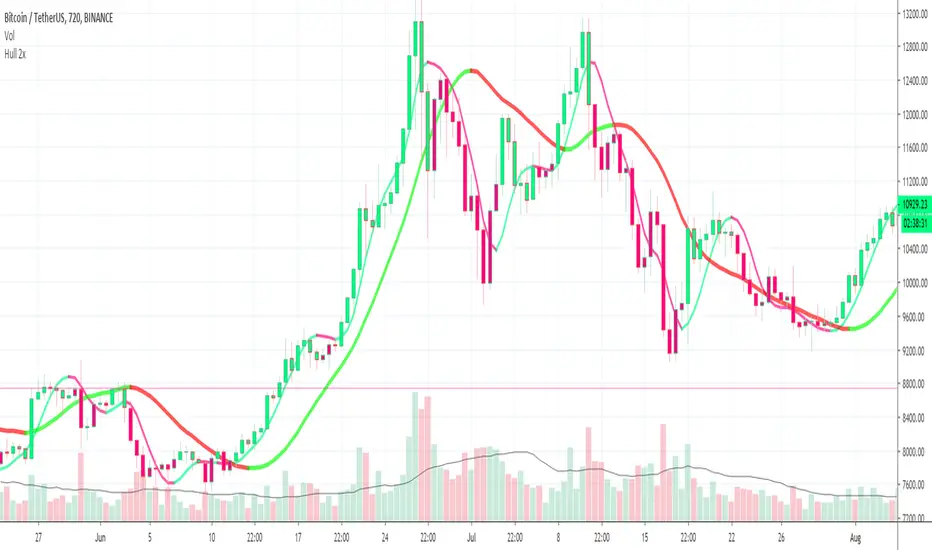
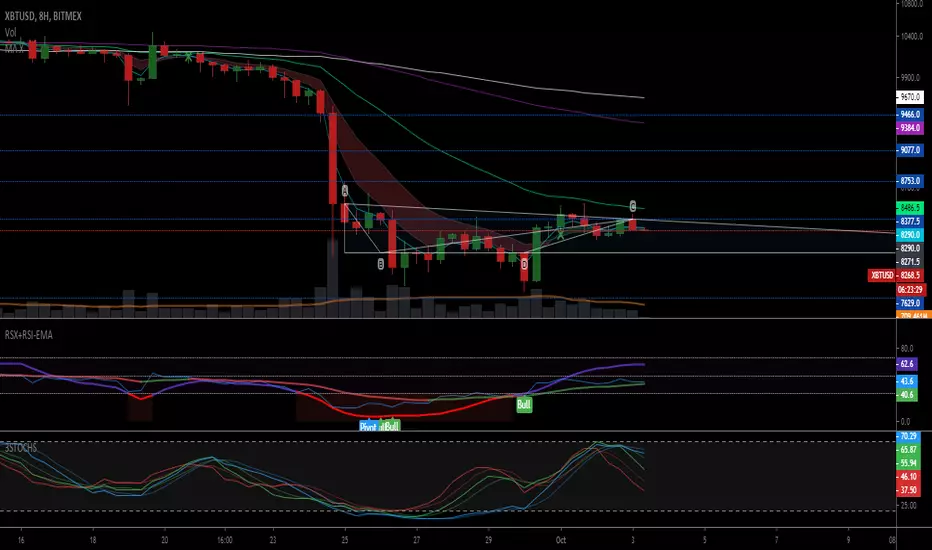
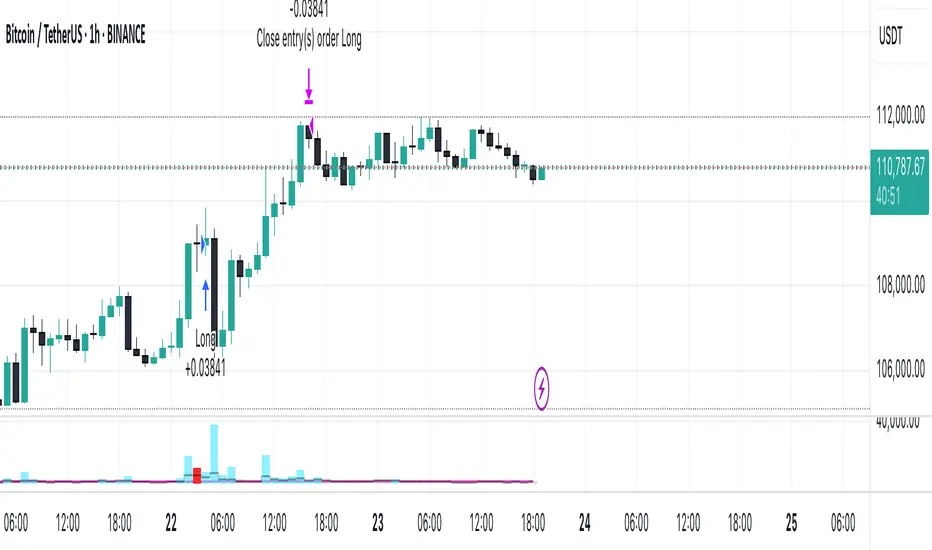
TN MA Cross Potential entry when the MA 5 crosses the MA 13 on an uptrend. This indicator is not meant for a you to buy and sell. It is a way to see if your fav coins are heading in an uptrend.Индикатор Pine Script®от TopNotchCrypto2
Bitazu MA 5,10Displays 5,10 MAs on a single indicator. Useful for Crypto trading and reduced the number of indicators needed to view multiple EMAs When shorter MA crosses over the longer it's a good sign of Bullish/Bearish reversal. This sentiment is more true at longer timeframes, such as daily candles, as the trend has more momentum. Индикатор Pine Script®от ankitbitazuОбновлено 14
Bitazu MA 10,20Displays 10, 20 MAs on a single indicator. Useful for Crypto trading and reduced the number of indicators needed to view multiple MAs When shorter MA crosses over the longer it's a good sign of Bullish/Bearish reversal. This sentiment is more true at longer timeframes, such as daily candles, as the trend has more momentum.Индикатор Pine Script®от ankitbitazuОбновлено 2243
Step Generalized Moving Average [BackQuant]Step Generalized Moving Average Overview Step Generalized Moving Average (StepGMA) is a trend-structure moving average designed to solve two common problems with classic MAs: They overreact to noise in chop, causing constant micro-flips. They lag too much when you smooth them enough to stop that noise. StepGMA tackles this by combining two layers: A Generalized Moving Average (GMA) that increases responsiveness without simply shortening length. A Step Filter that converts the MA into discrete “steps” sized by ATR, suppressing insignificant movement and only updating when the move is meaningful. The output is a trend line that behaves more like market structure: it holds its level through noise, then “reprices” in chunks when volatility-adjusted movement is large enough. What the indicator is trying to represent Instead of showing every tiny MA wiggle, StepGMA tries to represent the idea that: Most price movement is noise relative to volatility. Trend only matters when it advances by a meaningful amount. A good trend line should stay stable until the market forces it to move. That makes this indicator useful as: A regime filter (trend vs chop). A trend-following bias line. A structure-like dynamic S/R reference. A signal generator with fewer low-quality flips. Component 1: Moving Average engine (selectable) The base smoothing is not fixed. You can choose between multiple MA types: SMA, EMA, WMA, VWMA: classic smoothing families. DEMA, TEMA: reduced-lag EMA variants. T3: smooth yet responsive, good for trend. HMA: very low lag, can be twitchy without filtering. ALMA: center-weighted smoothing, often “cleaner” visually. KAMA: adaptive smoothing based on efficiency ratio, good in mixed regimes. LSMA: regression-based, tends to track trend direction well. McGinley: dynamic smoothing designed to reduce lag during fast moves. This matters because the StepGMA is not “one MA.” It is a framework that lets you pick the underlying smoothing behavior, then applies the generalization and step logic on top. Component 2: Generalized Moving Average (GMA) Where the idea comes from Generalized MA here is essentially a form of two-stage smoothing compensation . A common trick in signal processing and technical analysis is: Apply a smoother once (MA1). Apply it again (MA2). Use MA2 as a “lag reference,” then combine MA1 and MA2 to reduce lag while keeping smoothness. This is related in spirit to reduced-lag filters (like DEMA/TEMA) and “zero-lag” style constructions that subtract part of the lag component. You are not magically removing lag, you are biasing the output toward the first-pass MA while subtracting some of the second-pass smoothing that represents delayed response. How this script does it It computes: ma1 = MA(src, len) ma2 = MA(ma1, len) Then combines them using a volume factor (vf): generalized = ma1 * (1 + vf) - ma2 * vf Interpretation: ma2 is a “more delayed” version of ma1. Subtracting vf * ma2 and adding (1+vf) * ma1 pushes the output toward responsiveness. vf controls how aggressive that push is. Volume Factor (vf) is really an aggressiveness knob The script clamps vf between 0.01 and 1.0 to keep it stable. Conceptually: Low vf: behaves closer to a normal MA1, smoother, more lag. High vf: more compensation, faster response, more risk of overshoot or noise sensitivity (which is then handled by the step filter). So the GMA stage tries to give you a cleaner, faster trend estimate without just shrinking the MA period. Component 3: Step Filter (the key behavior) What a step filter is A step filter turns a continuous signal (here, the generalized MA) into a discrete “staircase” signal. Instead of updating every bar, it updates only when the input has moved far enough to justify a new step. This is conceptually similar to: A quantizer in signal processing (rounding changes to discrete increments). A volatility threshold filter (ignore changes smaller than X). Market structure logic where levels matter more than micro movement. How it works in this script The filter maintains a persistent value: stepped . Each bar: diff = src - stepped If |diff| < stepSize, do nothing (hold the level). If |diff| >= stepSize, move stepped by a number of step increments. The step increment size is: stepSize = (stepMult / 100) * ATR(atrPeriod) This is critical: In higher volatility, ATR is larger, so steps are larger, fewer updates, more stability. In lower volatility, ATR is smaller, so steps are smaller, more updates, more sensitivity. So the step behavior automatically adapts to volatility. Multiple-step catching behavior If price jumps far beyond one step, the script does not move only one step. It moves by: floor(|diff| / stepSize) * stepSize So it “catches up” in discrete blocks, preserving the stepped character without lagging massively after large moves. Direction and regime Direction is determined by the stepped line, not the raw MA: direction = +1 if steppedMA is rising direction = -1 if steppedMA is falling otherwise direction stays the same Signals only trigger on direction state changes: Long when direction flips to +1 Short when direction flips to -1 This matters because it prevents repeated signals while the trend remains intact. You only get a signal when the market has moved enough (in ATR terms) to justify a structural step in the opposite direction. Secondary line and gradient fill The script also plots a secondary “slow MA” (length 25, same MA type). This is not the core logic, it is a visual context layer: StepGMA is the structure line (discrete, regime-driven). Slow MA is a smoother reference for the underlying drift. The gradient fill highlights separation and dominance. When StepGMA sits above the slow MA, the fill reinforces bullish bias. When below, it reinforces bearish bias. It is basically a “trend pressure” visual, not a separate signal. How to interpret it 1) StepGMA as trend structure Flat steps mean price is not making enough volatility-adjusted progress to move structure. Up-steps mean the market has advanced enough to reprice the trend line upward. Down-steps mean deterioration significant enough to reprice structure downward. 2) Direction is a regime, not a tick-by-tick call Because direction is derived from step changes, it is naturally a regime filter: Fewer flips in chop. Clearer regime transitions. Signals tend to occur later than ultra-fast tools, but with better confirmation quality. 3) Step size controls noise rejection StepMult is the main “anti-chop” control: Higher stepMult = bigger ATR steps = fewer updates, fewer signals, more confirmation, slower to react. Lower stepMult = smaller steps = more updates, more signals, more sensitivity, more chop risk. 4) Generalization controls responsiveness of the underlying trend estimate vf controls how “fast” the MA tries to be before stepping: Higher vf makes the MA respond faster to new price information. Lower vf makes the MA smoother and more conservative. The step filter then decides whether that change is meaningful enough to matter. Practical use cases Trend filter for entries Only take longs when direction is bullish. Only take shorts when direction is bearish. Avoid trades when StepGMA is flat for long periods, market is not repricing meaningfully. Dynamic support and resistance Because the line holds levels, it often behaves like structure: In uptrends it can act as a rising support reference. In downtrends it can act as falling resistance. Signal quality layer The step-based flip signals tend to be higher quality than basic MA crossovers because they require: A meaningful volatility-adjusted move. A confirmed direction change in the stepped trend structure. Trade management Use StepGMA as a trailing invalidation reference. Use direction flips as “hard” regime exits. Use separation vs slow MA as a “pressure” gauge for scaling decisions. Tuning guidelines MA Type Pick based on the character you want: T3, ALMA, KAMA are usually good defaults for clean trend representation. HMA/LSMA are faster but may need larger stepMult to avoid twitch. SMA is slow and stable but can be too laggy unless vf is increased. MA Period Sets the base smoothing horizon. Longer periods give “macro trend,” shorter periods give “tactical trend.” Volume Factor (vf) Sets responsiveness compensation: 0.05–0.25 is usually sensible. Higher than that can get aggressive, step filter will save you, but your steps may fire more often. ATR Period and StepMult These define your structure sensitivity: ATR Period controls how stable the volatility estimate is. StepMult controls how large a move must be to change structure. If you want fewer flips, increase StepMult or ATR Period. If you want quicker reaction, lower StepMult or ATR Period. What this indicator is and is not It is: A trend structure MA that ignores sub-threshold noise. A regime tool that uses volatility-adjusted repricing logic. A configurable framework that works across assets and timeframes. It is not: A predictive reversal tool. A scalping signal machine. A replacement for risk management. Summary Step Generalized Moving Average combines a lag-compensated moving average (generalization via MA1/MA2 blending) with a volatility-scaled step filter (ATR-based quantization). The result is a stable, structure-like trend line that updates only when price movement is meaningful relative to volatility, producing cleaner regimes, fewer chop flips, and clearer trend bias than conventional moving averages. Индикатор Pine Script®от BackQuant22561
Support & Resistance with MA Ribbons LITE Support & Resistance with MA Ribbon LITE Overview Support & Resistance with MA Ribbon LITE is a technical analysis indicator for TradingView that combines a flexible Moving Average (MA) Ribbon with a dynamic Support & Resistance (S/R) system. The indicator is designed as a visual decision-support tool, allowing traders to evaluate trend structure, momentum context, and key price reaction zones within a single, uncluttered chart overlay. This script is published as open source under the Mozilla Public License 2.0 , encouraging transparency, learning, and community-driven development. Core Components 1. Moving Average Ribbon System The MA Ribbon consists of two configurable moving averages (Fast and Slow) with multiple calculation and smoothing options, including: EMA, SMA, WMA, VWMA DEMA, TEMA, Zero-Lag EMA Hull MA, Linear Regression MA Super Smoother, Smoothed MA, Laguerre MA Key features include: Trend-aware ribbon fill (bullish / bearish) Optional candle coloring aligned with ribbon state Minute-based anchor timeframe logic for consistent trend structure Optional MA cross, swing, and continuation markers Alert support for MA-related events The MA Ribbon is intended to provide trend context , not standalone trade signals. 2. Support & Resistance Engine The Support & Resistance system is based on pivot structure analysis and dynamically adapts to new price data. Features include: Main and strong support/resistance levels Up to 12 active levels displayed on the chart Preset sensitivities (Scalp, Intraday, Swing) and custom configuration Optional multi-timeframe (MTF) level detection Adaptive labels with automatic contrast handling Optional strength filtering based on historical interactions Optional heat map visualization reflecting level interaction frequency All levels are plotted directly on the price chart for immediate contextual reference. Alert System The script includes a configurable alert framework covering: Main and strong level touches Breakouts and breakdowns Retests of broken levels Optional rejection detection (wick beyond a level with close back inside) Cooldown logic to limit repeated alerts in consolidation phases Alerts are informational only and should always be confirmed visually. Customization & Performance Unified color presets (Classic, Aqua, Cosmic, Ember, Neon, Custom) Independent opacity control for MA Ribbon and candles Modular on/off controls for MA Ribbon and S/R components Optimized plotting to remain within TradingView limits Designed for stable performance across lower and higher timeframes Intended Use This indicator is designed to assist with chart interpretation and market structure analysis. It may help users: Identify prevailing trend conditions Observe price behavior around structurally relevant levels Combine trend context with horizontal market structure Reduce chart clutter by consolidating multiple concepts into one script This indicator is not a trading strategy, does not provide financial advice, and should be used alongside independent analysis and appropriate risk management. How to Use 1. Chart Setup Add the indicator to any chart and timeframe. Both the MA Ribbon and Support & Resistance systems are enabled by default and can be managed independently via the Master Controls section. General guidance: Higher timeframes for structural context Lower timeframes for execution and refinement Applicable across different markets and instruments 2. Using the MA Ribbon The MA Ribbon visualizes trend direction and momentum context. General interpretation: Price above both MAs → bullish bias Price below both MAs → bearish bias Ribbon color reflects trend alignment Ribbon compression may indicate consolidation or transition Optional features include candle coloring, MA cross markers, and filtered continuation arrows. Best practice: Use the MA Ribbon to identify the market regime before reacting to support or resistance levels. MA Ribbon – Minute-Based Timeframe Logic Anchor Timeframe (Minutes) Anchors MA calculations to a fixed timeframe expressed in minutes. Examples: 60 = 1 hour 240 = 4 hours 0 = use current chart timeframe How It Works The anchor automatically scales MA lengths so that the same trend structure is preserved across different chart timeframes. Example (Anchor = 60): 5-minute chart → follows 1-hour structure 15-minute chart → follows the same 1-hour structure 1-hour chart → standard calculation Show Ribbon Only If Chart TF > Anchor Optionally hides the MA Ribbon on chart timeframes lower than the anchor to reduce visual noise. 3. Using Support & Resistance Levels Support and resistance levels are derived from pivot structures and update dynamically. Level types: Main Support / Resistance (most recent and relevant) Strong Support / Resistance (confirmed pivots) Additional historical levels (up to 12 total) Usage guidelines: Focus on price behavior around levels rather than exact prices Combine level reactions with MA Ribbon trend context Use strength filtering to reduce weaker levels Heat map mode highlights frequently interacted zones 4. Combining Trend and Structure The indicator is most effective when both systems are used together: In uptrends, focus on reactions near support In downtrends, focus on reactions near resistance Breakouts are more relevant when aligned with trend context Retests gain importance when structure and trend agree Customization Tips Use preset sensitivities (Scalp / Intraday / Swing) for quick setup Enable MTF S/R to reference higher-timeframe structure Adjust label size, offset, and precision for readability Disable unused components to improve performance on lower-end systems This combined view helps improve contextual clarity and reduce noise. 5. Alerts Usage Alerts are optional and fully configurable. Cooldown settings can be used to limit repeated notifications during ranging conditions. All alerts are informational and should be visually validated. Open Source & Credits This script is released as open source under the Mozilla Public License 2.0. Parts of the MA Ribbon logic and conceptual inspiration are derived from publicly shared work by JustUncleL on TradingView. Respect and thanks are extended for these contributions. You are free to: Study the code Modify it for personal use Share improvements under the same license terms Disclaimer This indicator is provided for educational and informational purposes only. No guarantees are made regarding accuracy, performance, or outcomes. Use at your own discretion.Индикатор Pine Script®от alpprofitmaxОбновлено 55917
Rainbow MA Cloud█ OVERVIEW Rainbow MA Cloud displays 8 Moving Averages as a gradient-colored cloud to visualize trend direction and strength. The "rainbow" effect shows momentum through ribbon width, while perfect MA alignment signals strong trending conditions. █ CONCEPTS The indicator uses 8 MAs with Fibonacci-based default lengths (8, 13, 21, 34, 55, 89, 144, 233) to create a layered view of price momentum across multiple timeframes. Perfect Alignment Detection: • Bullish Alignment — All 8 MAs in ascending order (MA1 > MA2 > ... > MA8) Indicates strong uptrend with momentum across all timeframes • Bearish Alignment — All 8 MAs in descending order (MA1 < MA2 < ... < MA8) Indicates strong downtrend with aligned selling pressure • Mixed — MAs are not in sequential order, suggesting consolidation or transition Ribbon Width: • Widening ribbon = Trend acceleration, increasing momentum • Narrowing ribbon = Trend weakening, potential reversal or consolidation █ FEATURES 1 — MA Configuration Choose from EMA, SMA, WMA, VWMA, or HMA calculation methods. All 8 MA lengths are fully customizable. 2 — Color Themes Five built-in themes: Rainbow, Warm, Cool, Neon, Mono. Creates visually distinct gradient from fast to slow MAs. 3 — Alignment Background Green background during bullish alignment. Red background during bearish alignment. Helps quickly identify strong trending periods. 4 — Trend Signals Labels appear when perfect alignment forms. "BULL ALIGN" for bullish, "BEAR ALIGN" for bearish. 5 — Information Panel Real-time display of alignment status, trend strength percentage, ribbon width, price position relative to cloud, and MA values. █ HOW TO USE Entry Signals: • Look for alignment signals (BULL/BEAR ALIGN) as trend confirmation • Enter long when bullish alignment forms with price above cloud • Enter short when bearish alignment forms with price below cloud Trend Following: • Stay in position while alignment background color persists • Widening ribbon confirms trend continuation • Exit or reduce when alignment breaks (background disappears) Support/Resistance: • Cloud edges act as dynamic support (bullish) or resistance (bearish) • Price entering cloud suggests consolidation or potential reversal █ LIMITATIONS • Alignment signals are lagging by nature (based on MA crossovers) • Works best on trending markets; generates mixed signals during ranging periods • Ribbon width measurement uses outer MAs only (MA1 vs MA8) █ COMPANION INDICATOR Use "Rainbow MA Width" indicator for detailed Z-Score analysis of ribbon expansion/contraction patterns.Индикатор Pine Script®от viva_lee11
Evening Edge: MA CrossoverEvening Edge 200 day SMA 20 Day EMA Golden Cross Death CrossИндикатор Pine Script®от ImRebornОбновлено 7
Moving Average ProjectionDisplays 2-5 moving averages (solid lines) and projects their future trajectory (dashed lines) based on current trend momentum. This helps you anticipate where key MAs are heading and identify potential future support/resistance levels. Important: Projections show where MAs would move IF the current trend continues—they're not predictions. Market conditions change, so use projections as planning tools, not trading signals. General Settings Number of MAs (2-5) controls how many moving averages display on your chart. Start with 2-3 to avoid clutter. Projection Bars (1-100) determines how far into the future to project—use 10-20 for intraday charts and 20-40 for daily charts. Lookback for Slope (2-100) sets the number of bars used to calculate trend slope, where shorter lookbacks are more responsive and longer ones are smoother. The default of 20 works well for most situations. Individual MA Settings (MA 1-5) Each MA has four settings: Length sets the period for the MA (common values are 9, 20, 50, 100, and 200), Type lets you choose between SMA, EMA, WMA, HMA, VWMA, or RMA (EMA is most popular), Color sets the historical MA line color, and Projection Color sets the projected line color (usually a lighter or transparent version of the main color). MA Types Quick Reference: EMA is most popular and responsive to recent prices. SMA gives equal weight to all periods and is the smoothest. HMA is very responsive with low lag. VWMA incorporates volume data. Quick Setup Examples Day Trading: 3 MAs (9/21/50 EMA), 10-15 projection bars, 10-15 lookback Swing Trading: 2 MAs (50/200 EMA), 20-30 projection bars, 20 lookback Scalping: 2 MAs (9/20 EMA), 5-10 projection bars, 5-10 lookback How to Use Trend Identification: An uptrend shows price above rising MAs with projections pointing up. A downtrend shows price below falling MAs with projections pointing down. Consolidation appears as flat MAs with horizontal projections. Support & Resistance: Rising MA projections act as future dynamic support levels, while falling MA projections act as future dynamic resistance levels. Anticipating Changes: Watch for projected MA crossovers before they happen. When projections converge, expect volatility or consolidation. Steep projections suggest unsustainable trends, so be cautious. Flat projections indicate ranging markets. Trade Planning: Check the current trend using MA alignment, then look at projections to gauge trend continuation likelihood. Use projected MA levels for potential targets or stop placement. Important Tips When Projections Work Best: Projections are most reliable in stable trending markets with consistent momentum, low volatility environments, and away from major news events. When to Be Cautious: Use caution during high volatility or choppy price action, around major economic releases, when projections show extreme or parabolic angles, and during trend transitions. Combine With Other Analysis: Don't trade projections alone. Use them alongside price action, volume, support and resistance levels, and other indicators for confirmation. Best Practices Start with 2-3 MAs to avoid chart clutter. Match your projection and lookback bars to your trading timeframe. Use consistent color schemes for quick interpretation. Adjust settings as market conditions change. Always use proper risk management—projections are planning tools, not guarantees. Troubleshooting Projections not showing: Check that Projection Bars > 0 and you're viewing the most recent bar Chart too cluttered: Reduce number of MAs or increase projection color transparency Projections too volatile: Increase lookback bars or switch to EMA/SMA from HMA Can't see certain MAs: Verify "Number of MAs" setting includes them (MA 3 won't show if set to 2)Индикатор Pine Script®от LeafAlgo37
NY ORB - Full Dynamic SystemNY ORB - Full Dynamic Strategy Summary 1. Opening Range and Session Timing Opening Range (ORB) Calculation: The strategy identifies the ORB High and ORB Low by tracking the highest high and lowest low during the specified New York pre-market window, which is set by default from 8:30 to 8:45 (New York time). Entry Window: Trading activity is restricted to a specific entry period, typically starting shortly after the ORB is established (default: 8:50 to 12:00). Hard Exit Time: Any remaining open positions are automatically closed at a fixed exit time (default: 13:25). 2. Trade Entry Logic and Filters An entry (Long or Short) is generated when the price breaks out of the established ORB, provided it passes a series of optional filters: Direction Control: The user can restrict the strategy to trade Long Only, Short Only, or Both. Second Breakout Logic: An optional filter that requires the price to break out, reverse back into the range, and then break out again, confirming momentum after a consolidation. Confirmation Candle Count: An optional filter that checks the close of a previous candle (e.g., 1 or 2 candles ago) to ensure the price was still inside the range, preventing premature entry. Technical Filters (Optional): The entry is only executed if it aligns with selected indicators: RSI: Filters for non-overbought (Long) or non-oversold (Short) conditions. MACD: Requires the MACD line to be above/below the Signal line for alignment. VWAP: Requires the price to be above/below the Volume-Weighted Average Price. Trend Filter (SMMA): Requires the price to be above/below a 50-period Simple Moving Average. 3. Dynamic Risk and Exit Management This strategy features highly configurable stop-loss and profit-taking mechanics: Primary Stop Loss Methods: The Stop Loss distance can be dynamically chosen from four types: Fixed: A fixed number of ticks. ATR: Based on a multiple of the Average True Range (ATR). Capped ATR: ATR-based, but with a hard maximum tick limit. OR-Based: Based on a multiple of the actual ORB High-to-Low range. Dynamic Profit Target: The Take Profit level is calculated dynamically based on a multiplier of either the ATR or the ORB Range. Breakeven Stop: If enabled, the Stop Loss automatically moves to the entry price (Breakeven) once the price moves a predetermined distance in the profitable direction. An Adaptive Breakeven option allows the trigger distance to be calculated as a percentage of the overall ATR Profit Target. Trailing Stop: The strategy uses a trailing stop, which can be custom-set (fixed ticks) or dynamically tied to the ATR. An optional feature Auto Tighten Trailing reduces the trailing multiplier once the breakeven level is hit. MA Cross Exit: An alternative, counter-trend exit mechanism that closes the trade if the price crosses back over the chosen Moving Average (either SMMA or VWAP), overriding the pending profit target. 4. Daily Account Management The strategy includes crucial daily risk controls to protect capital and lock in profits: Daily Profit Limit: If the total daily PnL (realized and unrealized) hits a predefined maximum profit threshold (in ticks), all trades are closed, and new entries are blocked for the remainder of the trading day. Daily Loss Limit: Conversely, if the total daily PnL hits a predefined maximum loss threshold, all trades are closed, and new entries are blocked for the remainder of the day.Стратегия Pine Script®от mcward3025589
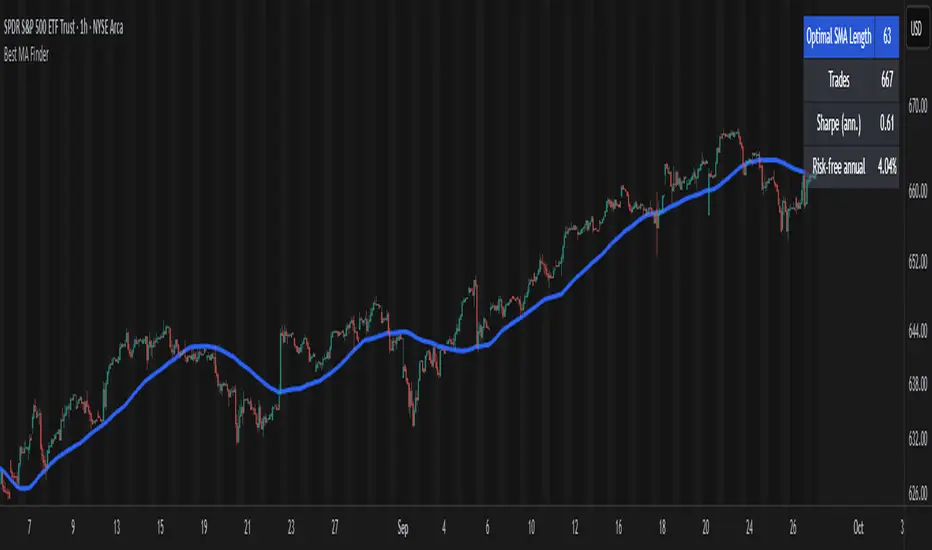
Best MA Finder: Sharpe/Sortino ScannerThis script, Best MA Finder: Sharpe/Sortino Scanner, is a tool designed to identify the moving average (SMA or EMA) that best acts as a dynamic trend threshold on a chart, based on risk-adjusted historical performance. It scans a wide range of MA lengths (SMA or EMA) and selects the one whose simple price vs MA crossover delivered the strongest results using either the Sharpe ratio or the Sortino ratio. Reading it is intuitive: when price spent time above the selected MA, conditions were on average more favorable in the backtest; below, less favorable. It is a trend and risk gauge, not an overbought or oversold signal. What it does: - Runs individual long-only crossover backtests for many MA lengths across short to very long horizons. - For each length, measures the total number of trades, the annualized Sharpe ratio, and the annualized Sortino ratio. - Uses the chosen metric value (Sharpe or Sortino) as the score to rank candidates. - Applies a minimum trade filter to discard statistically weak results. - Optionally applies a local stability filter to prefer a length that also outperforms its close neighbors by at least a small margin. - Selects the optimal MA and displays it on the chart with a concise summary table. How to use it: - Choose MA type: SMA or EMA. - Choose the metric: Sharpe or Sortino. - Set the minimum trade count to filter out weak samples. - Select the risk-free mode: Auto: uses a short-term risk-free rate for USD-priced symbols when available. Manual: you provide a risk-free ticker. None: no risk-free rate. - Optionally enable stability controls: neighbor radius and epsilon. - Toggle the on-chart summary table as needed. On-chart output: - The selected optimal MA is plotted. - The optional table shows MA length, number of trades, chosen metric value annualized, and the annual risk-free rate used. Key features: - Risk-adjusted optimization via Sharpe or Sortino for fair, comparable assessment. - Broad MA scan with SMA and EMA support. - Optional stability filter to avoid one-off spikes. - Clear and auditable presentation directly on the chart. Use cases: - Traders who want a defensible, data-driven trend threshold without manual trial and error. - Swing and trend-following workflows across timeframes and asset classes. - Quick SMA vs EMA comparisons using risk-adjusted results. Limitations: - Not a full trading strategy with position sizing, costs, funding, slippage, or stops. - Long-only, one position at a time. - Discrete set of MA lengths, not a continuous optimizer. - Requires sufficient price history and, if used, a reliable risk-free series. This script is open-source and built from original logic. It does not replicate closed-source scripts or reuse significant external components. Индикатор Pine Script®от Julien_Exe22208
MK_OSFT - Multi-Timeframe MA Dashboard with Alerts - v1.0Multi-Timeframe Moving Average Dashboard with Advanced Alerts A comprehensive multi-timeframe moving average indicator that displays MA levels from 6 different timeframes simultaneously on your chart, complete with intelligent labeling, customizable alerts, and performance-optimized plotting. *** Key Features *** Multi-Timeframe Analysis Monitor MA levels from 6 timeframes: 5m, 15m, 1H, 4H, Daily, and Weekly Clean visual separation with customizable colors for each timeframe Smart label positioning prevents overlapping and ensures readability Intelligent Alert System Individual alert toggles for each timeframe Cross-above and cross-below MA alerts with once-per-bar frequency Alerts only trigger on confirmed timeframe closes (no false signals) Works across all trading pairs on your current chart Flexible Display Options Toggle individual timeframe visibility Choose between SMA and EMA calculations Adjustable MA length (default: 12 periods) Two source options: Current Bar or Last Confirmed Bar Customizable line widths, label sizes, and colors Advanced Plotting System Optional plot lines that don't clutter your Style tab Performance-optimized line drawing with historical data support "Wait till close" behavior for smooth higher timeframe representation Clean horizontal segments that update only on timeframe closes Real-Time Information Table Live countdown timers showing time remaining until each timeframe closes Visual indicators for current price position relative to each MA Cross direction indicators (↑/↓) for quick trend assessment Show/Alert status display for easy configuration verification *** Settings Overview *** Moving Average Settings MA Length: Adjustable period (default: 12) MA Type: SMA or EMA Source: Current bar vs Last confirmed bar Individual Timeframe Controls Show/Hide toggles for each timeframe Individual alert enable/disable Optional plot line with custom width Color customization per timeframe Visual Customization Label size options (tiny, small, normal, large) Label offset positioning Minimum gap between labels to prevent overlap Drawing order preference (larger timeframes first/last) Smart Features Automatic label collision detection and adjustment Real-time countdown timers (only on live bars) Debug table with comprehensive timeframe information Built-in alert setup instructions Perfect For Swing traders monitoring multiple timeframe confluences Day traders seeking higher timeframe bias confirmation Anyone wanting clean, organized multi-timeframe MA analysis Traders who need reliable alerts without false signals Performance Optimized Efficient line drawing system (no Style tab clutter) Smart historical data handling Minimal resource usage with intelligent update cycles Works smoothly on all timeframes and symbols Transform your chart into a comprehensive multi-timeframe analysis dashboard with this professional-grade moving average indicator.Индикатор Pine Script®от MK_OSF_TRADINGОбновлено 54
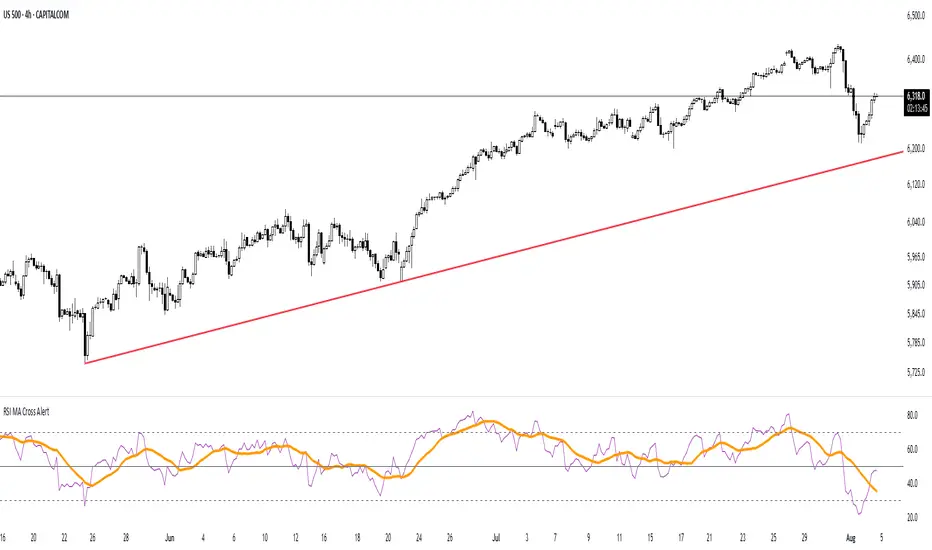
RSI MA Cross AlertAlerts when RSI-based Moving Average crosses above 50. Can be used on any symbol and timeframe. Displays RSI, RSI-MA, and levels 30/50/70.Индикатор Pine Script®от seby927911
Volume and Volatility Ratio Indicator-WODI策略名称 交易量与波动率比例策略-WODI 一、用户自定义参数 vol_length:交易量均线长度,计算基础交易量活跃度。 index_short_length / index_long_length:指数短期与长期均线长度,用于捕捉中短期与中长期趋势。 index_magnification:敏感度放大倍数,调整指数均线的灵敏度。 index_threshold_magnification:阈值放大因子,用于动态过滤噪音。 lookback_bars:形态检测回溯K线根数,用于捕捉反转模式。 fib_tp_ratio / fib_sl_ratio:斐波那契止盈与止损比率,分别对应黄金分割(0.618/0.382 等)级别。 enable_reversal:反转信号开关,开启后将原有做空信号反向为做多信号,用于单边趋势加仓。 二、核心计算逻辑 交易量百分比 使用 ta.sma 计算 vol_ma,并得到 vol_percent = volume / vol_ma * 100。 价格波动率 volatility = (high – low) / close * 100。 构建复合指数 volatility_index = vol_percent * volatility,并分别计算其短期与长期均线(乘以 index_magnification)。 动态阈值 index_threshold = index_long_ma * index_threshold_magnification,过滤常规波动。 三、信号生成与策略执行 做多/做空信号 当短期指数均线自下而上突破长期均线,且 volatility_index 突破 index_threshold 时,发出做多信号。 当短期指数均线自上而下跌破长期均线,且 volatility_index 跌破 index_threshold 时,发出做空信号。 反转信号模式(可选) 若 enable_reversal = true,则所有做空信号反向为做多,用于在强趋势行情中加仓。 止盈止损管理 进场后自动设置斐波那契止盈位(基于入场价 × fib_tp_ratio)和止损位(入场价 × fib_sl_ratio)。 支持多级止盈:可依次以 0.382、0.618 等黄金分割比率分批平仓。 四、图表展示 策略信号标记:图上用箭头标明每次做多/做空(或反转加仓)信号。 斐波那契区间:在K线图中显示止盈/止损水平线。 复合指数与阈值线:与原版相同,在独立窗口绘制短、长期指数均线、指数曲线及阈值。 量能柱状:高于均线时染色,反转模式时额外高亮。 Strategy Name Volume and Volatility Ratio Strategy – WODI 1. User-Defined Parameters vol_length: Length for volume SMA. index_short_length / index_long_length: Short and long MA lengths for the composite index. index_magnification: Sensitivity multiplier for index MAs. index_threshold_magnification: Threshold multiplier to filter noise. lookback_bars: Number of bars to look back for pattern detection. fib_tp_ratio / fib_sl_ratio: Fibonacci take-profit and stop-loss ratios (e.g. 0.618, 0.382). enable_reversal: Toggle for reversal mode; flips short signals to long for trend-following add-on entries. 2. Core Calculation Volume Percentage: vol_ma = ta.sma(volume, vol_length) vol_percent = volume / vol_ma * 100 Volatility: volatility = (high – low) / close * 100 Composite Index: volatility_index = vol_percent * volatility Short/long MAs applied and scaled by index_magnification. Dynamic Threshold: index_threshold = index_long_ma * index_threshold_magnification. 3. Signal Generation & Execution Long/Short Entries: Long when short MA crosses above long MA and volatility_index > index_threshold. Short when short MA crosses below long MA and volatility_index < index_threshold. Reversal Mode (optional): If enable_reversal is on, invert all short entries to long to scale into trending moves. Fibonacci Take-Profit & Stop-Loss: Automatically set TP/SL levels at entry price × respective Fibonacci ratios. Supports multi-stage exits at 0.382, 0.618, etc. 4. Visualization Signal Arrows: Marks every long/short or reversal-add signal on the chart. Fibonacci Zones: Plots TP/SL lines on the price panel. Index & Threshold: Same as v1.0, with MAs, index curve, and threshold in a separate sub-window. Volume Bars: Colored when above vol_ma; extra highlight if a reversal-add signal triggersСтратегия Pine Script®от W0DI1177
Market Sentiment Index US Top 40 [Pt]▮Overview Market Sentiment Index US Top 40 [Pt} shows how the largest US stocks behave together. You pick one simple measure—High Low breakouts, Above Below moving average, or RSI overbought/oversold—and see how many of your chosen top 10/20/30/40 NYSE or NASDAQ names are bullish, neutral, or bearish. This tool gives you a quick view of broad-market strength or weakness so you can time trades, confirm trends, and spot hidden shifts in market sentiment. ▮Key Features ► Three Simple Modes High Low Index: counts stocks making new highs or lows over your lookback period Above Below MA: flags stocks trading above or below their moving average RSI Sentiment: marks overbought or oversold stocks and plots a small histogram ► Universe Selection Top 10, 20, 30, or 40 symbols from NYSE or NASDAQ Option to weight by market cap or treat all symbols equally ► Timeframe Choice Use your chart’s timeframe or any intraday, daily, weekly, or monthly resolution ► Histogram Smoothing Two optional moving averages on the sentiment bars Markers show when the faster average crosses above or below the slower one ► Ticker Table Optional on-chart table showing each ticker’s state in color Grid or single-row layout with adjustable text size and color settings ▮Inputs ► Mode and Lookback Pick High Low, Above Below MA, or RSI Sentiment Set lookback length (for example 10 bars) If using Above Below MA, choose the moving average type (EMA, SMA, etc.) ► Universe Setup Market: NYSE or NASDAQ Number of symbols: 10, 20, 30, or 40 Weights: on or off Timeframe: blank to match chart or pick any other ► Moving Averages on Histogram Enable fast and slow averages Set their lengths and types Choose colors for averages and markers ► Table Options Show or hide the symbol table Select text size: tiny, small, or normal Choose layout: grid or one-row Pick colors for bullish, neutral, and bearish cells Show or hide exchange prefixes ▮How to Read It ► Sentiment Bars Green means bullish Red means bearish Near zero means neutral ► Zero Line Separates bullish from bearish readings ► High Low Line (High Low mode only) Smooth ratio of highs versus lows over your lookback ► MA Crosses Fast MA above slow MA hints rising breadth Fast MA below slow MA hints falling breadth ► Ticker Table Each cell colored green, gray, or red for bull, neutral, or bear ▮Use Cases ► Confirm Market Trends Early warning when price makes highs but breadth is weak Catch rallies when breadth turns strong while price is flat ► Spot Sector Rotation Switch between NYSE and NASDAQ to see which group leads Watch tech versus industrial breadth to track money flow ► Filter Trade Signals Enter longs only when breadth is bullish Consider shorts when breadth turns negative ► Combine with Other Indicators Use RSI Sentiment with trend tools to spot overextended moves Add volume indicators in High Low mode for breakout confirmation ► Timeframe Analysis Daily for big-picture bias Intraday (15-min) for precise entries and exits Индикатор Pine Script®от PtGambler22119
[blackcat] L3 Ichimoku FusionCOMPREHENSIVE ANALYSIS OF THE L3 ICHIMOKU FUSION INDICATOR 🌐 Overview: The L3 Ichimoku Fusion is a sophisticated multi-layered technical analysis tool integrating classic Japanese market forecasting techniques with enhanced dynamic elements designed specifically for identifying potential turning points in financial instruments' pricing action. Key Purpose: To provide traders with an intuitive yet powerful framework combining established ichimoku principles while incorporating additional validation checkpoints derived from cross-timeframe convergence studies. THEORETICAL FOUNDATION EXPLAINED 🎓 Conceptual Background: : • Conversion & Base Lines tracking intermediate term averages • Lagging Span providing delayed feedback mechanism • Lead Spans projecting future equilibrium states : • Adaptive parameter scaling options • Automated labeling system for critical junctures • Real-time alert infrastructure enabling immediate response capability PARAMETER CONFIGURATION GUIDE ⚙️ Input Parameters Explained In Detail: Regional Setting Selection:** → Oriental Configuration: Standardized approach emphasizing slower oscillation cycles → Occidental Variation: Optimized settings reducing lag characteristics typical of original methodology Multiplier Adjustment Functionality:** ↔ Allows fine-graining oscillator responsiveness without altering core relationship dynamics ↕ Enables adaptation to various instrument volatility profiles efficiently Displacement Value Control:** ↓ Controls lead/lag offset positioning relative to current prices ↑ Provides flexibility in adjusting visual representation alignment preferences DYNAMIC CALCULATION PROCESSES 💻 Algorithmic Foundation: : Utilizes highest/lowest extremes over specified lookback windows Produces more responsive conversions compared to simple MAs : → Confirms directional bias across multiple independent criteria ← Ensures higher probability outcomes reduce random noise influence : ♾ Creates persistent annotations documenting significant events 🔄 Handles complex state transitions maintaining historical record integrity VISUALIZATION COMPONENTS OVERVIEW 🎨 Display Architecture Details: : → Solid colored trendlines representing conversion/base relationships ↑ Fill effect overlay differentiating expansion/compression phases ↔ Offset spans positioned according to calculated displacement values : → Green shading indicates positive configuration scenarios ↘ Red filling highlights negative arrangement situations ⟳ Orange transition areas mark transitional periods requiring caution : ✔️ LE: Long Entry opportunity confirmed ❌ SE: Short Setup validated ☑ XL/XS: Position closure triggers active ✓ RL/RS: Potential re-entry chances emerging STRATEGIC APPLICATION FRAMEWORK 📋 Practical Deployment Guidelines: Initial Integration Phase: Select appropriate timeframe matching trading horizon preference Configure input parameters aligning with target asset behavior traits Test thoroughly under simulated conditions prior to live usage Active Monitoring Procedures: • Regular observation of cloud formation evolution • Tracking label placements against actual price movements • Noting pattern development leading up to signaled entry/exit moments Decision Making Process Flowchart: → Identify clear breakout/crossover events exceeding confirmation thresholds ← Evaluate contextual factors supporting/rejecting indicated direction ↑ Execute trades only after achieving required number of confirming inputs PERFORMANCE OPTIMIZATION TECHNIQUES 🚀 Refinement Strategies: Calibration Optimization Approach: → Start testing with default suggested configurations ↓ Gradually adjust individual components observing outcome changes ↑ Document findings systematically building personalized version profile Context Adaptability Methods: ➕ Add supplementary indicators enhancing overall reliability ➖ Remove unnecessary complexity layers if causing confusion ✨ Incorporate custom rules adapting to specific security behaviors Efficiency Improvement Tactics: 🔧 Streamline redundant processing routines where possible ♻️ Leverage shared data streams whenever feasible ⚡ Optimize refresh frequencies balancing update speed vs computational load RISK MITIGATION PROTOCOLS 🛡️ Safety Measures Implementation Guide: Position Sizing Principles: ∅ Never exceed preset maximum exposure limits defined by risk tolerance ± Scale positions proportionally per account size/market capitalization × Include slippage allowances within planning stages accounting for liquidity variations Validation Requirements Hierarchy: ☐ Verify signals meet minimum number of concurrent validations ⛔ Ignore isolated occurrences lacking adequate evidence backing ▶ Look for convergent evidence strengthening conviction level Emergency Response Planning: ↩ Establish predefined exit strategies including trailing stops mechanisms 🌀 Plan worst-case scenario responses ahead avoiding panic reactions ⇄ Maintain contingency plans addressing unexpected adverse developments USER EXPERIENCE ENHANCEMENT FEATURES 🌟 Additional Utility Functions: Alert System Infrastructure: → Automatic notifications delivered directly to user devices ↑ Message content customized explaining triggered condition specifics ↔ Timing optimization ensuring minimal missed opportunities due to latency issues Historical Review Capability: → Ability to analyze past performance retrospectively ↓ Assess effectiveness across varying market regimes objectively ↗ Generate statistics measuring success/failure rates quantitatively Community Collaboration Support: ↪ Share personal optimizations benefiting wider trader community ↔ Exchange experiences improving collective understanding base ✍️ Provide constructive feedback aiding ongoing refinement process CONCLUSION AND NEXT STEPS This comprehensive guide serves as your roadmap toward mastering the capabilities offered by the L3 Ichimoku Fusion indicator effectively. Success relies heavily on disciplined application combined with continuous learning and adjustment processes throughout implementation journey. Wishing you prosperous trading endeavors! 👋💰Индикатор Pine Script®от blackcat140264
Meme Coin Buy Signal Indicator by asharThis custom TradingView indicator is specifically designed for meme coins, using technical analysis indicators to identify optimal buy signals. It combines short-term moving averages, volume spikes, and Bitcoin trend alignment to pinpoint potential entry points during high-momentum periods. Indicator Components: Moving Averages (MA): A 5-period fast MA and a 13-period slow MA highlight short-term price momentum. Buy signals are generated when the fast MA crosses above the slow MA, indicating potential upward momentum. Volume Spike Detection: The indicator detects high-volume periods using a multiplier. If the current volume exceeds the 10-period average volume by the set multiplier (default: 2.0), it indicates increased buying interest, which is crucial for meme coins. Bitcoin Trend Alignment: The trend of Bitcoin, a market-wide sentiment indicator, is gauged with a 20-day moving average. Buy signals are validated only when Bitcoin is also in an uptrend, providing additional bullish confirmation for meme coins. Buy Signal Criteria: A buy signal is triggered when: The fast MA crosses above the slow MA. Volume is above the average by the set multiplier. The price is above the slow MA. Bitcoin is trending up based on the 20-day moving average. This indicator is ideal for meme coin traders looking to time entries with momentum-driven trends, aligning volume and trend indicators for a more comprehensive approach to high-risk assets.Индикатор Pine Script®от asharzafar03166
Dynamic RSI Mean Reversion StrategyDynamic RSI Mean Reversion Strategy Overview: This strategy uses an RSI with ATR-Adjusted OB/OS levels in order to enhance the quality of it's mean reversion trades. It also incorporates a form of trend filtering in an effort to minimize downside and maximize upside. The backtest has fewer trades, as it uses substantial filtering to enhance trade quality. As you can see, I didn't cherry pick the results, so the results aren't the most beautiful thing you'll see in your life. I did this to ensure nobody gets misled. If you need a higher frequency of trades, consider removing the trend filter or increasing the length of the EMAs used for trend detection. Features: Dynamic OB/OS Levels: Uses ATR to adjust overbought and oversold thresholds dynamically, making the RSI more responsive in varying volatility conditions. This approach enhances signal strength by expanding the RSI range in high volatility and tightening it in low volatility. Mean Reversion Focus: Designed for mean reversion but incorporates a trend-following filter to reduce countertrend trades. When the RSI is high, it often indicates an uptrend, so a trend filter prevents shorting in these cases and the same goes for downtrends and longing. Trend Filtering: A moving average cross trend filter checks for the trend direction, with the RSI signal line color-coded to reflect trend shifts. Entries occur when the RSI crosses above or below the dynamic thresholds and is not a countertrend trade. Stop Losses: Stop losses are set based on ATR distance from the entry price, providing volatility-adjusted protection. Note: If you're using this strategy on assets with a higher price, remember to increase the initial capital in the strategy settings. Otherwise, the strategy won't generate any (or many) trades and you'll end up with some inaccurate results. Recommended Use: Test it on different assets and timeframes. I’ve found the best results with standard RSI inputs, a relatively slow ATR, and a slower MA cross for trend filtering. Thus, the defaults are set that way. If the trend metrics are too slow, you’ll filter out too many good trades while allowing crummy ones; if too fast, most trades may be filtered out. As always, this has a lot of configurability so experiment to find the balance that works for your trading style.Стратегия Pine Script®от nathanfarmerОбновлено 1174
XAUUSD Multi-Timeframe Trend AnalyzerOverview The "XAUUSD Multi-Timeframe Trend Analyzer" is an advanced script designed to provide a comprehensive analysis of the XAUUSD (Gold/US Dollar) trend across multiple timeframes simultaneously. By combining several key technical indicators, this tool helps traders quickly assess the market direction and trend strength for M15, M30, H1, H4, and D1 timeframes. Multi-Timeframe Analysis: Displays the trend direction and strength across M15, M30, H1, H4, and D1 timeframes, allowing for a complete overview in a single glance. Comprehensive Indicator Blend: Utilizes six popular technical indicators to determine the trend—Moving Averages, RSI, MACD, Bollinger Bands, DMI, and Parabolic SAR. Trend Strength Scoring: Provides a numerical trend strength score (from -6 to 6) based on the alignment of the indicators, with positive values indicating uptrends and negative values for downtrends. Visual Table Display: Displays results in a color-coded table (green for uptrend, red for downtrend, yellow for neutral) with a strength score for each timeframe, helping traders quickly assess market conditions. How It Works This script calculates the overall trend and its strength for each selected timeframe by analyzing six widely-used technical indicators: Moving Averages (MA): The script uses a Fast and a Slow Moving Average. When the Fast MA crosses above the Slow MA, it indicates an uptrend. When the Fast MA crosses below, it signals a downtrend. Relative Strength Index (RSI): The RSI is used to assess momentum. An RSI value above 50 suggests bullish momentum, while a value below 50 suggests bearish momentum. Moving Average Convergence Divergence (MACD): MACD measures momentum and trend direction. When the MACD line crosses above the signal line, it signals bullish momentum; when it crosses below, it signals bearish momentum. Bollinger Bands: These measure price volatility. When the price is above the middle Bollinger Band, the script considers the trend to be bullish, and when it's below, bearish. Directional Movement Index (DMI): The DMI compares positive directional movement (DI+) and negative directional movement (DI-). A stronger DI+ over DI- signals an uptrend and vice versa. Parabolic SAR: This indicator is used for determining potential trend reversals and setting stop-loss levels. If the price is above the Parabolic SAR, it indicates an uptrend, and if below, a downtrend. Trend Strength Calculation The script calculates a trend strength score for each timeframe: Each indicator adds or subtracts 1 to the score based on whether it aligns with an uptrend or a downtrend. A score of 6 indicates a Strong Uptrend, with all indicators aligned bullishly. A score of -6 indicates a Strong Downtrend, with all indicators aligned bearishly. Intermediate scores (e.g., 2 or -2) indicate Weak Uptrend or Weak Downtrend, suggesting that not all indicators are in agreement. A score between 1 and -1 indicates a Neutral trend, suggesting uncertainty in the market. How to Use Assess Trend Direction and Strength: The table provides an easy-to-read summary of the trend and its strength on different timeframes. Look for timeframes where the strength is high (either 6 for a strong uptrend or -6 for a strong downtrend) to confirm the market’s overall direction. Use in Conjunction with Other Strategies: This indicator is designed to provide a comprehensive view of the market. Traders should combine it with other strategies, such as price action analysis or candlestick patterns, to further confirm their trades. Trend Reversal or Continuation: A weak trend (e.g., a strength of 2 or -2) could signal a possible reversal or a trend that has lost momentum. Strong trends (with a strength of 6 or -6) indicate higher confidence in trend continuation. Multiple Timeframe Confirmation: Look for alignment across multiple timeframes to confirm the strength and direction of the trend before entering trades. For example, if M15, M30, and H1 are all showing a strong uptrend, it suggests a higher probability of the trend continuing. Customization Options - Adjustable Indicators: Users can modify the length and parameters of the Moving Averages, RSI, MACD, Bollinger Bands, DMI, and Parabolic SAR to suit their trading style. - Flexible Timeframes: You can toggle between different timeframes (M15, M30, H1, H4, D1) to focus on the intervals most relevant to your strategy. Ideal For - Traders looking for a detailed, multi-timeframe trend analysis tool for XAUUSD. - Traders who rely on trend-following strategies and need confirmation across multiple timeframes. - Those who prefer a multi-indicator approach to avoid false signals and improve the accuracy of their trades. Disclaimer This indicator is for informational and educational purposes only. It is recommended to combine this with proper risk management strategies and your own analysis. Past performance does not guarantee future results. Always perform your own due diligence before making trading decisions. Индикатор Pine Script®от LexAurum33379
Buy/Sell IndicatorBuy/Sell Indicator Overview The Buy/Sell Indicator is designed to help traders identify potential entry and exit points in the market using a combination of Simple Moving Averages (SMA) and the Relative Strength Index (RSI). This indicator plots buy and sell signals directly on the chart, making it easier to make informed trading decisions. Inputs Fast MA Length: The period for the fast-moving average. Default is 9. Slow MA Length: The period for the slow-moving average. Default is 21. RSI Length: The period for the RSI calculation. Default is 14. RSI Overbought Level: The RSI level considered overbought. Default is 70. RSI Oversold Level: The RSI level considered oversold. Default is 30. How It Works Moving Averages: The indicator calculates two SMAs: a fast-moving average (fastMA) and a slow-moving average (slowMA). The fast MA reacts more quickly to price changes, while the slow MA reacts more slowly. RSI: The RSI is calculated to measure the momentum of price movements. It helps identify overbought and oversold conditions in the market. Buy and Sell Conditions: Buy Signal: A buy signal is generated when the fast MA crosses above the slow MA and the RSI is below the overbought level. Sell Signal: A sell signal is generated when the fast MA crosses below the slow MA and the RSI is above the oversold level. Plotting Buy Signals: Displayed as green labels below the bars where the buy condition is met. Sell Signals: Displayed as red labels above the bars where the sell condition is met. Moving Averages: The fast MA is plotted in blue, and the slow MA is plotted in orange.Индикатор Pine Script®от adamshadid568
RSI with Swing Trade by Kelvin_VAlgorithm Description: "RSI with Swing Trade by Kelvin_V" 1. Introduction: This algorithm uses the RSI (Relative Strength Index) and optional Moving Averages (MA) to detect potential uptrends and downtrends in the market. The key feature of this script is that it visually changes the candle colors based on the market conditions, making it easier for users to identify potential trend swings or wave patterns. The strategy offers flexibility by allowing users to enable or disable the MA condition. When the MA condition is enabled, the strategy will confirm trends using two moving averages. When disabled, the strategy will only use RSI to detect potential market swings. 2. Key Features of the Algorithm: RSI (Relative Strength Index): The RSI is used to identify potential market turning points based on overbought and oversold conditions. When the RSI exceeds a predefined upper threshold (e.g., 60), it suggests a potential uptrend. When the RSI drops below a lower threshold (e.g., 40), it suggests a potential downtrend. Moving Averages (MA) - Optional: Two Moving Averages (Short MA and Long MA) are used to confirm trends. If the Short MA crosses above the Long MA, it indicates an uptrend. If the Short MA crosses below the Long MA, it indicates a downtrend. Users have the option to enable or disable this MA condition. Visual Candle Coloring: Green candles represent a potential uptrend, indicating a bullish move based on RSI (and MA if enabled). Red candles represent a potential downtrend, indicating a bearish move based on RSI (and MA if enabled). 3. How the Algorithm Works: RSI Levels: The user can set RSI upper and lower bands to represent potential overbought and oversold levels. For example: RSI > 60: Indicates a potential uptrend (bullish move). RSI < 40: Indicates a potential downtrend (bearish move). Optional MA Condition: The algorithm also allows the user to apply the MA condition to further confirm the trend: Short MA > Long MA: Confirms an uptrend, reinforcing a bullish signal. Short MA < Long MA: Confirms a downtrend, reinforcing a bearish signal. This condition can be disabled, allowing the user to focus solely on RSI signals if desired. Swing Trade Logic: Uptrend: If the RSI exceeds the upper threshold (e.g., 60) and (optionally) the Short MA is above the Long MA, the candles will turn green to signal a potential uptrend. Downtrend: If the RSI falls below the lower threshold (e.g., 40) and (optionally) the Short MA is below the Long MA, the candles will turn red to signal a potential downtrend. Visual Representation: The candle colors change dynamically based on the RSI values and moving average conditions, making it easier for traders to visually identify potential trend swings or wave patterns without relying on complex chart analysis. 4. User Customization: The algorithm provides multiple customization options: RSI Length: Users can adjust the period for RSI calculation (default is 4). RSI Upper Band (Potential Uptrend): Users can customize the upper RSI level (default is 60) to indicate a potential bullish move. RSI Lower Band (Potential Downtrend): Users can customize the lower RSI level (default is 40) to indicate a potential bearish move. MA Type: Users can choose between SMA (Simple Moving Average) and EMA (Exponential Moving Average) for moving average calculations. Enable/Disable MA Condition: Users can toggle the MA condition on or off, depending on whether they want to add moving averages to the trend confirmation process. 5. Benefits of the Algorithm: Easy Identification of Trends: By changing candle colors based on RSI and MA conditions, the algorithm makes it easy for users to visually detect potential trend reversals and trend swings. Flexible Conditions: The user has full control over the RSI and MA settings, allowing them to adapt the strategy to different market conditions and timeframes. Clear Visualization: With the candle color changes, users can quickly recognize when a potential uptrend or downtrend is forming, enabling faster decision-making in their trading. 6. Example Usage: Day traders: Can apply this strategy on short timeframes such as 5 minutes or 15 minutes to detect quick trends or reversals. Swing traders: Can use this strategy on longer timeframes like 1 hour or 4 hours to identify and follow larger market swings.Индикатор Pine Script®от Kelvin-WyckoffVSA28
Uptrick: RSI MA Buying/Selling signalsIndicator Purpose: This indicator, titled "Uptrick: RSI MA Buying/Selling signals" or "UpRSIMA," aims to provide buying and selling signals based on the Moving Average (MA) of the Relative Strength Index (RSI). It plots the RSI MA line and highlights whether the RSI MA value is above or below 50, indicating potential bullish or bearish signals, respectively. RSI Calculation: The script calculates the RSI using a user-defined length parameter (default is 14) and a specified source (typically the closing price). It then computes the MA of the RSI using the Recursive Moving Average (RMA) function applied to the RSI values. Color Representation: The color of the RSI MA line is determined based on whether it's above or below the neutral level of 50. If the RSI MA is above 50, indicating potential bullish signals, the color is set to green; otherwise, it's set to red for potential bearish signals. Plotting: The RSI MA line is plotted on the chart with the specified color based on its value relative to 50. Additionally, a horizontal line is drawn at y = 50 to visually represent the neutral level. Histogram bars are also added to visually represent the difference between the RSI MA and the neutral level, with green bars indicating bullish signals and red bars indicating bearish signals. User Interface: The indicator is designed to be used as an overlay on price charts, allowing traders to easily visualize potential buying and selling signals based on RSI MA crossovers and levels relative to 50. Overall, the "Uptrick: RSI MA Buying/Selling signals" indicator offers traders insights into potential trend reversals or continuations based on the moving average of the Relative Strength Index, aiding them in making informed trading decisions. Индикатор Pine Script®от UptrickОбновлено 281
buy/sell signals with Support/Resistance (InvestYourAsset) 📣The present indicator is a MACD based buy/sell signals indicator with support and resistance, that can be used to identify potential buy and sell signals in a security's price. 📣It is based on the MACD (Moving Average Convergence Divergence) indicator, which is a momentum indicator that shows the relationship between two moving averages of a security's price. 📣 The indicator also plots support and resistance levels, which can be used to confirm buy and sell signals. The support and resistance can also be used as a stoploss for existing position. 👉 To use the indicator, simply add it to your trading chart. The indicator will plot three sections: 📈 Price and Signals: This section plots the security's price and the MACD buy and sell signals. 📈 MACD Oscillator: This section plots the MACD oscillator, which is a histogram that shows the difference between the two moving averages. 📈 Moving Averages: This section plots the two moving averages that the MACD oscillator is based on. 📈 Support and Resistance: This section plots support and resistance levels, which are calculated based on the security's recent price action. 👉 To identify buy and sell signals, you can look for the following: 📈 Buy signal: When shorter Moving Average crosses over longer Moving Average. 📈 Sell signal: When shorter moving average crosses under longer moving average. 📈 You can also look for divergences between the MACD oscillator and the security's price. A divergence occurs when the MACD oscillator is moving in one direction, but the security's price is moving in the opposite direction. Divergences can be a sign of a potential trend reversal. 👉 To confirm buy and sell signals, you can look for support and resistance levels take a look at below snapshot. If a buy signal occurs at a support level, it is a stronger signal than if it occurs at a random price level. Similarly, if a sell signal occurs at a resistance level, it is a stronger signal than if it occurs at a random price level. ⚡ Here is a example of how to use the indicator to identify buy signal: ☑ Add the indicator to your trading chart. ☑Look for a buy signal when short MA crosses over Long MA. ☑Look for the buy signal to occur at a support level. ☑Enter a long position at the next candle. ☑Place a stop loss order below the support level. ☑Take profit when the MACD line crosses below the signal line, or when the security reaches a resistance level. ⚡ Here is an example of how to use the indicator to identify a sell signal: ☑Add the indicator to your trading chart. ☑Look for a sell signal, when shorter moving average crosses under longer moving average. ☑Look for the sell signal to occur at a resistance level. ☑Enter a short position at the next candle. ☑Place a stop loss order above the resistance level. ☑Take profit when the MACD line crosses above the signal line, or when the security reaches a support level. ✅Things to consider while using the indicator: 📈Look for buy signals in an uptrend and sell signals in a downtrend. This will increase the likelihood of your trades being successful. 📈Place your stop losses below the previous swing low or support for buy signals and above the previous swing high or resistance for sell signals. This will help to limit your losses if the trade goes against you. 📈Consider taking profits at key resistance and support levels. This will help you to lock in your profits and avoid giving them back to the market. Follow us for timely updates regarding indicators that we may publish in future and give it a like if you appreciate the indicator.Индикатор Pine Script®от InvestyourAsset1010 3.5 K
Volume Analysis*Sourced code from Volume Flow v3 by oh92 for Bull\Bear volume flow calculations. Thank you so much for your engineering skills! This indicator integrates the Ma-over-MA crossover strategy in oh92's V3 DepthHouse calculation with a volume-over-MA calculation to further narrow down "Areas of Interest" levels for a potential re-test zone to the right of the chart. I added a Moving Average calculation for a multi-level cloud and further broke down more conditions to highlight both volume flow crossover on the High and Extreme High MA's and also high and extreme high volume spikes on set period average without bull\bear conditions. Original Bull/Bear Spikes are still viewable although that was the only plot from oh92's script that was integrated. Session backgrounds set for research purposes. Please note: Setting MA Cloud to "None" will remove all plots calculated with the MA Cloud from the chart entirely. Turn off visuals in the Style tab. Индикатор Pine Script®от goofoffgooseОбновлено 4141658