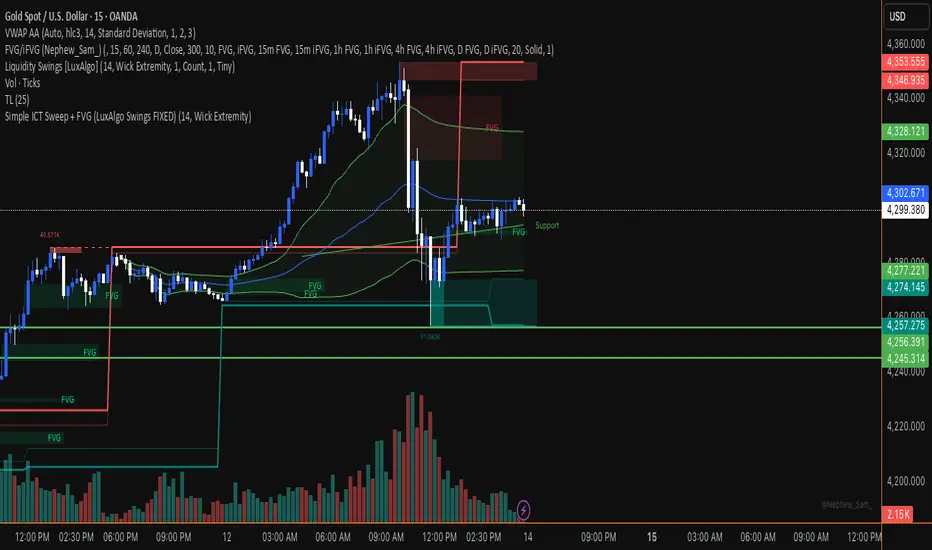
Smart Money Concepts [Dau_tu_hieu_goc]Credits to LuxAlgo for the SMC Parts. Edited by Dau_Tu_Hieu_Goc Индикатор Pine Script®от Dau_tu_hieu_goc101
ITC Market Structure ProWith this tool you can see market structure, set session, daylow, dayhigh, multiple moving avg., fvg... Every feature can by witched off or on to have more clarity watching price action - and everything is in one indicator, so you don't need to have stack off them! Detailed description will try to provide later... PS Thanks for LuxAlgo - I have use some of their fine work to combine all-in-one! Hoping it's not against the rules - if so, I will remove my tool. PS Everything is rewritten to pine6Индикатор Pine Script®от crypta_plОбновлено 22200
Lorentzian Length Adaptive Moving Average [LLAMA] Adaptation of "Machine Learning: Lorentzian Classification" by Gradient color by base on work by LLAMA: A regime-aware adaptive moving average that bends with the market. Start with a problem traders know: Traditional moving averages are either too slow (EMA200) or too fast (EMA9) Adaptive MAs exist, but they often hug price too tightly or smooth too much, failing to balance bias and tactics LLAMA uses a Lorentzian distance function to adapt its length dynamically. Instead of a fixed smoothing window, it stretches or contracts depending on market conditions. This distortion reduces lag while still providing a clear bias line. The indicator looks back at recent bars and measures how similar they are using a Lorentzian distance (a log‑scaled absolute difference). It keeps track of the “nearest neighbors” — bars that most resemble the current regime. Each neighbor carries a label (long, short, neutral) based on simple price comparisons. By averaging these labels, LLAMA predicts whether the market is leaning bullish or bearish. That prediction is then mapped into a dynamic length between and . Bullish bias -> length stretches toward max (smoother, more stable). Bearish bias -> length contracts toward min (snappier, more reactive). During breakouts, LLAMA tightens and comes into contact with bars, giving actionable signals. During chop, it stretches to avoid false triggers. It covers both ends of the spectrum (bias and tactics) in one line, something static MA's can't do. Think of LLAMA as a lens that bends with the market: Wide lens (max length) for big picture bias. Narrow lens (min length) for tactical precision. The "Lorentzian Loop" is the math that decides when to widen or narrow. Индикатор Pine Script®от Starcruiser2267
Adaptive CE-VWAP Breakout Framework [KedArc Quant]Description A structured framework that unites three complementary systems into one charting engine: Chandelier Exit (CE) – ATR-based trailing logic that defines trend direction, stop placement, and risk/reward overlays. Swing-Anchored VWAP (SWAV) – a dynamically anchored VWAP that re-starts from each confirmed swing and adapts its smoothness to volatility. Pivot S/R with Volume Breaks – confirmed horizontal levels with alerts when broken on expanding volume. This script builds a single workflow for bias → trigger → managementwithout mixing unrelated indicators. Each module is internally linked rather than layered cosmetically, making it a true analytical framework—not. Acknowledgment Special thanks to Dynamic Swing Anchored VWAP by Zeiierman, whose swing-anchoring concept inspired a part of the SWAV module’s implementation and adaptation logic. Support and Resistance Levels with Breaks by LuxAlgo for S/R breakout logic. How this helps traders Trend clarity – CE color-codes direction and provides evolving stops. Context value – SWAV traces adaptive mean paths so traders see where price is heavy or light. Action filter – Pivot+volume logic highlights true structural breaks, filtering false moves. Discipline tool – Optional R:R boxes visualize risk and target zones to enforce planning. Entry / Exit guidelines (for study purposes only) Bias Use CE direction: green = long bias red = short bias Entry 1. Breakout method– Trade in CE direction when a pivot level breaks on valid volume. 2. VWAP confirmation– Prefer breaks occurring around the nearest SWAV path (fair-value cross or re-test). Exit Stop = CE line / recent swing HL / ATR × (multiplier) Target = R-multiple × risk (default 2 R) Optional live update keeps SL/TP aligned with current CE state. Core formula concepts ATR Stop: Stop = High/Low – ATR × multiplier VWAP calc: Σ(price × vol) / Σ(vol) anchored at swing pivot, adapted by APT (Adaptive Price Tracking) ratio ∝ ATR volatility. Volume oscillator: 100 × (EMA₅ – EMA₁₀)/EMA₁₀; valid break when threshold %. Input configuration (high-level) Master Controls Show CE / SWAV modules Theme & Fill opacity CE Section ATR period & multiplier Use Close for extremums Show buy/sell labels Await bar confirmation Risk-Reward overlay: R-multiple, Stop basis (CE/Swing/ATR×), Live update toggle SWAV Section Swing period Adaptive Price Tracking length Volatility bias (ATR-based adaptation) Line width Pivot & Volume Breaks Left/Right bar windows Volume threshold % Show Break labels and alerts Best timeframes Intraday: 5 m – 30 m for breakout confirmation Swing: 1 h – 4 h for trend context Settings scale with instrument volatility—adjust ATR period and volume threshold to match liquidity. Glossary ATR: Average True Range (volatility metric) CE: Chandelier Exit (trailing stop/trend filter) SWAV: Swing-Anchored VWAP (anchored mean price path) Pivot H/L: Confirmed local extrema using left/right bar windows R-multiple: Profit target as a multiple of initial risk FAQ Q: Does it repaint? A: No—pivots wait for confirmation and VWAP updates forward-only. Q: Can modules be disabled? A: Yes—each section has its own toggle. Q: Can it trade automatically? A: This is an indicator/study, not an auto-strategy. Q: Is this financial advice? A: No—educational use only. Disclaimer This script is for educational and analytical purposes only. It is not financial advice. Trading involves risk of loss. Past performance does not guarantee future results. Always apply sound risk management.Индикатор Pine Script®от kedarcquantОбновлено 44448
3D Institutional Battlefield [SurgeGuru]Professional Presentation: 3D Institutional Flow Terrain Indicator Overview The 3D Institutional Flow Terrain is an advanced trading visualization tool that transforms complex market structure into an intuitive 3D landscape. This indicator synthesizes multiple institutional data points—volume profiles, order blocks, liquidity zones, and voids—into a single comprehensive view, helping you identify high-probability trading opportunities. Key Features 🎥 Camera & Projection Controls Yaw & Pitch: Adjust viewing angles (0-90°) for optimal perspective Scale Controls: Fine-tune X (width), Y (depth), and Z (height) dimensions Pro Tip: Increase Z-scale to amplify terrain features for better visibility 🌐 Grid & Surface Configuration Resolution: Adjust X (16-64) and Y (12-48) grid density Visual Elements: Toggle surface fill, wireframe, and node markers Optimization: Higher resolution provides more detail but requires more processing power 📊 Data Integration Lookback Period: 50-500 bars of historical analysis Multi-Source Data: Combine volume profile, order blocks, liquidity zones, and voids Weighted Analysis: Each data source contributes proportionally to the terrain height How to Use the Frontend 💛 Price Line Tracking (Your Primary Focus) The yellow price line is your most important guide: Monitor Price Movement: Track how the yellow line interacts with the 3D terrain Identify Key Levels: Watch for these critical interactions: Order Blocks (Green/Red Zones): When yellow price line enters green zones = Bullish order block When yellow price line enters red zones = Bearish order block These represent institutional accumulation/distribution areas Liquidity Voids (Yellow Zones): When yellow price line enters yellow void areas = Potential acceleration zones Voids indicate price gaps where minimal trading occurred Price often moves rapidly through voids toward next liquidity pool Terrain Reading: High Terrain Peaks: High volume/interest areas (support/resistance) Low Terrain Valleys: Low volume areas (potential breakout zones) Color Coding: Green terrain = Bullish volume dominance Red terrain = Bearish volume dominance Purple = Neutral/transition areas 📈 Volume Profile Integration POC (Point of Control): Automatically marks highest volume level Volume Bins: Adjust granularity (10-50 bins) Height Weight: Control how much volume affects terrain elevation 🏛️ Order Block Detection Detection Length: 5-50 bar lookback for block identification Strength Weighting: Recent blocks have greater impact on terrain Candle Body Option: Use full candles or body-only for block definition 💧 Liquidity Zone Tracking Multiple Levels: Track 3-10 key liquidity zones Buy/Sell Side: Different colors for bid/ask liquidity Strength Decay: Older zones have diminishing terrain impact 🌊 Liquidity Void Identification Threshold Multiplier: Adjust sensitivity (0.5-2.0) Height Amplification: Voids create significant terrain depressions Acceleration Zones: Price typically moves quickly through void areas Practical Trading Application Bullish Scenario: Yellow price line approaches green order block terrain Price finds support in elevated bullish volume areas Terrain shows consistent elevation through key levels Bearish Scenario: Yellow price line struggles at red order block resistance Price falls through liquidity voids toward lower terrain Bearish volume peaks dominate the landscape Breakout Setup: Yellow price line consolidates in flat terrain Minimal resistance (low terrain) in projected direction Clear path toward distant liquidity zones Pro Tips Start Simple: Begin with default settings, then gradually customize Focus on Yellow Line: Your primary indicator of current price position Combine Timeframes: Use the same terrain across multiple timeframes for confluence Volume Confirmation: Ensure terrain peaks align with actual volume spikes Void Anticipation: When price enters voids, prepare for potential rapid movement Order Blocks & Voids Architecture Order Blocks Calculation Trigger: Price breaks fractal swing points Bullish OB: When close > swing high → find lowest low in lookback period Bearish OB: When close < swing low → find highest high in lookback period Strength: Based on price distance from block extremes Storage: Global array maintains last 50 blocks with FIFO management Liquidity Voids Detection Trigger: Price gaps exceeding ATR threshold Bull Void: Low - high > (ATR200 × multiplier) Bear Void: Low - high > (ATR200 × multiplier) Validation: Close confirms gap direction Storage: Global array maintains last 30 voids Key Design Features Real-time Updates: Calculated every bar, not just on last bar Global Persistence: Arrays maintain state across executions FIFO Management: Automatic cleanup of oldest entries Configurable Sensitivity: Adjustable lookback periods and thresholds Scientific Testing Framework Hypothesis Testing Primary Hypothesis: 3D terrain visualization improves detection of institutional order flow vs traditional 2D charts Testable Metrics: Prediction Accuracy: Does terrain structure predict future support/resistance? Reaction Time: Faster identification of key levels vs conventional methods False Positive Reduction: Lower rate of failed breakouts/breakdowns Control Variables Market Regime: Trending vs ranging conditions Asset Classes: Forex, equities, cryptocurrencies Timeframes: M5 to H4 for intraday, D1 for swing Volume Conditions: High vs low volume environments Data Collection Protocol Terrain Features to Quantify: Slope gradient changes at price inflection points Volume peak clustering density Order block terrain elevation vs subsequent price action Void depth correlation with momentum acceleration Control Group: Traditional support/resistance + volume profile Experimental Group: 3D Institutional Flow Terrain Statistical Measures Signal-to-Noise Ratio: Terrain features vs random price movements Lead Time: Terrain formation ahead of price confirmation Effect Size: Performance difference between groups (Cohen's d) Statistical Power: Sample size requirements for significance Validation Methodology Blind Testing: Remove price labels from terrain screenshots Have traders identify key levels from terrain alone Measure accuracy vs actual price action Backtesting Framework: Automated terrain feature extraction Correlation with future price reversals/breakouts Monte Carlo simulation for significance testing Expected Outcomes If hypothesis valid: Significant improvement in level prediction accuracy (p < 0.05) Reduced latency in institutional level identification Higher risk-reward ratios on terrain-confirmed trades Research Questions: Does terrain elevation reliably indicate institutional interest zones? Are liquidity voids statistically significant momentum predictors? Does multi-timeframe terrain analysis improve signal quality? How does terrain persistence correlate with level strength? LuxAlgo BigBeluga hapharmonicИндикатор Pine Script®от SurgeGuru2241
Opening Range Breakout with Multi-Timeframe Liquidity]═══════════════════════════════════════ OPENING RANGE BREAKOUT WITH MULTI-TIMEFRAME LIQUIDITY ═══════════════════════════════════════ A professional Opening Range Breakout (ORB) indicator enhanced with multi-timeframe liquidity detection, trading session visualization, volume analysis, and trend confirmation tools. Designed for intraday trading with comprehensive alert system. ─────────────────────────────────────── WHAT THIS INDICATOR DOES ─────────────────────────────────────── This indicator combines multiple trading concepts: - Opening Range Breakout (ORB) - Customizable time period detection with automatic high/low identification - Multi-Timeframe Liquidity - HTF (Higher Timeframe) and LTF (Lower Timeframe) key level detection - Trading Sessions - Tokyo, London, New York, and Sydney session visualization - Volume Analysis - Volume spike detection and strength measurement - Multi-Timeframe Confirmation - Trend bias from higher timeframes - EMA Integration - Trend filter and dynamic support/resistance - Smart Alerts - Quality-filtered breakout notifications ─────────────────────────────────────── HOW IT WORKS ─────────────────────────────────────── OPENING RANGE BREAKOUT (ORB): Concept: The Opening Range is a period at the start of a trading session where price establishes an initial high and low. Breakouts beyond this range often indicate the direction of the day's trend. Detection Method: - Default: 15-minute opening range (configurable) - Custom Range: Set specific session times with timezone support - Automatically identifies ORH (Opening Range High) and ORL (Opening Range Low) - Tracks ORB mid-point for reference Range Establishment: 1. Session starts (or custom time begins) 2. Tracks highest high and lowest low during the period 3. Range confirmed at end of opening period 4. Levels extend throughout the session Breakout Detection: - Bullish Breakout: Close above ORH - Bearish Breakout: Close below ORL - Mid-point acts as bias indicator Visual Display: - Shaded box during range formation - Horizontal lines for ORH, ORL, and mid-point - Labels showing level values - Color-coded fills based on selected method Fill Color Methods: 1. Session Comparison: - Green: Current OR mid > Previous OR mid - Red: Current OR mid < Previous OR mid - Gray: Equal or first session - Shows day-over-day momentum 2. Breakout Direction (Recommended): - Green: Price currently above ORH (bullish breakout) - Red: Price currently below ORL (bearish breakout) - Gray: Price inside range (no breakout) - Real-time breakout status MULTI-TIMEFRAME LIQUIDITY: Two-Tier System for comprehensive level identification: HTF (Higher Timeframe) Key Liquidity: - Default: 4H timeframe (configurable to Daily, Weekly) - Identifies major institutional levels - Uses pivot detection with adjustable parameters - Suitable for swing highs/lows where large orders rest LTF (Lower Timeframe) Key Liquidity: - Default: 1H timeframe (configurable) - Provides precision entry/exit levels - Finer granularity for intraday trading - Captures minor swing points Calculation Method: - Pivot high/low detection algorithm - Configurable left bars (lookback) and right bars (confirmation) - Timeframe multiplier for accurate multi-timeframe detection - Automatic level extension Mitigation System: - Tracks when levels are swept (broken) - Configurable mitigation type: Wick or Close-based - Option to remove or show mitigated levels - Display limit prevents chart clutter Asset-Specific Optimization: The indicator includes quick reference settings for different assets: - Major Forex (EUR/USD, GBP/USD): Default settings optimal - Crypto (BTC/ETH): Left=12, Right=4, Display=7 - Gold: HTF=1D, Left=20 TRADING SESSIONS: Four Major Sessions with Full Customization: Tokyo Session: - Default: 04:00-13:00 UTC+4 - Asian trading hours - Often sets daily range London Session: - Default: 11:00-20:00 UTC+4 - Highest liquidity period - Major institutional activity New York Session: - Default: 16:00-01:00 UTC+4 - US market hours - High-impact news events Sydney Session: - Default: 01:00-10:00 UTC+4 - Earliest Asian activity - Lower volatility Session Features: - Shaded background boxes - Session name labels - Optional open/close lines - Session high/low tracking with colored lines - Each session has independent color settings - Fully customizable times and timezones VOLUME ANALYSIS: Volume-Based Trade Confirmation: Volume MA: - Configurable period (default: 20) - Establishes average volume baseline - Used for spike detection Volume Spike Detection: - Identifies when volume exceeds MA * multiplier - Default: 1.5x average volume - Confirms breakout strength Volume Strength Measurement: - Calculates current volume as percentage of average - Shows relative volume intensity - Used in alert quality filtering High Volume Bars: - Identifies bars above 50th percentile - Additional confirmation layer - Indicates institutional participation MULTI-TIMEFRAME CONFIRMATION: Trend Bias from Higher Timeframes: HTF 1 (Trend): - Default: 1H timeframe - Uses EMA to determine intermediate trend - Compares current timeframe EMA to HTF EMA HTF 2 (Bias): - Default: 4H timeframe - Uses 50 EMA for longer-term bias - Confirms overall market direction Bias Classifications: - Bullish Bias: HTF close > HTF 50 EMA AND Current EMA > HTF1 EMA - Bearish Bias: HTF close < HTF 50 EMA AND Current EMA < HTF1 EMA - Neutral Bias: Mixed signals between timeframes EMA Stack Analysis: - Compares EMA alignment across timeframes - +1: Bullish stack (lower TF EMA > higher TF EMA) - -1: Bearish stack (lower TF EMA < higher TF EMA) - 0: Neutral/crossed Usage: - Filters false breakouts - Confirms trend direction - Improves trade quality EMA INTEGRATION: Dynamic EMA for Trend Reference: Features: - Configurable period (default: 20) - Customizable color and width - Acts as dynamic support/resistance - Trend filter for ORB trades Application: - Above EMA: Favor long breakouts - Below EMA: Favor short breakouts - EMA cross: Potential trend change - Distance from EMA: Momentum gauge SMART ALERT SYSTEM: Quality-Filtered Breakout Notifications: Alert Types: 1. Standard ORB Breakout 2. High Quality ORB Breakout Quality Criteria: - Volume Confirmation: Volume > 1.2x average - MTF Confirmation: Bias aligned with breakout direction Standard Alert: - Basic breakout detection - Price crosses ORH or ORL - Icon: 🚀 (bullish) or 🔻 (bearish) High Quality Alert: - Both volume AND MTF confirmed - Stronger probability setup - Icon: 🚀⭐ (bullish) or 🔻⭐ (bearish) Alert Information Includes: - Alert quality rating - Breakout level and current price - Volume strength percentage (if enabled) - MTF bias status (if enabled) - Recommended action One Alert Per Bar: - Prevents alert spam - Uses flag system to track sent alerts - Resets on new ORB session ─────────────────────────────────────── HOW TO USE ─────────────────────────────────────── OPENING RANGE SETUP: Basic Configuration: 1. Select time period for opening range (default: 15 minutes) 2. Choose fill color method (Breakout Direction recommended) 3. Enable historical data display if needed Custom Range (Advanced): 1. Enable Custom Range toggle 2. Set specific session time (e.g., 0930-0945) 3. Select appropriate timezone 4. Useful for specific market opens (NYSE, LSE, etc.) LIQUIDITY LEVELS SETUP: Quick Configuration by Asset: - Forex: Use default settings (Left=15, Right=5) - Crypto: Set Left=12, Right=4, Display=7 - Gold: Set HTF=1D, Left=20 HTF Liquidity: - Purpose: Major support/resistance levels - Recommended: 4H for day trading, 1D for swing trading - Use as profit targets or reversal zones LTF Liquidity: - Purpose: Entry/exit refinement - Recommended: 1H for day trading, 4H for swing trading - Use for position management Mitigation Settings: - Wick-based: More sensitive (default) - Close-based: More conservative - Remove or Show mitigated levels based on preference TRADING SESSIONS SETUP: Enable/Disable Sessions: - Master toggle for all sessions - Individual session controls - Show/hide session names Session High/Low Lines: - Enable to see session extremes - Each session has custom colors - Useful for range trading Customization: - Adjust session times for your broker - Set timezone to match your location - Customize colors for visibility VOLUME ANALYSIS SETUP: Enable Volume Analysis: 1. Toggle on Volume Analysis 2. Set MA length (20 recommended) 3. Adjust spike multiplier (1.5 typical) Usage: - Confirm breakouts with volume - Identify climactic moves - Filter false signals MULTI-TIMEFRAME SETUP: HTF Selection: - HTF 1 (Trend): 1H for day trading, 4H for swing - HTF 2 (Bias): 4H for day trading, 1D for swing Interpretation: - Trade only with bias alignment - Neutral bias: Be cautious - Bias changes: Potential reversals EMA SETUP: Configuration: - Period: 20 for responsive, 50 for smoother - Color: Choose contrasting color - Width: 1-2 for visibility Usage: - Filter trades: Long above, Short below - Dynamic support/resistance reference - Trend confirmation ALERT SETUP: TradingView Alert Creation: 1. Enable alerts in indicator settings 2. Enable ORB Breakout Alerts 3. Right-click chart → Add Alert 4. Select this indicator 5. Choose "Any alert() function call" 6. Configure delivery method (mobile, email, webhook) Alert Filtering: - All alerts include quality rating - High Quality alerts = Volume + MTF confirmed - Standard alerts = Basic breakout only ─────────────────────────────────────── TRADING STRATEGIES ─────────────────────────────────────── CLASSIC ORB STRATEGY: Setup: 1. Wait for opening range to complete 2. Price breaks and closes above ORH or below ORL 3. Volume > average (if enabled) 4. MTF bias aligned (if enabled) Entry: - Bullish: Buy on break above ORH - Bearish: Sell on break below ORL - Consider retest entries for better risk/reward Stop Loss: - Bullish: Below ORL or range mid-point - Bearish: Above ORH or range mid-point - Adjust based on volatility Targets: - Initial: Range width extension (ORH + range width) - Secondary: HTF liquidity levels - Final: Session high/low or major support/resistance ORB + LIQUIDITY CONFLUENCE: Enhanced Setup: 1. Opening range established 2. HTF liquidity level near or beyond ORH/ORL 3. Breakout occurs with volume 4. Price targets the liquidity level Entry: - Enter on ORB breakout - Target the HTF liquidity level - Use LTF liquidity for position management Management: - Partial profits at ORB + range width - Move stop to breakeven at LTF liquidity - Final exit at HTF liquidity sweep ORB REJECTION STRATEGY (Counter-Trend): Setup: 1. Price breaks above ORH or below ORL 2. Weak volume (below average) 3. MTF bias opposite to breakout 4. Price closes back inside range Entry: - Failed bullish break: Short below ORH - Failed bearish break: Long above ORL Stop Loss: - Beyond the failed breakout level - Or beyond session extreme Target: - Opposite end of opening range - Range mid-point for partial profit SESSION-BASED ORB TRADING: Tokyo Session: - Typically narrower ranges - Good for range trading - Wait for London open breakout London Session: - Highest volume and volatility - Strong ORB setups - Major liquidity sweeps common New York Session: - Strong trending moves - News-driven volatility - Good for momentum trades Sydney Session: - Quieter conditions - Suitable for range strategies - Sets up Tokyo session EMA-FILTERED ORB: Rules: - Only take bullish breaks if price > EMA - Only take bearish breaks if price < EMA - Ignore counter-trend breaks Benefits: - Reduces false signals - Aligns with larger trend - Improves win rate ─────────────────────────────────────── CONFIGURATION GUIDE ─────────────────────────────────────── OPENING RANGE SETTINGS: Time Period: - 15 min: Standard for most markets - 30 min: Wider range, fewer breakouts - 60 min: For slower markets or swing trades Custom Range: - Use for specific market opens - NYSE: 0930-1000 EST - LSE: 0800-0830 GMT - Set timezone to match exchange Historical Display: - Enable: See all previous session data - Disable: Cleaner chart, current session only LIQUIDITY SETTINGS: Left Bars (5-30): - Lower: More frequent, sensitive levels - Higher: Fewer, more significant levels - Recommended: 15 for most markets Right Bars (1-25): - Confirmation period - Higher: More reliable, less frequent - Recommended: 5 for balance Display Limit (1-20): - Number of active levels shown - Higher: More context, busier chart - Recommended: 7 for clarity Extension Options: - Short: Levels visible near formation - Current: Extended to current bar (recommended) - Max: Extended indefinitely VOLUME SETTINGS: MA Length (5-50): - Shorter: More responsive to spikes - Longer: Smoother baseline - Recommended: 20 for balance Spike Multiplier (1.0-3.0): - Lower: More sensitive spike detection - Higher: Only extreme spikes - Recommended: 1.5 for day trading MULTI-TIMEFRAME SETTINGS: HTF 1 (Trend): - 5m chart: Use 15m or 1H - 15m chart: Use 1H or 4H - 1H chart: Use 4H or 1D HTF 2 (Bias): - One level higher than HTF 1 - Provides longer-term context - Don't use same as HTF 1 EMA SETTINGS: Length: - 20: Responsive, more signals - 50: Smoother, stronger filter - 200: Long-term trend only Style: - Choose contrasting color - Width 1-2 for visibility - Match your trading style ─────────────────────────────────────── BEST PRACTICES ─────────────────────────────────────── Chart Timeframe Selection: - ORB Trading: Use 5m or 15m charts - Session Review: Use 1H or 4H charts - Swing Trading: Use 1H or 4H charts Quality Over Quantity: - Wait for high-quality alerts (volume + MTF) - Avoid trading every breakout - Focus on confluence setups Risk Management: - Position size based on range width - Wider ranges = smaller positions - Use stop losses always - Take partial profits at targets Market Conditions: - Best results in trending markets - Reduce position size in choppy conditions - Consider session overlaps for volatility - Avoid trading near major news if inexperienced Continuous Improvement: - Track win rate by session - Note which confluence factors work best - Adjust settings based on market volatility - Review performance weekly ─────────────────────────────────────── PERFORMANCE OPTIMIZATION ─────────────────────────────────────── This indicator is optimized with: - max_bars_back declarations for efficient processing - Conditional calculations based on enabled features - Proper memory management for drawing objects - Minimal recalculation on each bar Best Practices: - Disable unused features (sessions, MTF, volume) - Limit historical display to reduce rendering - Use appropriate timeframe for your strategy - Clear old drawing objects periodically ─────────────────────────────────────── EDUCATIONAL DISCLAIMER ─────────────────────────────────────── This indicator combines established trading concepts: - Opening Range Breakout theory (price action) - Liquidity level detection (pivot analysis) - Session-based trading (time-of-day patterns) - Volume analysis (confirmation technique) - Multi-timeframe analysis (trend alignment) All calculations use standard technical analysis methods: - Pivot high/low detection algorithms - Moving averages for trend and volume - Session time filtering - Timeframe security functions The indicator identifies potential trading setups but does not predict future price movements. Success requires proper application within a complete trading strategy including risk management, position sizing, and market context. ─────────────────────────────────────── USAGE DISCLAIMER ─────────────────────────────────────── This tool is for educational and analytical purposes. Opening Range Breakout trading involves substantial risk. The alert system and quality filters are designed to identify potential setups but do not guarantee profitability. Always conduct independent analysis, use proper risk management, and never risk capital you cannot afford to lose. Past performance does not indicate future results. Trading intraday breakouts requires experience and discipline. ─────────────────────────────────────── CREDITS & ATTRIBUTION ─────────────────────────────────────── ORIGINAL SOURCE: This indicator builds upon concepts from LuxAlgo's-ORB Индикатор Pine Script®от Fx-Jithin22143
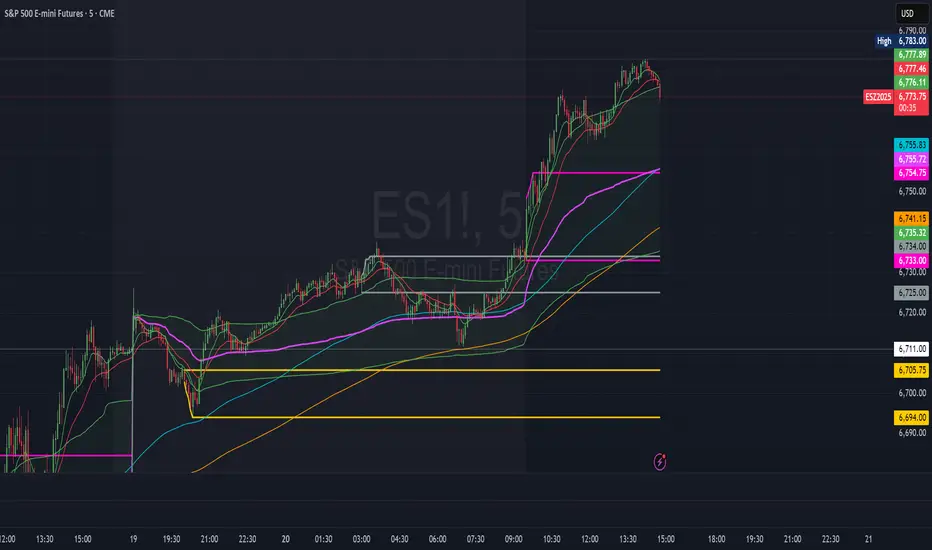
ORBs, EMAs, SMAs, AVWAPThis is an update to a previously published script. In short the difference is the added capability to adjust the length of EMAs. Also added 3 customizable SMAs. Enjoy! Let me know what you think of the script please. This is only second one I have ever done. Through practice and people like @LuxAlgo and other Pinescripters this isn't possible. Tedious hrs with ChatGPT to correct nuances, who doesnt seem to learn from (insert pronoun) mistakes This all-in-one indicator combines key institutional tools into a unified framework for intraday and swing trading. Designed for traders who use multi-session analysis and dynamic levels, it automatically maps out global session breakouts, moving averages, and volume-weighted anchors with high clarity. Features include: 🕓 Tokyo, London, and New York ORBs (Opening Range Breakouts) — 30-minute configurable range boxes that persist until the next New York open. 📈 Anchored VWAP with Standard Deviation Bands — dynamically anchorable to session, week, or month for institutional-grade price tracking. 📊 Exponential Moving Averages (9, 20, 113, 200) — for short-, mid-, and long-term momentum structure. 📉 Simple Moving Averages (20, 50, 100) — fully customizable lengths, colors, and visibility toggles for trend confirmation. 🏁 Prior High/Low Levels (PDH/PDL, PWH/PWL, PMH/PML) — automatically plotted from previous day, week, and month, with labels placed at each session’s midpoint. 🎛️ Session-Aligned Time Logic — all time calculations use New York session anchors with DST awareness. 💡 Clean Visualization Options — every component can be toggled on/off, recolored, or customized for your workflow. Best used for: ORB break-and-retest setups VWAP and EMA rejections Confluence-based trading around key session levels Multi-session momentum trackingИндикатор Pine Script®от nh311009Обновлено 1145
Full Currency Strength Table Dashboard (8 Currencies) # Full Currency Strength Table Dashboard (8 Currencies) 📊 This indicator provides a **simplified, visual representation of the current relative strengths of 8 major global currencies** (EUR, USD, GBP, JPY, AUD, NZD, CAD, CHF). It's designed as a minimalist dashboard that appears discreetly on your chart, giving traders a quick and clear picture of forex pair movements. The indicator calculates the relative strength of each currency based on its movement against the other 7 currencies in the panel, providing insight into which currencies are currently the strongest and which are the weakest. ## Key Features 🌟 * **Simplified Visualization:** Instead of showing currency strength as a line on the chart, which can often be distracting, the indicator uses a **data table (dashboard)** positioned on the chart. This ensures **maximum chart visibility** and cleanliness. * **8 Major Currencies:** All major currencies are included ($A$ - EUR, $B$ - USD, $C$ - GBP, $D$ - JPY, $E$ - AUD, $F$ - NZD, $G$ - CAD, $H$ - CHF), allowing strength calculation based on **28 base currency pairs**. * **Strength Calculation:** Strength is calculated based on the average percentage change $\left(\frac{\text{Close} - \text{Open}}{\text{Open}} \times 100\right)$ of the currency relative to all 7 other currencies. * **Timeframe Setting:** Users can select a **higher timeframe (TF)** (e.g., Daily - 'D') for the strength calculation. This allows analysis of longer-term currency strength momentum, independent of the chart's current timeframe. * **Customizable Design:** You can adjust the table's position, text size, the colour of each currency, and the resolution (length) of the strength meter. ## How to Use the Indicator (Interpretation) 💡 1. **Select a Timeframe (TF):** It's recommended to use a higher TF (e.g., Daily - 'D' or 4h - '240') to get more stable currency strength signals. 2. **The Dashboard Table:** The table displays: * The currency name (bottom, with its corresponding colour). * The numerical strength value (top, expressed in points or average change). * The **Strength Meter (bar)** visually represents the currency's relative strength compared to the other currencies on the panel (calculated based on the Min/Max values across all 8 currencies). 3. **Making Decisions:** * **Buy:** Look for a currency pair where the **Base Currency** is significantly **strong** (high positive value, long meter) and the **Quote Currency** is significantly **weak** (high negative value, short meter). * **Sell:** Look for a currency pair where the **Base Currency** is significantly **weak** and the **Quote Currency** is significantly **strong**. * **Avoid Trading:** Avoid pairs where both currencies have roughly the same strength or are close to zero. ## Note on Calculation and Code 🛠️ * **Base Pairs:** The script calculates 28 base currency pairs (e.g., EURUSD, EURGBP... CADCHF) using the `request.security` function to retrieve data from the selected timeframe (`freq`). * **Data Correction:** A correction was implemented in the code by adding ` ` after `request.security` to always use the **CLOSED bar values** from the higher TF. This **eliminates NaN (Not a Number) data** that would appear when using the current bar. * **Accumulation:** Accumulation (`sumA, sumB...`) only occurs when the selected higher TF changes (`timeframe.change(freq)`), effectively tracking the currency's relative strength during the formation of **one closed bar** on that higher TF. ### License This work is licensed under the **Attribution-NonCommercial-ShareAlike 4.0 International (CC BY-NC-SA 4.0)** license. The original concept and code are based on the work of the **LuxAlgo** team and finalized to fix syntax errors and handle NaN data for stable use with 8 currencies. --- **Questions or suggestions?** I'd love to hear your feedback in the comments! Happy trading! 📈Индикатор Pine Script®от Aleksin_Aleksandar55434
[ZP] Fixed v6 testDISCLAIMER: This indicator in Pine V6 as my first ever Tradingview indicator, has been developed for my personal trading analysis, consolidating various powerful indicators that I frequently use. A number of the embedded indicators within this tool are the creations of esteemed Pine Script developers from the TradingView community. In recognition of their contributions, the names of these developers will be prominently displayed alongside the respective indicator names. My selection of these indicators is rooted in my own experience and reflects those that have proven most effective for me. Please note that the past performance of any trading system or methodology is not necessarily indicative of future results. Always conduct your own research and due diligence before using any indicator or tool. =========================================================================== Introducing the ultimate all-in-one DIY strategy builder indicator, With over 30+ famous indicators (some with custom configuration/settings) indicators included, you now have the power to mix and match to create your own custom strategy for shorter time or longer time frames depending on your trading style. Say goodbye to cluttered charts and manual/visual confirmation of multiple indicators and hello to endless possibilities with this indicator. Available indicators that you can choose to build your strategy, are coded to seamlessly print the BUY and SELL signal upon confirmation of all selected indicators: EMA Filter 2 EMA Cross 3 EMA Cross Range Filter (Guikroth) SuperTrend Ichimoku Cloud SuperIchi (LuxAlgo) B-Xtrender (QuantTherapy) Bull Bear Power Trend (Dreadblitz) VWAP BB Oscillator (Veryfid) Trend Meter (Lij_MC) Chandelier Exit (Everget) CCI Awesome Oscillator DMI ( Adx ) Parabolic SAR Waddah Attar Explosion (Shayankm) Volatility Oscillator (Veryfid) Damiani Volatility ( DV ) (RichardoSantos) Stochastic RSI MACD SSL Channel (ErwinBeckers) Schaff Trend Cycle ( STC ) (LazyBear) Chaikin Money Flow Volume Wolfpack Id (Darrellfischer1) QQE Mod (Mihkhel00) Hull Suite (Insilico) Vortex Indicator Индикатор Pine Script®от Justas1231010 1.3 K
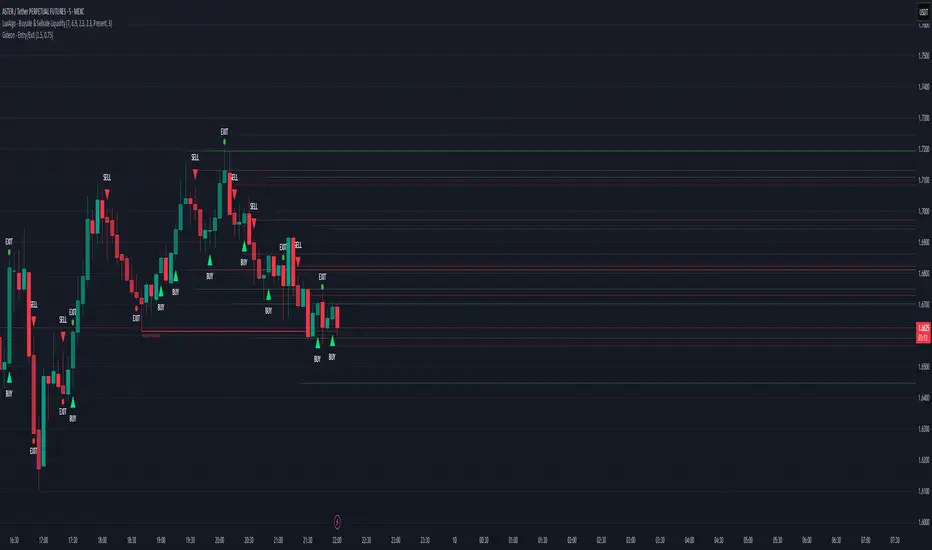
Magracia Entry-Exit 5 Min Time frame//------------------------------------------------------------------------------------------------------ // 🧭 Indicator Description //------------------------------------------------------------------------------------------------------ // 📘 Overview: // This indicator is a modified version of the LuxAlgo pattern logic designed to detect // high-probability **RBD (Rally–Base–Drop)** and **DBR (Drop–Base–Rally)** reversal structures // directly on the current candle. It automatically identifies potential BUY and SELL zones, // plots corresponding trade signals, and dynamically calculates **Take Profit (TP)** and **Stop Loss (SL)** levels. // // The goal of this tool is to give clear, visually guided trade entries and exits that // follow price structure and momentum changes without repainting historical data. // //------------------------------------------------------------------------------------------------------ // 🧩 How It Works: // • **RBD (Rally–Base–Drop)** → Indicates a bearish reversal (SELL signal) // • **DBR (Drop–Base–Rally)** → Indicates a bullish reversal (BUY signal) // • Optional **RBR / DBD** continuation patterns can be toggled on for trend continuation setups. // • When a signal is detected, the script automatically places: // ▫ A BUY or SELL marker at the candle // ▫ Dynamic TP (green dotted line) and SL (red dotted line) levels // ▫ An EXIT marker when either TP or SL is reached // //------------------------------------------------------------------------------------------------------ // ⚙️ Inputs: // • Enable or disable individual pattern types (RBD, RBR, DBD, DBR) // • Toggle continuation patterns (RBR/DBD) // • Customize Take Profit and Stop Loss percentages // • Adjust rally/drop bar colors for easier pattern visualization // //------------------------------------------------------------------------------------------------------ // 🧠 Usage Tips: // • Works best on volatile pairs and short–term timeframes (1m to 15m) // • Can be combined with volume or trend filters for stronger confirmation // • When used on higher timeframes (e.g., 4H+), increase TP/SL percentage range // //------------------------------------------------------------------------------------------------------ // ⚠️ Notes: // • Signals are plotted **in real-time on the current candle** (not delayed). // • This indicator is for visual and educational use only and does not guarantee profitability. // • For optimal results, combine it with proper risk management and confirmation indicators. // //------------------------------------------------------------------------------------------------------ // © Gideon (CC BY-NC-SA 4.0 Licensed) //------------------------------------------------------------------------------------------------------ Индикатор Pine Script®от KentMcgrace33124
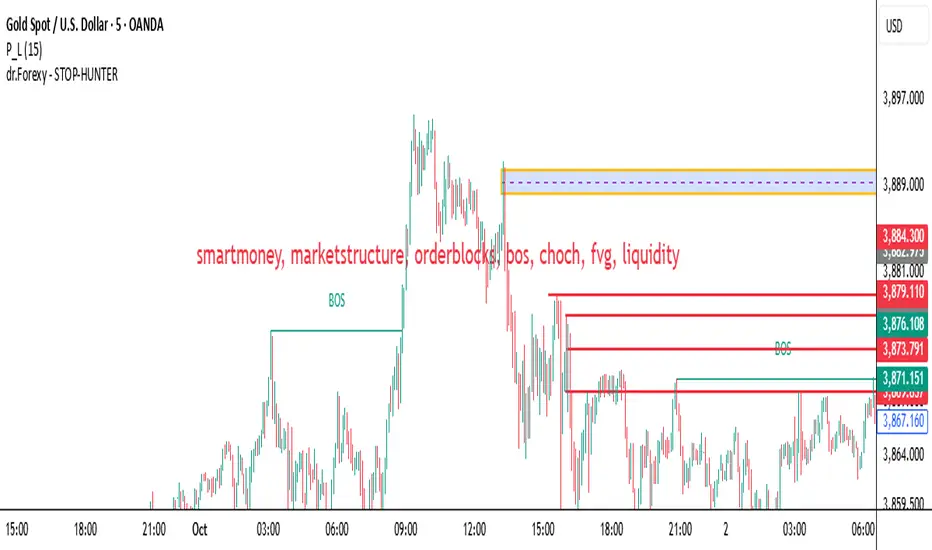
HUNT_line [Dr.Forexy]HUNT_line Indicator 📊 **Category:** Price Action & Market Structure ⏰ **Recommended Timeframe:** 5-minute and higher 🎯 **Purpose:** Advanced market structure visualization for professional traders ⸻ ⚡ **Key Features:** • Break of Structure (BOS) and Change of Character (CHOCH) detection • Internal & Swing Market Structure analysis • Order Blocks identification with smart filtering • Fair Value Gaps (FVG) visualization • Premium/Discount Zones • Multi-timeframe support • Real-time structure alerts ⸻ 🛠 **How to Use:** 1. Apply on 5M or higher timeframes for best results 2. Monitor BOS/CHOCH for trend direction changes 3. Use Order Blocks as potential support/resistance areas 4. Watch for FVG fills as price inefficiency zones 5. Combine multiple confluences for higher probability setups ⸻ ⚠️ **Risk Disclaimer:** This indicator is for educational purposes only. Not financial advice. Always conduct your own research. ⸻ 🔹 **Credits:** Inspired by LuxAlgo's "Smart Money Concepts" with custom improvementsИндикатор Pine Script®от drforexy1118
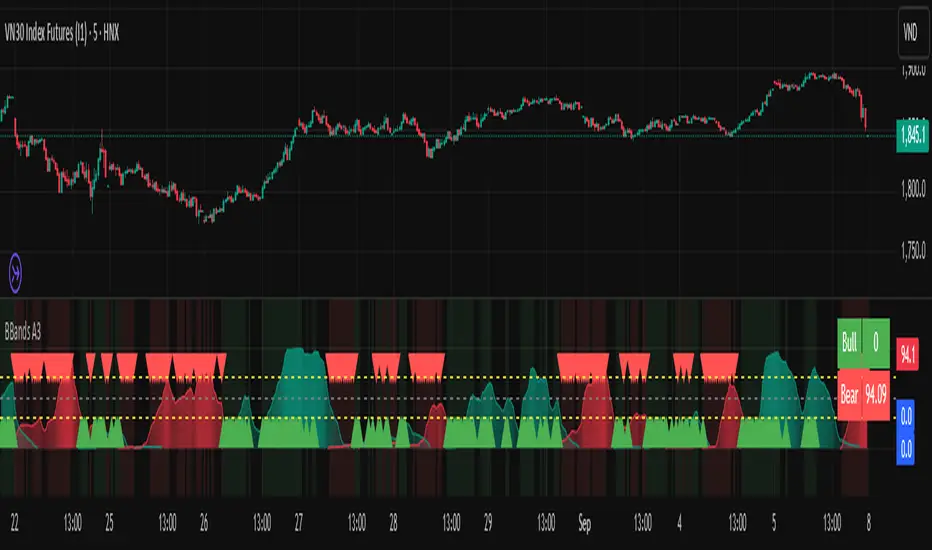
Bollinger Breakout A3 updateBollinger Breakout A3 update from LuxAlgo signal You can try it with some another signal.Индикатор Pine Script®от vanphuongcuchi17
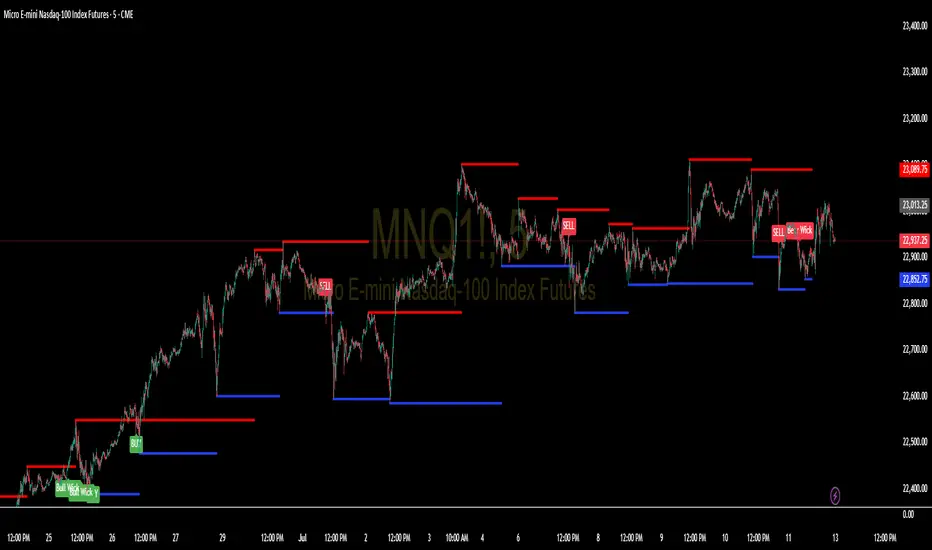
Support and Resistance Levels with BreaksThis indicator identifies dynamic support and resistance levels using pivot point analysis and provides clear trading signals when these levels are broken with volume confirmation. Enhanced version with improved signal clarity for better trading decisions. ## 🔧 Key Features ### Support & Resistance Detection - Automatically identifies key pivot high and low levels - Draws clear visual lines (red for resistance, blue for support) - Configurable sensitivity with left/right bar settings ### Enhanced Trading Signals - **BUY** signals when resistance is broken with volume confirmation - **SELL** signals when support is broken with volume confirmation - **Bull Wick** alerts for potential reversals at resistance - **Bear Wick** alerts for potential reversals at support ### Volume Confirmation - Built-in volume oscillator using 5 and 10-period EMAs - Filters out low-volume false breakouts - Adjustable volume threshold (default: 20%) ### Complete Alert System - Support Broken alerts - Resistance Broken alerts - Bull Wick reversal alerts - Bear Wick reversal alerts ## ⚙️ Settings - **Show Breaks**: Toggle signal display - **Left Bars**: Pivot detection lookback (default: 15) - **Right Bars**: Pivot detection lookforward (default: 15) - **Volume Threshold**: Minimum volume increase for valid signals (default: 20%) ## 📈 Best For - Swing trading strategies - Breakout confirmation - Support/resistance trading - Volume-based entry signals ## 🔍 How It Works 1. Identifies pivot highs/lows using configurable periods 2. Calculates volume oscillator for confirmation 3. Generates BUY signals on resistance breaks with volume 4. Generates SELL signals on support breaks with volume 5. Detects wick patterns for potential reversals ## 📋 Updates in This Version - Enhanced BUY/SELL signal clarity (replaced generic "B" labels) - Added Bull Wick and Bear Wick alert conditions - Updated to Pine Script v6 compatibility - Improved signal filtering and accuracy ## ⚠️ Disclaimer This indicator is for educational and informational purposes only. Always conduct your own analysis and risk management before making trading decisions. Past performance does not guarantee future results. --- **Original Script**: "Support and Resistance Levels with Breaks" by LuxAlgo **License**: CC BY-NC-SA 4.0 **Enhanced by**: profitgang **Version**: Pine Script v6Индикатор Pine Script®от profitgang11601
Fuzzy SMA Trend Analyzer (experimental)[FibonacciFlux]Fuzzy SMA Trend Analyzer (Normalized): Advanced Market Trend Detection Using Fuzzy Logic Theory Elevate your technical analysis with institutional-grade fuzzy logic implementation Research Genesis & Conceptual Framework This indicator represents the culmination of extensive research into applying fuzzy logic theory to financial markets. While traditional technical indicators often produce binary outcomes, market conditions exist on a continuous spectrum. The Fuzzy SMA Trend Analyzer addresses this limitation by implementing a sophisticated fuzzy logic system that captures the nuanced, multi-dimensional nature of market trends. Core Fuzzy Logic Principles At the heart of this indicator lies fuzzy logic theory - a mathematical framework designed to handle imprecision and uncertainty: // Improved fuzzy_triangle function with guard clauses for NA and invalid parameters. fuzzy_triangle(val, left, center, right) => if na(val) or na(left) or na(center) or na(right) or left > center or center > right // Guard checks 0.0 else if left == center and center == right // Crisp set (single point) val == center ? 1.0 : 0.0 else if left == center // Left-shoulder shape (ramp down from 1 at center to 0 at right) val >= right ? 0.0 : val <= center ? 1.0 : (right - val) / (right - center) else if center == right // Right-shoulder shape (ramp up from 0 at left to 1 at center) val <= left ? 0.0 : val >= center ? 1.0 : (val - left) / (center - left) else // Standard triangle math.max(0.0, math.min((val - left) / (center - left), (right - val) / (right - center))) This implementation of triangular membership functions enables the indicator to transform crisp numerical values into degrees of membership in linguistic variables like "Large Positive" or "Small Negative," creating a more nuanced representation of market conditions. Dynamic Percentile Normalization A critical innovation in this indicator is the implementation of percentile-based normalization for SMA deviation: // ----- Deviation Scale Estimation using Percentile ----- // Calculate the percentile rank of the *absolute* deviation over the lookback period. // This gives an estimate of the 'typical maximum' deviation magnitude recently. diff_abs_percentile = ta.percentile_linear_interpolation(math.abs(raw_diff), normLookback, percRank) + 1e-10 // ----- Normalize the Raw Deviation ----- // Divide the raw deviation by the estimated 'typical max' magnitude. normalized_diff = raw_diff / diff_abs_percentile // ----- Clamp the Normalized Deviation ----- normalized_diff_clamped = math.max(-3.0, math.min(3.0, normalized_diff)) This percentile normalization approach creates a self-adapting system that automatically calibrates to different assets and market regimes. Rather than using fixed thresholds, the indicator dynamically adjusts based on recent volatility patterns, significantly enhancing signal quality across diverse market environments. Multi-Factor Fuzzy Rule System The indicator implements a comprehensive fuzzy rule system that evaluates multiple technical factors: SMA Deviation (Normalized): Measures price displacement from the Simple Moving Average Rate of Change (ROC): Captures price momentum over a specified period Relative Strength Index (RSI): Assesses overbought/oversold conditions These factors are processed through a sophisticated fuzzy inference system with linguistic variables: // ----- 3.1 Fuzzy Sets for Normalized Deviation ----- diffN_LP := fuzzy_triangle(normalized_diff_clamped, 0.7, 1.5, 3.0) // Large Positive (around/above percentile) diffN_SP := fuzzy_triangle(normalized_diff_clamped, 0.1, 0.5, 0.9) // Small Positive diffN_NZ := fuzzy_triangle(normalized_diff_clamped, -0.2, 0.0, 0.2) // Near Zero diffN_SN := fuzzy_triangle(normalized_diff_clamped, -0.9, -0.5, -0.1) // Small Negative diffN_LN := fuzzy_triangle(normalized_diff_clamped, -3.0, -1.5, -0.7) // Large Negative (around/below percentile) // ----- 3.2 Fuzzy Sets for ROC ----- roc_HN := fuzzy_triangle(roc_val, -8.0, -5.0, -2.0) roc_WN := fuzzy_triangle(roc_val, -3.0, -1.0, -0.1) roc_NZ := fuzzy_triangle(roc_val, -0.3, 0.0, 0.3) roc_WP := fuzzy_triangle(roc_val, 0.1, 1.0, 3.0) roc_HP := fuzzy_triangle(roc_val, 2.0, 5.0, 8.0) // ----- 3.3 Fuzzy Sets for RSI ----- rsi_L := fuzzy_triangle(rsi_val, 0.0, 25.0, 40.0) rsi_M := fuzzy_triangle(rsi_val, 35.0, 50.0, 65.0) rsi_H := fuzzy_triangle(rsi_val, 60.0, 75.0, 100.0) Advanced Fuzzy Inference Rules The indicator employs a comprehensive set of fuzzy rules that encode expert knowledge about market behavior: // --- Fuzzy Rules using Normalized Deviation (diffN_*) --- cond1 = math.min(diffN_LP, roc_HP, math.max(rsi_M, rsi_H)) // Strong Bullish: Large pos dev, strong pos roc, rsi ok strength_SB := math.max(strength_SB, cond1) cond2 = math.min(diffN_SP, roc_WP, rsi_M) // Weak Bullish: Small pos dev, weak pos roc, rsi mid strength_WB := math.max(strength_WB, cond2) cond3 = math.min(diffN_SP, roc_NZ, rsi_H) // Weakening Bullish: Small pos dev, flat roc, rsi high strength_N := math.max(strength_N, cond3 * 0.6) // More neutral strength_WB := math.max(strength_WB, cond3 * 0.2) // Less weak bullish This rule system evaluates multiple conditions simultaneously, weighting them by their degree of membership to produce a comprehensive trend assessment. The rules are designed to identify various market conditions including strong trends, weakening trends, potential reversals, and neutral consolidations. Defuzzification Process The final step transforms the fuzzy result back into a crisp numerical value representing the overall trend strength: // --- Step 6: Defuzzification --- denominator = strength_SB + strength_WB + strength_N + strength_WBe + strength_SBe if denominator > 1e-10 // Use small epsilon instead of != 0.0 for float comparison fuzzyTrendScore := (strength_SB * STRONG_BULL + strength_WB * WEAK_BULL + strength_N * NEUTRAL + strength_WBe * WEAK_BEAR + strength_SBe * STRONG_BEAR) / denominator The resulting FuzzyTrendScore ranges from -1 (strong bearish) to +1 (strong bullish), providing a smooth, continuous evaluation of market conditions that avoids the abrupt signal changes common in traditional indicators. Advanced Visualization with Rainbow Gradient The indicator incorporates sophisticated visualization using a rainbow gradient coloring system: // Normalize score to for gradient function normalizedScore = na(fuzzyTrendScore) ? 0.5 : math.max(0.0, math.min(1.0, (fuzzyTrendScore + 1) / 2)) // Get the color based on gradient setting and normalized score final_color = get_gradient(normalizedScore, gradient_type) This color-coding system provides intuitive visual feedback, with color intensity reflecting trend strength and direction. The gradient can be customized between Red-to-Green or Red-to-Blue configurations based on user preference. Practical Applications The Fuzzy SMA Trend Analyzer excels in several key applications: Trend Identification: Precisely identifies market trend direction and strength with nuanced gradation Market Regime Detection: Distinguishes between trending markets and consolidation phases Divergence Analysis: Highlights potential reversals when price action and fuzzy trend score diverge Filter for Trading Systems: Provides high-quality trend filtering for other trading strategies Risk Management: Offers early warning of potential trend weakening or reversal Parameter Customization The indicator offers extensive customization options: SMA Length: Adjusts the baseline moving average period ROC Length: Controls momentum sensitivity RSI Length: Configures overbought/oversold sensitivity Normalization Lookback: Determines the adaptive calculation window for percentile normalization Percentile Rank: Sets the statistical threshold for deviation normalization Gradient Type: Selects the preferred color scheme for visualization These parameters enable fine-tuning to specific market conditions, trading styles, and timeframes. Acknowledgments The rainbow gradient visualization component draws inspiration from LuxAlgo's "Rainbow Adaptive RSI" (used under CC BY-NC-SA 4.0 license). This implementation of fuzzy logic in technical analysis builds upon Fermi estimation principles to overcome the inherent limitations of crisp binary indicators. This indicator is shared under Attribution-NonCommercial-ShareAlike 4.0 International (CC BY-NC-SA 4.0) license. Remember that past performance does not guarantee future results. Always conduct thorough testing before implementing any technical indicator in live trading.Индикатор Pine Script®от FibonacciFlux20
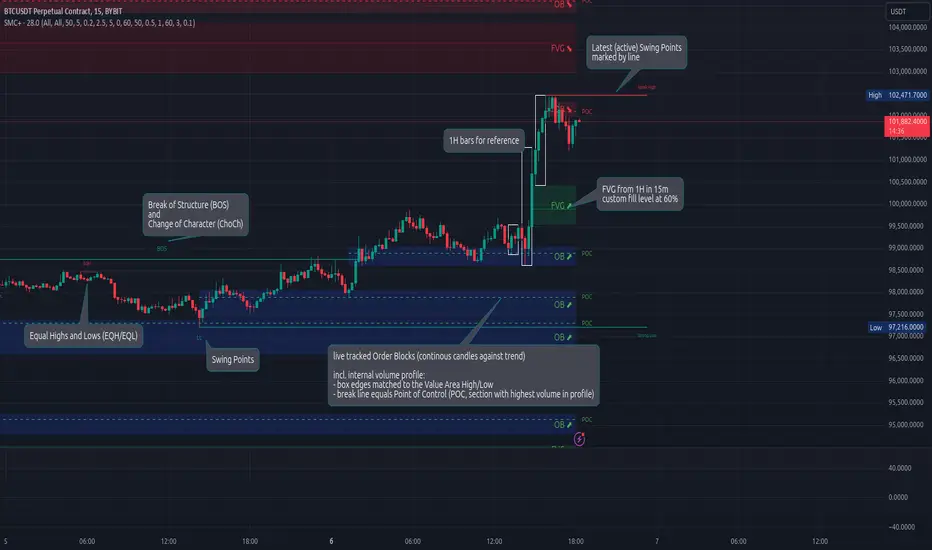
Smart Money Concepts (Advanced)Inspired and initially based on LuxAlgo's Smart Money Concepts Indicator I created a library lib_smc that started to convert every function and return objects. This allowed certain customizations like tracking the current fill level of FVGs or tracking the creation of Order Blocks, by monitoring consecutive bars against the current trend. This indicator is provided as is, based on, but probably not always be up to date with my lib_smc that I am using for my projects. WARNING: This indicator shows EXPERIMENTAL Order Blocks that are tracked LIVE. Unlike usual Order Blocks these are not just based on the last confirmed Swing Point (formed 50 bars before) but on consecutive candles opposing an unconfirmed trend. Blocks are confirmed by price movements relative to the unconfirmed block and unconfirmed swing points. This means that some Order Blocks will appear on pullbacks, as well as reversals. Features Swing Points (HH / LH / HL / LL), indicating support / resistance zones price might reject off of or want to push through Market Structure (BOS / ChoCh), indicates confirmation for a continued / changing trend live Order Blocks (OB), see warning above. Fair Value Gaps (FVG), optional from higher timeframes Equal Highs / Lows (EQH/EQL), indicates strong support / resistance zones, especially when the bars forming it have long wicks toward that zone using my lib_no_delay all moving averages are working from bar 0, so it can be used on charts with limited bars Индикатор Pine Script®от robbattОбновлено 8787 5.4 K
lib_smcLibrary "lib_smc" This is an adaptation of LuxAlgo's Smart Money Concepts indicator with numerous changes. Main changes include integration of object based plotting, plenty of performance improvements, live tracking of Order Blocks, integration of volume profiles to refine Order Blocks, and many more. This is a library for developers, if you want this converted into a working strategy, let me know. buffer(item, len, force_rotate) Parameters: item (float) len (int) force_rotate (bool) buffer(item, len, force_rotate) Parameters: item (int) len (int) force_rotate (bool) buffer(item, len, force_rotate) Parameters: item (Profile type from robbatt/lib_profile/32) len (int) force_rotate (bool) swings(len) INTERNAL: detect swing points (HH and LL) in given range Parameters: len (simple int) : range to check for new swing points Returns: values are the price level where and if a new HH or LL was detected, else na method init(this) Namespace types: OrderBlockConfig Parameters: this (OrderBlockConfig) method delete(this) Namespace types: OrderBlock Parameters: this (OrderBlock) method clear_broken(this, broken_buffer) INTERNAL: delete internal order blocks box coordinates if top/bottom is broken Namespace types: map Parameters: this (map) broken_buffer (map) Returns: any_bull_ob_broken, any_bear_ob_broken, broken signals are true if an according order block was broken/mitigated, broken contains the broken block(s) create_ob(id, mode, start_t, start_i, top, end_t, end_i, bottom, break_price, early_confirmation_price, config, init_plot, force_overlay) INTERNAL: set internal order block coordinates Parameters: id (int) mode (int) : 1: bullish, -1 bearish block start_t (int) start_i (int) top (float) end_t (int) end_i (int) bottom (float) break_price (float) early_confirmation_price (float) config (OrderBlockConfig) init_plot (bool) force_overlay (bool) Returns: signals are true if an according order block was broken/mitigated method align_to_profile(block, align_edge, align_break_price) Namespace types: OrderBlock Parameters: block (OrderBlock) align_edge (bool) align_break_price (bool) method create_profile(block, opens, tops, bottoms, closes, values, resolution, vah_pc, val_pc, args, init_calculated, init_plot, force_overlay) Namespace types: OrderBlock Parameters: block (OrderBlock) opens (array) tops (array) bottoms (array) closes (array) values (array) resolution (int) vah_pc (float) val_pc (float) args (ProfileArgs type from robbatt/lib_profile/32) init_calculated (bool) init_plot (bool) force_overlay (bool) method create_profile(block, resolution, vah_pc, val_pc, args, init_calculated, init_plot, force_overlay) Namespace types: OrderBlock Parameters: block (OrderBlock) resolution (int) vah_pc (float) val_pc (float) args (ProfileArgs type from robbatt/lib_profile/32) init_calculated (bool) init_plot (bool) force_overlay (bool) track_obs(swing_len, hh, ll, top, btm, bull_bos_alert, bull_choch_alert, bear_bos_alert, bear_choch_alert, min_block_size, max_block_size, config_bull, config_bear, init_plot, force_overlay, enabled, extend_blocks, clear_broken_buffer_before, align_edge_to_value_area, align_break_price_to_poc, profile_args_bull, profile_args_bear, use_soft_confirm, soft_confirm_offset, use_retracements_with_FVG_out) Parameters: swing_len (int) hh (float) ll (float) top (float) btm (float) bull_bos_alert (bool) bull_choch_alert (bool) bear_bos_alert (bool) bear_choch_alert (bool) min_block_size (float) max_block_size (float) config_bull (OrderBlockConfig) config_bear (OrderBlockConfig) init_plot (bool) force_overlay (bool) enabled (bool) extend_blocks (simple bool) clear_broken_buffer_before (simple bool) align_edge_to_value_area (simple bool) align_break_price_to_poc (simple bool) profile_args_bull (ProfileArgs type from robbatt/lib_profile/32) profile_args_bear (ProfileArgs type from robbatt/lib_profile/32) use_soft_confirm (simple bool) soft_confirm_offset (float) use_retracements_with_FVG_out (simple bool) method draw(this, config, extend_only) Namespace types: OrderBlock Parameters: this (OrderBlock) config (OrderBlockConfig) extend_only (bool) method draw(blocks, config) INTERNAL: plot order blocks Namespace types: array Parameters: blocks (array) config (OrderBlockConfig) method draw(blocks, config) INTERNAL: plot order blocks Namespace types: map Parameters: blocks (map) config (OrderBlockConfig) method cleanup(this, ob_bull, ob_bear) removes all Profiles that are older than the latest OrderBlock from this profile buffer Namespace types: array Parameters: this (array type from robbatt/lib_profile/32) ob_bull (OrderBlock) ob_bear (OrderBlock) _plot_swing_points(mode, x, y, show_swing_points, linecolor_swings, keep_history, show_latest_swings_levels, trail_x, trail_y, trend) INTERNAL: plot swing points Parameters: mode (int) : 1: bullish, -1 bearish block x (int) : x-coordingate of swing point to plot (bar_index) y (float) : y-coordingate of swing point to plot (price) show_swing_points (bool) : switch to enable/disable plotting of swing point labels linecolor_swings (color) : color for swing point labels and lates level lines keep_history (bool) : weater to remove older swing point labels and only keep the most recent show_latest_swings_levels (bool) trail_x (int) : x-coordinate for latest swing point (bar_index) trail_y (float) : y-coordinate for latest swing point (price) trend (int) : the current trend 1: bullish, -1: bearish, to determine Strong/Weak Low/Highs _pivot_lvl(mode, trend, hhll_x, hhll, super_hhll, filter_insignificant_internal_breaks) INTERNAL: detect whether a structural level has been broken and if it was in trend direction (BoS) or against trend direction (ChoCh), also track the latest high and low swing points Parameters: mode (simple int) : detect 1: bullish, -1 bearish pivot points trend (int) : current trend direction hhll_x (int) : x-coordinate of newly detected hh/ll (bar_index) hhll (float) : y-coordinate of newly detected hh/ll (price) super_hhll (float) : level/y-coordinate of superior hhll (if this is an internal structure pivot level) filter_insignificant_internal_breaks (bool) : if true pivot points / internal structure will be ignored where the wick in trend direction is longer than the opposite (likely to push further in direction of main trend) Returns: coordinates of internal structure that has been broken (x,y): start of structure, (trail_x, trail_y): tracking hh/ll after structure break, (bos_alert, choch_alert): signal whether a structural level has been broken _plot_structure(x, y, is_bos, is_choch, line_color, line_style, label_style, label_size, keep_history) INTERNAL: plot structural breaks (BoS/ChoCh) Parameters: x (int) : x-coordinate of newly broken structure (bar_index) y (float) : y-coordinate of newly broken structure (price) is_bos (bool) : whether this structural break was in trend direction is_choch (bool) : whether this structural break was against trend direction line_color (color) : color for the line connecting the structural level and the breaking candle line_style (string) : style (line.style_dashed/solid) for the line connecting the structural level and the breaking candle label_style (string) : style (label.style_label_down/up) for the label above/below the line connecting the structural level and the breaking candle label_size (string) : size (size.small/tiny) for the label above/below the line connecting the structural level and the breaking candle keep_history (bool) : weater to remove older swing point labels and only keep the most recent structure_values(length, super_hh, super_ll, filter_insignificant_internal_breaks) detect (and plot) structural breaks and the resulting new trend Parameters: length (simple int) : lookback period for swing point detection super_hh (float) : level/y-coordinate of superior hh (for internal structure detection) super_ll (float) : level/y-coordinate of superior ll (for internal structure detection) filter_insignificant_internal_breaks (bool) : if true pivot points / internal structure will be ignored where the wick in trend direction is longer than the opposite (likely to push further in direction of main trend) Returns: trend: direction 1:bullish -1:bearish, (bull_bos_alert, bull_choch_alert, top_x, top_y, trail_up_x, trail_up): whether and which level broke in a bullish direction, trailing high, (bbear_bos_alert, bear_choch_alert, tm_x, btm_y, trail_dn_x, trail_dn): same in bearish direction structure_plot(trend, bull_bos_alert, bull_choch_alert, top_x, top_y, trail_up_x, trail_up, hh, bear_bos_alert, bear_choch_alert, btm_x, btm_y, trail_dn_x, trail_dn, ll, color_bull, color_bear, show_swing_points, show_latest_swings_levels, show_bos, show_choch, line_style, label_size, keep_history) detect (and plot) structural breaks and the resulting new trend Parameters: trend (int) : crrent trend 1: bullish, -1: bearish bull_bos_alert (bool) : if there was a bullish bos alert -> plot it bull_choch_alert (bool) : if there was a bullish choch alert -> plot it top_x (int) : latest shwing high x top_y (float) : latest swing high y trail_up_x (int) : trailing high x trail_up (float) : trailing high y hh (float) : if there was a higher high bear_bos_alert (bool) : if there was a bearish bos alert -> plot it bear_choch_alert (bool) : if there was a bearish chock alert -> plot it btm_x (int) : latest swing low x btm_y (float) : latest swing low y trail_dn_x (int) : trailing low x trail_dn (float) : trailing low y ll (float) : if there was a lower low color_bull (color) : color for bullish BoS/ChoCh levels color_bear (color) : color for bearish BoS/ChoCh levels show_swing_points (bool) : whether to plot swing point labels show_latest_swings_levels (bool) : whether to track and plot latest swing point levels with lines show_bos (bool) : whether to plot BoS levels show_choch (bool) : whether to plot ChoCh levels line_style (string) : whether to plot BoS levels label_size (string) : label size of plotted BoS/ChoCh levels keep_history (bool) : weater to remove older swing point labels and only keep the most recent structure(length, color_bull, color_bear, super_hh, super_ll, filter_insignificant_internal_breaks, show_swing_points, show_latest_swings_levels, show_bos, show_choch, line_style, label_size, keep_history, enabled) detect (and plot) structural breaks and the resulting new trend Parameters: length (simple int) : lookback period for swing point detection color_bull (color) : color for bullish BoS/ChoCh levels color_bear (color) : color for bearish BoS/ChoCh levels super_hh (float) : level/y-coordinate of superior hh (for internal structure detection) super_ll (float) : level/y-coordinate of superior ll (for internal structure detection) filter_insignificant_internal_breaks (bool) : if true pivot points / internal structure will be ignored where the wick in trend direction is longer than the opposite (likely to push further in direction of main trend) show_swing_points (bool) : whether to plot swing point labels show_latest_swings_levels (bool) : whether to track and plot latest swing point levels with lines show_bos (bool) : whether to plot BoS levels show_choch (bool) : whether to plot ChoCh levels line_style (string) : whether to plot BoS levels label_size (string) : label size of plotted BoS/ChoCh levels keep_history (bool) : weater to remove older swing point labels and only keep the most recent enabled (bool) _check_equal_level(mode, len, eq_threshold, enabled) INTERNAL: detect equal levels (double top/bottom) Parameters: mode (int) : detect 1: bullish/high, -1 bearish/low pivot points len (int) : lookback period for equal level (swing point) detection eq_threshold (float) : maximum price offset for a level to be considered equal enabled (bool) Returns: eq_alert whether an equal level was detected and coordinates of the first and the second level/swing point _plot_equal_level(show_eq, x1, y1, x2, y2, label_txt, label_style, label_size, line_color, line_style, keep_history) INTERNAL: plot equal levels (double top/bottom) Parameters: show_eq (bool) : whether to plot the level or not x1 (int) : x-coordinate of the first level / swing point y1 (float) : y-coordinate of the first level / swing point x2 (int) : x-coordinate of the second level / swing point y2 (float) : y-coordinate of the second level / swing point label_txt (string) : text for the label above/below the line connecting the equal levels label_style (string) : style (label.style_label_down/up) for the label above/below the line connecting the equal levels label_size (string) : size (size.tiny) for the label above/below the line connecting the equal levels line_color (color) : color for the line connecting the equal levels (and it's label) line_style (string) : style (line.style_dotted) for the line connecting the equal levels keep_history (bool) : weater to remove older swing point labels and only keep the most recent equal_levels_values(len, threshold, enabled) detect (and plot) equal levels (double top/bottom), returns coordinates Parameters: len (int) : lookback period for equal level (swing point) detection threshold (float) : maximum price offset for a level to be considered equal enabled (bool) : whether detection is enabled Returns: (eqh_alert, eqh_x1, eqh_y1, eqh_x2, eqh_y2) whether an equal high was detected and coordinates of the first and the second level/swing point, (eql_alert, eql_x1, eql_y1, eql_x2, eql_y2) same for equal lows equal_levels_plot(eqh_x1, eqh_y1, eqh_x2, eqh_y2, eql_x1, eql_y1, eql_x2, eql_y2, color_eqh, color_eql, show, keep_history) detect (and plot) equal levels (double top/bottom), returns coordinates Parameters: eqh_x1 (int) : coordinates of first point of equal high eqh_y1 (float) : coordinates of first point of equal high eqh_x2 (int) : coordinates of second point of equal high eqh_y2 (float) : coordinates of second point of equal high eql_x1 (int) : coordinates of first point of equal low eql_y1 (float) : coordinates of first point of equal low eql_x2 (int) : coordinates of second point of equal low eql_y2 (float) : coordinates of second point of equal low color_eqh (color) : color for the line connecting the equal highs (and it's label) color_eql (color) : color for the line connecting the equal lows (and it's label) show (bool) : whether plotting is enabled keep_history (bool) : weater to remove older swing point labels and only keep the most recent Returns: (eqh_alert, eqh_x1, eqh_y1, eqh_x2, eqh_y2) whether an equal high was detected and coordinates of the first and the second level/swing point, (eql_alert, eql_x1, eql_y1, eql_x2, eql_y2) same for equal lows equal_levels(len, threshold, color_eqh, color_eql, enabled, show, keep_history) detect (and plot) equal levels (double top/bottom) Parameters: len (int) : lookback period for equal level (swing point) detection threshold (float) : maximum price offset for a level to be considered equal color_eqh (color) : color for the line connecting the equal highs (and it's label) color_eql (color) : color for the line connecting the equal lows (and it's label) enabled (bool) : whether detection is enabled show (bool) : whether plotting is enabled keep_history (bool) : weater to remove older swing point labels and only keep the most recent Returns: (eqh_alert) whether an equal high was detected, (eql_alert) same for equal lows _detect_fvg(mode, enabled, o, h, l, c, filter_insignificant_fvgs, change_tf) INTERNAL: detect FVG (fair value gap) Parameters: mode (int) : detect 1: bullish, -1 bearish gaps enabled (bool) : whether detection is enabled o (float) : reference source open h (float) : reference source high l (float) : reference source low c (float) : reference source close filter_insignificant_fvgs (bool) : whether to calculate and filter small/insignificant gaps change_tf (bool) : signal when the previous reference timeframe closed, triggers new calculation Returns: whether a new FVG was detected and its top/mid/bottom levels _clear_broken_fvg(mode, upper_boxes, lower_boxes) INTERNAL: clear mitigated FVGs (fair value gaps) Parameters: mode (int) : detect 1: bullish, -1 bearish gaps upper_boxes (array) : array that stores the upper parts of the FVG boxes lower_boxes (array) : array that stores the lower parts of the FVG boxes _plot_fvg(mode, show, top, mid, btm, border_color, extend_box) INTERNAL: plot (and clear broken) FVG (fair value gap) Parameters: mode (int) : plot 1: bullish, -1 bearish gap show (bool) : whether plotting is enabled top (float) : top level of fvg mid (float) : center level of fvg btm (float) : bottom level of fvg border_color (color) : color for the FVG box extend_box (int) : how many bars into the future the FVG box should be extended after detection fvgs_values(o, h, l, c, filter_insignificant_fvgs, change_tf, enabled) detect (and plot / clear broken) FVGs (fair value gaps), and return alerts and level values Parameters: o (float) : reference source open h (float) : reference source high l (float) : reference source low c (float) : reference source close filter_insignificant_fvgs (bool) : whether to calculate and filter small/insignificant gaps change_tf (bool) : signal when the previous reference timeframe closed, triggers new calculation enabled (bool) : whether detection is enabled Returns: (bullish_fvg_alert, bull_top, bull_mid, bull_btm): whether a new bullish FVG was detected and its top/mid/bottom levels, (bearish_fvg_alert, bear_top, bear_mid, bear_btm): same for bearish FVGs fvgs_plot(bullish_fvg_alert, bull_top, bull_mid, bull_btm, bearish_fvg_alert, bear_top, bear_mid, bear_btm, color_bull, color_bear, extend_box, show) Parameters: bullish_fvg_alert (bool) bull_top (float) bull_mid (float) bull_btm (float) bearish_fvg_alert (bool) bear_top (float) bear_mid (float) bear_btm (float) color_bull (color) : color for bullish FVG boxes color_bear (color) : color for bearish FVG boxes extend_box (int) : how many bars into the future the FVG box should be extended after detection show (bool) : whether plotting is enabled Returns: (bullish_fvg_alert, bull_top, bull_mid, bull_btm): whether a new bullish FVG was detected and its top/mid/bottom levels, (bearish_fvg_alert, bear_top, bear_mid, bear_btm): same for bearish FVGs fvgs(o, h, l, c, filter_insignificant_fvgs, change_tf, color_bull, color_bear, extend_box, enabled, show) detect (and plot / clear broken) FVGs (fair value gaps) Parameters: o (float) : reference source open h (float) : reference source high l (float) : reference source low c (float) : reference source close filter_insignificant_fvgs (bool) : whether to calculate and filter small/insignificant gaps change_tf (bool) : signal when the previous reference timeframe closed, triggers new calculation color_bull (color) : color for bullish FVG boxes color_bear (color) : color for bearish FVG boxes extend_box (int) : how many bars into the future the FVG box should be extended after detection enabled (bool) : whether detection is enabled show (bool) : whether plotting is enabled Returns: (bullish_fvg_alert): whether a new bullish FVG was detected, (bearish_fvg_alert): same for bearish FVGs OrderBlock Fields: id (series int) dir (series int) left_top (chart.point) right_bottom (chart.point) break_price (series float) early_confirmation_price (series float) ltf_high (array) ltf_low (array) ltf_volume (array) plot (Box type from robbatt/lib_plot_objects/49) profile (Profile type from robbatt/lib_profile/32) trailing (series bool) extending (series bool) awaiting_confirmation (series bool) touched_break_price_before_confirmation (series bool) soft_confirmed (series bool) has_fvg_out (series bool) hidden (series bool) broken (series bool) OrderBlockConfig Fields: show (series bool) show_last (series int) show_id (series bool) show_profile (series bool) args (BoxArgs type from robbatt/lib_plot_objects/49) txt (series string) txt_args (BoxTextArgs type from robbatt/lib_plot_objects/49) delete_when_broken (series bool) broken_args (BoxArgs type from robbatt/lib_plot_objects/49) broken_txt (series string) broken_txt_args (BoxTextArgs type from robbatt/lib_plot_objects/49) broken_profile_args (ProfileArgs type from robbatt/lib_profile/32) use_profile (series bool) profile_args (ProfileArgs type from robbatt/lib_profile/32)Библиотека Pine Script®от robbattОбновлено 1515185
Anchored Auto Fibonacci Retracement with Alerts [ImaWrknMan]SYNOPSIS Automatically generates a Fibonacci Retracement anchored to the candle of your choosing. As price moves further away from the anchor point, the fib levels automatically adjust to represent the entirety of the move. BULLISH VS. BEARISH It automatically detects if the Fibonacci Retracement should be drawn from the low or high of the anchored candle by considering the candles that follow (if they produce new highs, it will use the anchored candle low; if they produce new lows, it will use the anchored candle high). MITIGATION If the Fibonacci levels are fully retraced (i.e., price pulls back beyond the originating price), the levels will remain on the chart but it will no longer adjust as new candles form - it will become static. OPTIONS The following options are offered: Extend Retracement Levels The Fibonacci Retracement levels will extend beyond the last candle into the future. These extensions are visually represented using dashed lines. Retracement Levels Twelve levels are supported. The default levels mirror those used by the standard Fibonacci Retracement tool. Select only the levels you want to see on the chart. Line color can also be customized to your liking. You can optionally define an alert condition and alert message for each level (see "Alerts" below). ALERTS To receive an alert when price retraces into a level, check the "Alert" box to the right of that level. You can optionally define the text to display in the alert by entering it in the text box to the right of the alert checkbox. Levels with alerts will be marked on the chart with a "bell" symbol. Once you've selected the alerts you want to receive and (optionally) the text for each alert, create an Alert for the indicator. NOTE: You do NOT need to create a separate Alert for each level. Limitations Alerts can only be defined for levels that fall between 0 and 1. Once an alert is created, its settings are fixed. Any changes to the settings after the Alert is created will have no effect on the existing Alert. In this case, the Alert should be recreated. Alert notifications will only be generated for visible levels. Other Alerts Alert on expansion - Use this alert option if you want to be notified when price moves further from the anchored price, causing the retracement levels to adjust. This is useful if you have Limit orders at current levels and you want to cancel or move them when the levels change. "Alert on mitigation" - Use this alert option if you want to be notified when the Fibonacci Retracement has been fully retraced. The code for this indicator was inspired by the Fibonacci Toolkit by LuxAlgoИндикатор Pine Script®от ImaWrknManОбновлено 1313283
Pivot WebThe Pivot Web is a prototype with its base derived from TradingView's standard pivot point indicator plus inspiration from LuxAlgo's trendline work alongside my own observations/experiences. The theory is that there's legitimacy, from a technical standpoint, pivot point calculations are an adequate gauge of momentum and sentiment because the same math was used under pressure by floor traders themselves. That calculation is centered on the average of high, low, and closing prices. This indicator creates trendlines connecting the last pivot, support, and resistance levels to the current ones. A dynamic visual cue could make it easier to assess if the price will continue or reverse the current trajectory. This method also shows us an excellent visual for volatility. Key Takeaways: This indicator draws new dynamic trendlines. These new trendlines connect the past and present pivot point levels based on the timeframe you select. Shorter timeframes = More trendlines Price adherence to the path of these lines may offer insight for trading. Lastly, note the first set of data in each new timeframe displays the current original pivot point levels along with the trendlines attached to their ending point. Most of the time this indicator leaves room by briefly highlighting the original static levels with all levels also being optional displays. Also note that a more stable asset may not require the outermost support and resistance levels. Like most time series analysis tools, the Pivot Web requires current data to function properly. "Nature is pleased with simplicity, and nature is no dummy."Индикатор Pine Script®от NantzOS39
RSI TrendsThis TradingView script combines RSI trend analysis with FVG (Fair Value Gap) detection to identify potential buy and sell opportunities in financial markets. The script is customizable and provides extensive visual feedback directly on the chart, enhancing both strategic entry and exit points for traders. Raw code of FVG was taken from LuxAlgo Features FVG Detection: Identifies Fair Value Gaps (FVG), and provides options to display these gaps based on user settings. RSI Trend Bars: Utilizes the Relative Strength Index (RSI) to paint bars indicating overbought and oversold conditions. This helps traders understand current market sentiment and potential reversal points. Customizable Settings: Users can customize the timeframe, FVG types, and RSI thresholds. This flexibility allows the script to be adapted to various trading styles and timeframes. Historical Analysis: Option to display or hide historical FVGs, helping users analyze past market behavior without cluttering the chart. Alert System: Integrated alerts for detected buy and sell signals based on RSI conditions and the presence or absence of FVGs. This feature notifies traders of potential trading opportunities. Trading Signals Buy, Buy+, and Buy++ Signals: These signals are triggered based on overbought conditions without corresponding bearish FVG presence, with increasing stringency for higher tiers of buy signals. Sell, Sell+, and Sell++ Signals: These signals are based on oversold conditions devoid of bullish FVG presence, with each subsequent plus sign indicating a higher level of confirmation required to trigger the signal. Use Case Ideal for traders who rely on technical analysis and are looking for an automated way to spot potential buy and sell points using both price action gaps and momentum indicators. Customization All input parameters are adjustable directly from the indicator's settings panel, making it easy to tailor the tool to your trading needs and preferences.Индикатор Pine Script®от EagleVSniper77
Hull AMA SignalsThis script is a comprehensive trading indicator named "Hull AMA Signals", which combines AMA and HSO by LuxAlgo and ther video based strategy techniques to provide buy (long) and sell (short) signals. It overlays directly on the price chart, offering a dynamic and visually intuitive trading aid. The core components of this indicator are Adaptive Moving Averages (AMA), Hull Moving Average (HMA), and a unique Hull squeeze oscillator (HSO), each configured with customizable parameters for flexibility and adaptability to various market conditions. Features and Components Adaptive Moving Averages (AMA): This indicator employs two sets of AMAs, each with distinct lengths, multipliers, lags, and overshoot parameters. The AMAs are designed to adapt their sensitivity based on the market's volatility, making them more responsive during significant price movements and less prone to false signals during periods of consolidation. Hull Moving Average (HMA): The HMA is calculated using a sophisticated algorithm that aims to reduce the lag commonly associated with traditional moving averages. It provides a smoother and more responsive moving average line, which helps in identifying the prevailing market trend more accurately. Hull Squeeze Oscillator (HSO): A novel component of this indicator, the HSO, is designed to identify potential market breakouts. It does so by comparing the Hull Moving Average's direction and momentum against a dynamically calculated mean, generating bullish or bearish signals based on the crossover and divergence from this mean. Buy (Long) and Sell (Short) Signals: The script intelligently combines signals from the AMA crossovers and the Hull squeeze oscillator to pinpoint potential buy and sell opportunities. Bullish signals are generated when there's a positive crossover in the AMAs accompanied by a bullish dot from the HSO, whereas bearish signals are indicated by a negative crossover in the AMAs along with a bearish dot from the HSO. Customization and Style Options: Users have the ability to adjust various parameters such as the length of the moving averages, multipliers, and source data, enabling customization for different trading strategies and asset classes. Additionally, color-coded visual elements like gradients and shapes enhance the readability and instant recognition of trading signals. Use Cases Trend Identification: By analyzing the direction and position of the AMAs and HMA, traders can easily discern the prevailing market trend, helping them to align their trades with the market momentum. Signal Confirmation: The combination of AMA crossovers and HSO signals provides a robust framework for confirming trade entries and exits, potentially increasing the reliability of the trading signals. Volatility Adaptation: The adaptive nature of the AMAs and the dynamic calculation of the HSO mean allow this indicator to adjust to changing market volatility, making it suitable for a wide range of market environments. This indicator is suitable for traders looking for a comprehensive and dynamic technical analysis tool that combines trend analysis with signal generation, offering both visual appeal and practical trading utility.Индикатор Pine Script®от EagleVSniper22202
[AIO] Multi Collection Moving Averages 140 MA TypesAll In One Multi Collection Moving Averages. Since signing up 2 years ago, I have been collecting various Сollections. I decided to get it into a decent shape and make it one of the biggest collections on TV, and maybe the entire internet. And now I'm sharing my collection with you. 140 Different Types of Moving Averages are waiting for you. Specifically : " AARMA | Adaptive Autonomous Recursive Moving Average ADMA | Adjusted Moving Average ADXMA | Average Directional Moving Average ADXVMA | Average Directional Volatility Moving Average AHMA | Ahrens Moving Average ALF | Ehler Adaptive Laguerre Filter ALMA | Arnaud Legoux Moving Average ALSMA | Adaptive Least Squares ALXMA | Alexander Moving Average AMA | Adaptive Moving Average ARI | Unknown ARSI | Adaptive RSI Moving Average AUF | Auto Filter AUTL | Auto-Line BAMA | Bryant Adaptive Moving Average BFMA | Blackman Filter Moving Average CMA | Corrected Moving Average CORMA | Correlation Moving Average COVEMA | Coefficient of Variation Weighted Exponential Moving Average COVNA | Coefficient of Variation Weighted Moving Average CTI | Coral Trend Indicator DEC | Ehlers Simple Decycler DEMA | Double EMA Moving Average DEVS | Ehlers - Deviation Scaled Moving Average DONEMA | Donchian Extremum Moving Average DONMA | Donchian Moving Average DSEMA | Double Smoothed Exponential Moving Average DSWF | Damped Sine Wave Weighted Filter DWMA | Double Weighted Moving Average E2PBF | Ehlers 2-Pole Butterworth Filter E2SSF | Ehlers 2-Pole Super Smoother Filter E3PBF | Ehlers 3-Pole Butterworth Filter E3SSF | Ehlers 3-Pole Super Smoother Filter EDMA | Exponentially Deviating Moving Average (MZ EDMA) EDSMA | Ehlers Dynamic Smoothed Moving Average EEO | Ehlers Modified Elliptic Filter Optimum EFRAMA | Ehlers Modified Fractal Adaptive Moving Average EHMA | Exponential Hull Moving Average EIT | Ehlers Instantaneous Trendline ELF | Ehler Laguerre filter EMA | Exponential Moving Average EMARSI | EMARSI EPF | Edge Preserving Filter EPMA | End Point Moving Average EREA | Ehlers Reverse Exponential Moving Average ESSF | Ehlers Super Smoother Filter 2-pole ETMA | Exponential Triangular Moving Average EVMA | Elastic Volume Weighted Moving Average FAMA | Following Adaptive Moving Average FEMA | Fast Exponential Moving Average FIBWMA | Fibonacci Weighted Moving Average FLSMA | Fisher Least Squares Moving Average FRAMA | Ehlers - Fractal Adaptive Moving Average FX | Fibonacci X Level GAUS | Ehlers - Gaussian Filter GHL | Gann High Low GMA | Gaussian Moving Average GMMA | Geometric Mean Moving Average HCF | Hybrid Convolution Filter HEMA | Holt Exponential Moving Average HKAMA | Hilbert based Kaufman Adaptive Moving Average HMA | Harmonic Moving Average HSMA | Hirashima Sugita Moving Average HULL | Hull Moving Average HULLT | Hull Triple Moving Average HWMA | Henderson Weighted Moving Average IE2 | Early T3 by Tim Tilson IIRF | Infinite Impulse Response Filter ILRS | Integral of Linear Regression Slope JMA | Jurik Moving Average KA | Unknown KAMA | Kaufman Adaptive Moving Average & Apirine Adaptive MA KIJUN | KIJUN KIJUN2 | Kijun v2 LAG | Ehlers - Laguerre Filter LCLSMA | 1LC-LSMA (1 line code lsma with 3 functions) LEMA | Leader Exponential Moving Average LLMA | Low-Lag Moving Average LMA | Leo Moving Average LP | Unknown LRL | Linear Regression Line LSMA | Least Squares Moving Average / Linear Regression Curve LTB | Unknown LWMA | Linear Weighted Moving Average MAMA | MAMA - MESA Adaptive Moving Average MAVW | Mavilim Weighted Moving Average MCGD | McGinley Dynamic Moving Average MF | Modular Filter MID | Median Moving Average / Percentile Nearest Rank MNMA | McNicholl Moving Average MTMA | Unknown MVSMA | Minimum Variance SMA NLMA | Non-lag Moving Average NWMA | Dürschner 3rd Generation Moving Average (New WMA) PKF | Parametric Kalman Filter PWMA | Parabolic Weighted Moving Average QEMA | Quadruple Exponential Moving Average QMA | Quick Moving Average REMA | Regularized Exponential Moving Average REPMA | Repulsion Moving Average RGEMA | Range Exponential Moving Average RMA | Welles Wilders Smoothing Moving Average RMF | Recursive Median Filter RMTA | Recursive Moving Trend Average RSMA | Relative Strength Moving Average - based on RSI RSRMA | Right Sided Ricker MA RWMA | Regressively Weighted Moving Average SAMA | Slope Adaptive Moving Average SFMA | Smoother Filter Moving Average SMA | Simple Moving Average SSB | Senkou Span B SSF | Ehlers - Super Smoother Filter P2 SSMA | Super Smooth Moving Average STMA | Unknown SWMA | Self-Weighted Moving Average SW_MA | Sine-Weighted Moving Average TEMA | Triple Exponential Moving Average THMA | Triple Exponential Hull Moving Average TL | Unknown TMA | Triangular Moving Average TPBF | Three-pole Ehlers Butterworth TRAMA | Trend Regularity Adaptive Moving Average TSF | True Strength Force TT3 | Tilson (3rd Degree) Moving Average VAMA | Volatility Adjusted Moving Average VAMAF | Volume Adjusted Moving Average Function VAR | Vector Autoregression Moving Average VBMA | Variable Moving Average VHMA | Vertical Horizontal Moving Average VIDYA | Variable Index Dynamic Average VMA | Volume Moving Average VSO | Unknown VWMA | Volume Weighted Moving Average WCD | Unknown WMA | Weighted Moving Average XEMA | Optimized Exponential Moving Average ZEMA | Zero Lag Moving Average ZLDEMA | Zero-Lag Double Exponential Moving Average ZLEMA | Ehlers - Zero Lag Exponential Moving Average ZLTEMA | Zero-Lag Triple Exponential Moving Average ZSMA | Zero-Lag Simple Moving Average " Don't forget that you can use any Moving Average not only for the chart but also for any of your indicators without affecting the code as in my example. But remember that some MAs are not designed to work with anything other than a chart. All MA and Code lists are sorted strictly alphabetically by short name (A-Z). Each MA has its own number (ID) by which you can display the Moving Average you need. Next to the ID selection there are tooltips with short names and their numbers. Use them. The panel below will help you to read the Name of the selected MA. Because of the size of the collection I think this is the optimal and most convenient use. Correct me if this is not the case. Unknown - Some MAs I collected so long ago that I lost the full real name and couldn't find the authors. If you recognize them, please let me know. I have deliberately simplified all MAs to input just Source and Length. Because the collection is so large, it would be quite inconvenient and difficult to customize all MA functions (multipliers, offset, etc.). If you need or like any MA you will still have to take it from my collection for your code. I tried to leave the basic MA settings inside function in first strings. I have tried to list most of the authors, but since the bulk of the collection was created a long time ago and was not intended for public publication I could not find all of them. Some of the features were created from scratch or may have been slightly modified, so please be careful. If you would like to improve this collection, please write to me in PM. Also Credits, Likes, Awards, Loves and Thanks to : @alexgrover @allanster @andre_007 @auroagwei @blackcat1402 @bsharpe @cheatcountry @CrackingCryptocurrency @Duyck @ErwinBeckers @everget @glaz @gotbeatz26107 @HPotter @io72signals @JacobAmos @JoshuaMcGowan @KivancOzbilgic @LazyBear @loxx @LuxAlgo @MightyZinger @nemozny @NGBaltic @peacefulLizard50262 @RicardoSantos @StalexBot @ThiagoSchmitz @TradingView — 𝐀𝐧𝐝 𝐎𝐭𝐡𝐞𝐫𝐬 ! So just a Big Thank You to everyone who has ever and anywhere shared their codes. Индикатор Pine Script®от HALDRO1010216
ZigZag++ FibonacciAuto Fibonacci tools are powerful ways designed to simplify your technical analysis by automatically drawing Fibonacci retracement and extension levels on your chart. This indicator is built to enhance your trading experience with clearer market moves and informative insights. You can easily spot your waves and patterns when the percentages are moving with you. Key Features: Automated Fibonacci Levels: Plots Fibonacci retracement and extension levels based on recent price movements. Multi-Timeframe Support: This indicator is your versatile companion, offering multi-timeframe functionality. You can seamlessly track Fibonacci levels across different resolutions, providing a comprehensive view of the market. Two Types of Fibs: Retracement and Timeframe extension Fibonacci levels. Use retracements to identify potential reversal points and extensions to anticipate price targets, giving you a well-rounded perspective on market movements. Benefits: Save Time: No more manual Fibonacci drawing; It does this for you in real-time. Enhanced Analysis: Gain a deeper understanding of potential support, resistance, and price targets. User-Friendly: Suitable for traders of all levels, this indicator simplifies complex technical analysis. For the math lovers I started creating the ZigZag++ based on the MT4 calculation as I found it better performing than the tradingview inbuilt one. I have revised the calculation couple of times and now the final calculation is simple yet more accurate for my analysis. First, I observe the market direction for the last Depth setting by comparing the rate at which high values reduce and low values increase. When the number of ticks set by Deviation is crossed and the last cross is more than the Backstep candles, then we have our ZigZag points. These are the points we use in our Fibonacci calculation. Checkout ZigLib below to use the same logic in your scripts. Sample usage This is a 4 Hour configuration with the default settings. When the trend reversed, some key points I watch are 0.618 and 0.5. The market retraced back and formed the new point for the next ZigZag line on that level. This market behaviour happens quite often on these Fibonacci points. I would be looking for reversal or a break in this zone to know the next step. Resources ZigZag++ Lib by me; for retrieving the line points. Fibonacci Toolkit by Lux Algo; For drawing the Timeframe Fibs. Very Amazing script.Индикатор Pine Script®от DevLucem4040 2.8 K
Relational Quadratic Kernel Channel [Vin]The Relational Quadratic Kernel Channel (RQK-Channel-V) is designed to provide more valuable potential price extremes or continuation points in the price trend. Example: Usage: Lookback Window: Adjust the "Lookback Window" parameter to control the number of previous bars considered when calculating the Rational Quadratic Estimate. Longer windows capture longer-term trends, while shorter windows respond more quickly to price changes. Relative Weight: The "Relative Weight" parameter allows you to control the importance of each data point in the calculation. Higher values emphasize recent data, while lower values give more weight to historical data. Source: Choose the data source (e.g., close price) that you want to use for the kernel estimate. ATR Length: Set the length of the Average True Range (ATR) used for channel width calculation. A longer ATR length results in wider channels, while a shorter length leads to narrower channels. Channel Multipliers: Adjust the "Channel Multiplier" parameters to control the width of the channels. Higher multipliers result in wider channels, while lower multipliers produce narrower channels. The indicator provides three sets of channels, each with its own multiplier for flexibility. Details: Rational Quadratic Kernel Function: The Rational Quadratic Kernel Function is a type of smoothing function used to estimate a continuous curve or line from discrete data points. It is often used in time series analysis to reduce noise and emphasize trends or patterns in the data. The formula for the Rational Quadratic Kernel Function is generally defined as: K(x) = (1 + (x^2) / (2 * α * β))^(-α) Where: x represents the distance or difference between data points. α and β are parameters that control the shape of the kernel. These parameters can be adjusted to control the smoothness or flexibility of the kernel function. In the context of this indicator, the Rational Quadratic Kernel Function is applied to a specified source (e.g., close prices) over a defined lookback window. It calculates a smoothed estimate of the source data, which is then used to determine the central value of the channels. The kernel function allows the indicator to adapt to different market conditions and reduce noise in the data. The specific parameters (length and relativeWeight) in your indicator allows to fine-tune how the Rational Quadratic Kernel Function is applied, providing flexibility in capturing both short-term and long-term trends in the data. To know more about unsupervised ML implementations, I highly recommend to follow the users, @jdehorty and @LuxAlgo Optimizing the parameters: Lookback Window (length): The lookback window determines how many previous bars are considered when calculating the kernel estimate. For shorter-term trading strategies, you may want to use a shorter lookback window (e.g., 5-10). For longer-term trading or investing, consider a longer lookback window (e.g., 20-50). Relative Weight (relativeWeight): This parameter controls the importance of each data point in the calculation. A higher relative weight (e.g., 2 or 3) emphasizes recent data, which can be suitable for trend-following strategies. A lower relative weight (e.g., 1) gives more equal importance to historical and recent data, which may be useful for strategies that aim to capture both short-term and long-term trends. ATR Length (atrLength): The length of the Average True Range (ATR) affects the width of the channels. Longer ATR lengths result in wider channels, which may be suitable for capturing broader price movements. Shorter ATR lengths result in narrower channels, which can be helpful for identifying smaller price swings. Channel Multipliers (channelMultiplier1, channelMultiplier2, channelMultiplier3): These parameters determine the width of the channels relative to the ATR. Adjust these multipliers based on your risk tolerance and desired channel width. Higher multipliers result in wider channels, which may lead to fewer signals but potentially larger price movements. Lower multipliers create narrower channels, which can result in more frequent signals but potentially smaller price movements. Индикатор Pine Script®от vinayakavajirayaОбновлено 44374