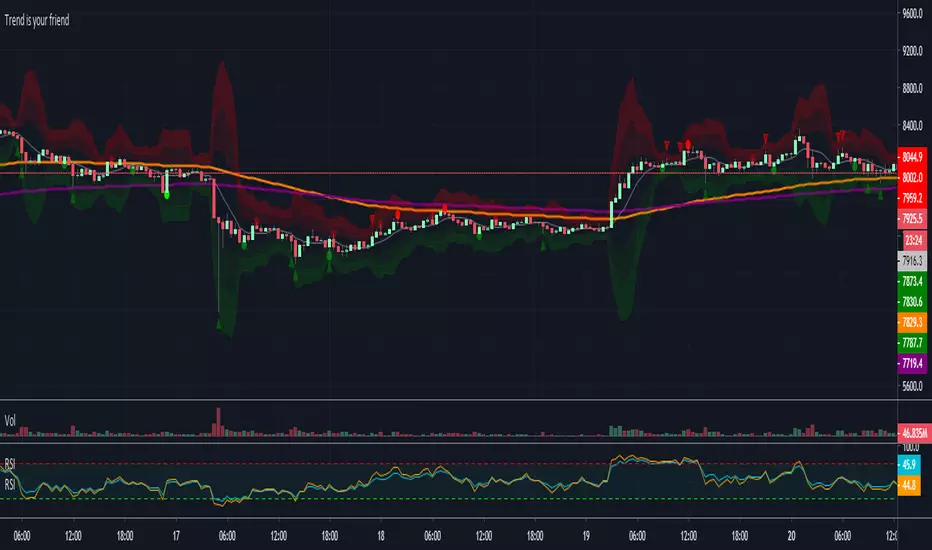
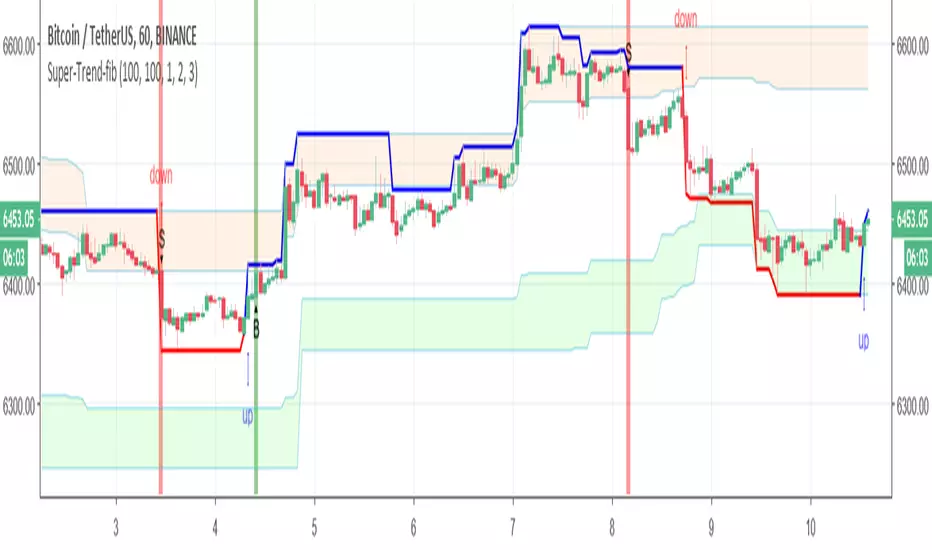
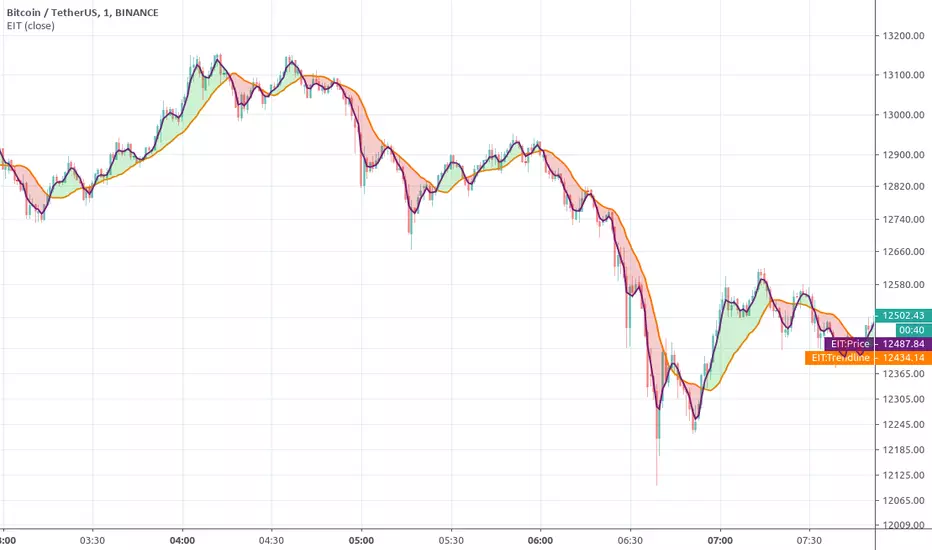
Поиск скриптов по запросу "trend"
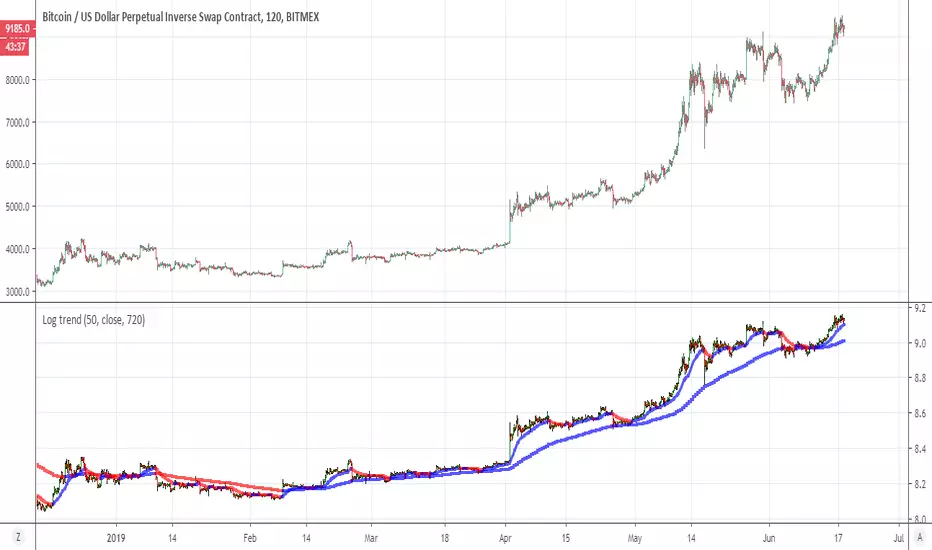
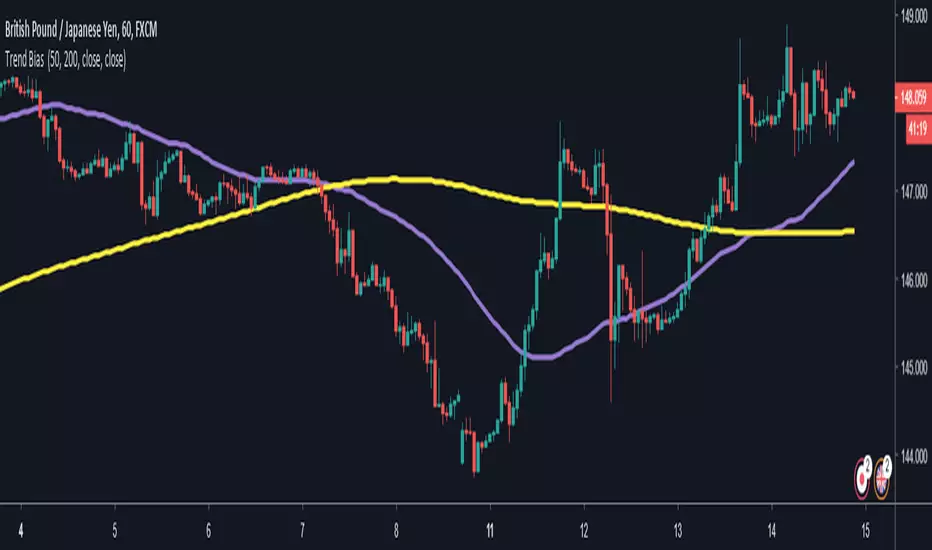
Ichimoku Cloud (Log-Space) - perfect trend areaLog space ichimoku cloud which display perfect bearish trend and perfect bullish trend.
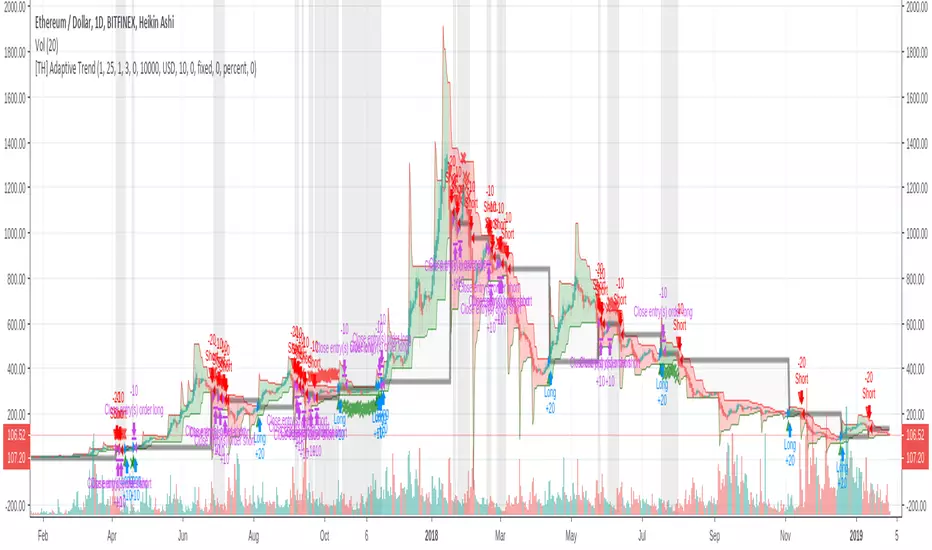
Noro's Trend MAs Strategy v1.7Trade strategy which uses only 2 MA.
The slow MA (blue) is used for definition of a trend
The fast MA (red) is used for an entrance to the transaction
For:
- For H1
- For crypto/fiat
Recomended:
Long = true (if it is profitable as a result of backtests)
Short = true (if it is profitable as a result of backtests)
Stops = false
Stop, % = any
Type of slow MA = 7 (only for Crypto/Fiat)
Source of slow MA = close or OHLC4
Use Fast MA = true
Fast MA Period = 5
Slow MA Period = 20
Bars Q = (2 for "BitCoin/Fiat" or 1 for "Fork/Fiat")
In the new version 1.7
+ stoporders
+ entry arrow (black)
Types of slow MA:
1 = SMA = Simple Moving Average
2 = EMA = Exponential Moving Average
3 = VWMA = Volume-Weighted Moving Average
4 = DEMA = Double Exponential Moving Average
5 = TEMA = Triple Exponential Moving Average
6 = KAMA = Kaufman's Adaptive Moving Average
7 = Price Channel
Noro's Trend MAs Strategy 1.5Trade strategy which uses only 2 MA .
The slow MA (blue) is used for definition of a trend
The fast MA (red) is used for an entrance to the transaction
For:
- For H1
- For crypto/fiat
Recomended:
Long = true (if it is profitable as a result of backtests)
Short = true (if it is profitable as a result of backtests)
Type of slow MA = 7 (only for Crypto/Fiat)
Source of slow MA = clole or OHLC4
Use Fast MA = true
Fast MA Period = 5
Slow MA Period = 20
Bars Q = (2 for "BitCoin/Fiat" or 1 for "Fork/Fiat")
In the new version 1.5
+ Source
+ Types of slow MA
Types of slow MA:
1 = SMA = Simple Moving Average
2 = EMA = Exponential Moving Average
3 = VWMA = Volume-Weighted Moving Average
4 = DEMA = Double Exponential Moving Average
5 = TEMA = Triple Exponential Moving Average
6 = KAMA = Kaufman's Adaptive Moving Average
7 = Price Channel
PS: 100000000%, because of use of a piramiding have turned out
Noro's Trend SMA Strategy v1.4Trade strategy which uses only 2 SMA .
The slow SMA (blue) is used for definition of a trend
The fast SMA (red) is used for an entrance to the transaction
Recomended:
For H1
For crypto/fiat
Long = true (if it is profitable as a result of backtests)
Short = true (if it is profitable as a result of backtests)
Use Fast SMA = true
Fast SMA Period = 5
Slow SMA Period = 20
Bars = (2 for "BitCoin/Fiat" or 1 for "Fork/Fiat")
In the new version 1.4
- Parameters are added
Russian:
Перевожу на понятный. В новой версии 1.4 ничего не поменялось в логике, работает так же. Но добавлены новые параметры, можно поэкспериментировать с настройками, убедиться как что выгоднее.
Есть галка лонг и шорт. По умолчанию обе включены. Если убрать галку лонг, то исчезнут лонги вообще, если убрать шорт, то соответственно исчезнут шорты. По идее галку надо будет снимать если стратегия создает убыточные шорты, то их можно отключить. Смотреть в сводке показателей тестера стратегий профитны они или нет. По идее почти на всех парах крипто/фиат лучше ставить обе галки. Или убирайте галку шорт если не хотите шортить из религиозных соображений.
Добавлена галка отключающая быструю SMA. То есть если галку убрать то стратегия будет её игнорировать. Таким образом, параметр Fast SMA (который 5) перестанет влиять на результаты. Однако, скорее всего без этой галки станет только хуже. Но можете проверить. Позволяет убедиться что входить в сделку по быстрой SMA в среднем немного профитнее, чем входить где попало.
"Bars" - количество свечек одного цвета после после которых будет открываться сделка. По умолчанию 2. Можно от 0 до 3 ставить. Если 0 то цвет свечек игнорируется. Если 3, значит будет ждать 3 красных свечи подряд чтобы открыть лонг. Так же и с зелеными свечами для шорта. 2 - оптимально для пар типа биткойн/фиат. А для пар типа форк/фиат лучше ставить 1 свеча в параметре "Bars".
Angular Trend [DW]This is an experimental study designed to outline the trend of a security based on the average angular change of price.
New lines are drawn whenever the source's angle of change is equal to zero.
Trend Strength IndicatorThis indicator uses Heiken Ashi candle data to plot trend strength signals to your chart.
Bright Green: Heiken Ashi candle data is still putting in higher lows and higher highs, and the price closed above the previous low.
Dark Green: Heiken Ashi candle closed green, but had a lower low or lower high (trend weakening).
Bright Red: Heiken Ashi candle data is still putting in lower lows and lower highs, and the price closed below the previous high.
Dark Red: Heiken Ashi candle closed red, but had a higher low or higher high (trend weakening).
Optional: I included a setting for allowing high RSI values to overrule Heiken Ashi values (disabled by default).
This kind of indicator is best used for managing open positions rather than entering trades. It works on all timeframes and instruments.
Feel free to contact me if you have any questions :)
Regards,
- Matt
PS. Here's a snapshot of it against a Heiken Ashi chart for reference:
Weekly Stock Trend Trading Tool// Created by TheBullTrader, 2017.
// Hi everyone, welcome to my Weekly Trend Trading Tool with the 50 day and 200 day moving averages
// This indicator scores each stock/ index individually and scores them on a simple scale -1.5 to +1.5
// This indicator has 2 zones: green zone = bullish, and red zone = bearish
// There are 3 plots: green = 50 day sma, red = 200 day sma, and trend signal= teal
// Buying Signal is when the green plot crosses teal plot or AGGRESSIVE Buy = green plot beginning to curve up from bearish zone.
// Sell Signal is when the green plot enters the RED ZONE
// By using this indicator as described, it will help you pick stock bottoms and COULD GET YOU OUT OF A STOCK CRASH!
// Recommendations is to scan this indicator against the top 100 US stocks with a long stock history greater than 10 years.
// I usually find 5-10 really good deals every few months. Slow and Easy way to build wealth. **Thanks for reading**
HLC Trend IdentifierIdentifies trends based on a comparison of a High, Low, and Close moving average.
Optionable: By default the Moving Average type is set to EMA but is switchable to a SMA instead.
Optionable: By default it shows cloud coloring of Green or Red based on crossover points.
Optionable: By default it colors the indicator background:
- Green = uptrend
- Red = downtrend
- Yellow = neutral
Romi Trend and Momentum Oscillator
Great oscillator which determines trend and momentum. So accurate it could be used as a stand alone indicator.
Market Trend Strength (MTS) (by ChartArt)See the current trend strength of the market. An additional filter makes trend consolidation areas visible. The color changes there each bar back and forth between green and red.
This area was interesting. Would have been a better example:
If the filter is deactivated the indicator shows the last measured price trend (green for up and down for red).
Trend Trader Strategy This is plots the indicator developed by Andrew Abraham
in the Trading the Trend article of TASC September 1998
RSHL Traffic Light - MTF Trend Analyzer v2.0 [v6]RSHL 3-Color Traffic Light 🚦 v2.0 - Multi-Timeframe Market Environment Analyzer
━━━━━━━━━━━━━━━━━━━━━━━━━━━━━━━━━━━━━━━━━━━━━━━━━━━━
🎯 OVERVIEW
This indicator provides instant visual recognition of market direction across multiple timeframes using a "traffic light" system. Designed for live streaming and real-time analysis, it helps traders quickly assess whether the market is in a BULL 🚀, BEAR 📉, or RANGE ↔ condition.
Based on the RSHL (Resistance/Support High/Low) methodology, this tool analyzes pivot highs and lows to determine trend direction, then displays the results in an eye-catching neon color scheme optimized for dark chart themes.
━━━━━━━━━━━━━━━━━━━━━━━━━━━━━━━━━━━━━━━━━━━━━━━━━━━━
📊 KEY FEATURES
▸ Multi-Timeframe Analysis (MTF)
Simultaneously displays market state for 5 timeframes: 4H, 1H, 15m, 5m, and your current chart timeframe. All information is presented in a single, compact table at the top of your chart.
▸ 3-State Classification
🚀 BULL (Cyan): Price broke above resistance - uptrend confirmed
📉 BEAR (Magenta): Price broke below support - downtrend confirmed
↔ RANGE (Yellow): Price contained within ATR-based threshold
▸ Time-Adaptive Range Detection
The range detection automatically adjusts sensitivity based on trading session:
• Tokyo Session 🌸: Lower sensitivity (quieter markets)
• London Session 🇬🇧: Standard sensitivity
• NY Session 🗽: Higher sensitivity (volatile markets)
▸ Overall Market Status
A large label at the bottom displays the aggregate market condition based on all timeframes, giving you an instant "at-a-glance" assessment.
━━━━━━━━━━━━━━━━━━━━━━━━━━━━━━━━━━━━━━━━━━━━━━━━━━━━
⚙️ CORE LOGIC
The indicator uses pivot high/low detection to establish dynamic support and resistance levels:
1. When price closes above the previous pivot high → BULL state
2. When price closes below the previous pivot low → BEAR state
3. When the price range (high line - low line) is less than ATR × sensitivity → RANGE state
This approach provides a more objective trend assessment than simple moving average crossovers.
━━━━━━━━━━━━━━━━━━━━━━━━━━━━━━━━━━━━━━━━━━━━━━━━━━━━
🎨 VISUAL DESIGN
Optimized for live streaming and screen recording:
- Neon color scheme (Cyan/Magenta/Yellow) for maximum visibility
- Bold text formatting for readability at any resolution
- Glow effect borders for professional appearance
- Emoji icons for instant pattern recognition
━━━━━━━━━━━━━━━━━━━━━━━━━━━━━━━━━━━━━━━━━━━━━━━━━━━━
⚠️ DISCLAIMER
This indicator is designed for educational and analytical purposes. It does not provide buy/sell signals and should not be used as a standalone trading system. Always combine with your own analysis and risk management.
━━━━━━━━━━━━━━━━━━━━━━━━━━━━━━━━━━━━━━━━━━━━━━━━━━━━
【日本語解説】
🚦 RSHL 3色信号機 v2.0 - マルチタイムフレーム環境認識ツール
■ 概要
複数時間足の相場状況を「信号機」形式で一目で把握できるインジケーターです。ライブ配信やリアルタイム分析に最適化されており、現在の相場がBULL(上昇)🚀、BEAR(下降)📉、RANGE(レンジ)↔のいずれかを即座に判断できます。
■ 主要機能
- MTF分析:4時間足、1時間足、15分足、5分足、チャート足の5つを同時表示
- 3状態分類:ピボットハイ/ローに基づく客観的なトレンド判定
- 時間適応:東京🌸/ロンドン🇬🇧/NY🗽セッションに応じて感度を自動調整
- 総合判定:全時間足を集約した「BULL相場」「BEAR相場」「レンジ相場」ラベル
■ ロジック解説
RSHLメソッドは、ピボットハイ(直近高値)とピボットロー(直近安値)を動的なサポート/レジスタンスとして使用します。
1. 価格がピボットハイを上抜け → BULL状態
2. 価格がピボットローを下抜け → BEAR状態
3. 価格レンジがATR×感度以下 → RANGE状態
単純な移動平均クロスよりも、より客観的なトレンド評価が可能です。
■ デザインの特徴
- ネオンカラー(シアン/マゼンタ/イエロー)で視認性最大化
- 太字フォーマットでどの解像度でも読みやすい
- グロー効果のボーダーでプロフェッショナルな外観
- 絵文字アイコンで瞬時にパターン認識
■ 注意事項
本インジケーターは教育・分析目的で設計されています。売買シグナルを提供するものではありません。必ずご自身の分析とリスク管理と組み合わせてご使用ください。
━━━━━━━━━━━━━━━━━━━━━━━━━━━━━━━━━━━━━━━━━━━━━━━━━━━━
Developed by EduVest | 30 Years of STEM Education Experience
For customization inquiries, please see my profile.
QQE v3.0 [v6] - AI-Powered Trend Signal📊 QQE Signal v3.0 - AI-Powered Quantitative Trend Detection
━━━━━━━━━━━━━━━━━━━━━━━━━━━━━━━━━━━━
■ What is QQE?
QQE (Quantitative Qualitative Estimation) is an advanced oscillator that evolves the traditional RSI. It significantly reduces false signals by applying ATR-based dynamic bands to smoothed RSI values.
【Mathematical Principle】
1. Calculate RSI (default 14 periods)
2. Smooth RSI with EMA (noise reduction)
3. Apply ATR to RSI for dynamic bands
4. Signal generated on band/RSI crossover
This methodology captures "qualitative" trend changes "quantitatively" - detecting shifts that RSI alone would miss.
━━━━━━━━━━━━━━━━━━━━━━━━━━━━━━━━━━━━
■ HMA Integration
This indicator combines QQE with HMA (Hull Moving Average) for dual confirmation.
【HMA Characteristics】
- Faster response, less lag than traditional MAs
- Formula: WMA(2×WMA(n/2) - WMA(n), √n)
- Ideal for trend direction confirmation
【Dual Confirmation Logic】
- QQE: Detects momentum turning points
- HMA: Confirms price trend direction
- Both aligned = High-confidence signal
━━━━━━━━━━━━━━━━━━━━━━━━━━━━━━━━━━━━
■ AI Score System (60-100)
Signal confidence quantified as 0-100 score, integrating multiple factors.
【Score Components】
1. Signal Base (QQE×HMA alignment bonus)
2. QQE Strength (deviation from RSI midpoint 50)
3. Volatility State (ATR ratio evaluation)
4. Volume Confirmation (anomaly detection vs average)
【Signal Levels】
┌────────────────────────────────────────┐
│ 💰 BIG CHANCE (90+) │
│ → All factors aligned at high level │
│ → Highest confidence │
├────────────────────────────────────────┤
│ ⚡ SUPER (80-89) │
│ → Major factors strongly aligned │
│ → High confidence │
├────────────────────────────────────────┤
│ 🚀 POWER (70-79) │
│ → QQE+HMA simultaneous signal │
│ → Medium-high confidence │
├────────────────────────────────────────┤
│ 💪 STRONG (60-69) │
│ → Basic signal triggered │
│ → Standard confidence │
└────────────────────────────────────────┘
━━━━━━━━━━━━━━━━━━━━━━━━━━━━━━━━━━━━
■ MTF (Multi-Timeframe) Function
Display signals from different timeframes on your current chart.
【Use Cases】
- View 5min signals on 1min chart
- Monitor higher timeframe direction while scalping
- Improve entry timing precision
【Auto-Optimization by Asset】
- USD/JPY, EUR/USD: QQE Factor 4.238
- Gold (XAU/USD): QQE Factor 8.0 (volatility adjusted)
- BTC: QQE Factor 12.0 (high volatility adjusted)
- NASDAQ: QQE Factor 4.238
━━━━━━━━━━━━━━━━━━━━━━━━━━━━━━━━━━━━
■ Trading Strategies
【Strategy 1: Trend Following】
1. Wait for 80+ score signal
2. Confirm HMA direction
3. Set stop-loss at recent high/low
4. Target 1:2+ risk-reward ratio
【Strategy 2: Range Breakout】
1. Multiple 60-70 signals occurring
2. Price approaching range boundary
3. 90+ signal confirms breakout
4. Enter in breakout direction
【Strategy 3: MTF Confirmation】
1. Identify trend on higher TF (4H/Daily)
2. Find entry on lower TF (5-15min)
3. Both timeframes aligned = highest confidence
━━━━━━━━━━━━━━━━━━━━━━━━━━━━━━━━━━━━
■ Recommended Settings
【Scalping (1-5min)】
- RSI Period: 14
- Smoothing: 5
- Min Score: 70
- MTF: 5min recommended
【Day Trading (15-60min)】
- RSI Period: 14
- Smoothing: 5
- Min Score: 60
- MTF: Same as chart
【Swing (4H-Daily)】
- RSI Period: 14
- Smoothing: 5
- Min Score: 60
- MTF: OFF (use chart timeframe)
━━━━━━━━━━━━━━━━━━━━━━━━━━━━━━━━━━━━
■ Pro Version Available
For advanced features, check "QQE×HMA Showtime v3.5" (invite-only):
- P/L Counter (real-time profit/loss tracking)
- BIG WIN visual effects
- Detailed statistics panel
- Enhanced algorithm accuracy
See my profile for details.
⚠️ DISCLAIMER
This indicator is for educational and analytical purposes. Past performance does not guarantee future results. Always use proper risk management.
━━━━━━━━━━━━━━━━━━━━━━━━━━━━━━━━━━━━
【日本語】
━━━━━━━━━━━━━━━━━━━━━━━━━━━━━━━━━━━━
■ QQEとは?(Quantitative Qualitative Estimation)
QQEは、RSI(相対力指数)を進化させた高度なオシレーターです。従来のRSIの弱点である「ダマシ」を大幅に軽減し、より信頼性の高いシグナルを生成します。
【数学的原理】
1. RSIを計算(デフォルト14期間)
2. RSIをEMAでスムージング(ノイズ除去)
3. ATR(真のレンジ)をRSIに適用し、動的バンドを生成
4. バンドとスムージングRSIのクロスでシグナル発生
この手法により、RSI単体では検出できない「質的な」トレンド変化を「量的に」捉えることが可能になります。
━━━━━━━━━━━━━━━━━━━━━━━━━━━━━━━━━━━━
■ HMA(Hull Moving Average)との統合
本インジケーターはQQEにHMAを組み合わせ、ダブル確認システムを構築しています。
【HMAの特徴】
- 従来のMAより反応が速く、ラグが少ない
- 計算式:WMA(2×WMA(n/2) - WMA(n), √n)
- トレンド方向の確認に最適
【ダブル確認の意義】
- QQE:モメンタムの転換点を検出
- HMA:価格トレンドの方向を確認
- 両者が一致 → 高確度シグナル
━━━━━━━━━━━━━━━━━━━━━━━━━━━━━━━━━━━━
■ AIスコアシステム(60-100点)
シグナルの信頼度を0-100点で数値化。複数の要素を統合評価します。
【スコア算出要素】
1. シグナル基盤(QQE×HMA一致で加点)
2. QQE強度(RSI中央値50からの乖離度)
3. ボラティリティ状態(ATR比率による評価)
4. 出来高確認(平均比での異常検出)
【シグナルレベル】
┌────────────────────────────────────────┐
│ 💰 BIG CHANCE(90点以上) │
│ → 全要素が高水準で一致 │
│ → 最高確度、大きなポジション検討可 │
├────────────────────────────────────────┤
│ ⚡ SUPER(80-89点) │
│ → 主要要素が強く一致 │
│ → 高確度、標準ポジション推奨 │
├────────────────────────────────────────┤
│ 🚀 POWER(70-79点) │
│ → QQE+HMA同時シグナル │
│ → 中高確度、慎重なエントリー │
├────────────────────────────────────────┤
│ 💪 STRONG(60-69点) │
│ → 基本シグナル発生 │
│ → 標準確度、小ポジションから │
└────────────────────────────────────────┘
━━━━━━━━━━━━━━━━━━━━━━━━━━━━━━━━━━━━
■ MTF(マルチタイムフレーム)機能
異なる時間足のシグナルを現在のチャートに表示。
【活用例】
- 1分足チャートで5分足シグナルを確認
- スキャルピング中に上位足の方向を把握
- エントリータイミングの精度向上
【銘柄別自動最適化】
- USD/JPY、EUR/USD:QQE係数 4.238
- Gold(XAU/USD):QQE係数 8.0(ボラ対応)
- BTC:QQE係数 12.0(高ボラ対応)
- NASDAQ:QQE係数 4.238
━━━━━━━━━━━━━━━━━━━━━━━━━━━━━━━━━━━━
■ 実践的トレード戦略
【戦略1:トレンドフォロー】
1. 80点以上のシグナルを待つ
2. HMAの方向を確認
3. 直近高値/安値をストップロスに設定
4. 1:2以上のリスクリワードを確保
【戦略2:レンジブレイク】
1. 60-70点シグナルが連続で発生
2. 価格がレンジ上限/下限に接近
3. 90点シグナルでブレイクを確認
4. ブレイク方向にエントリー
【戦略3:MTF確認】
1. 上位足(4H/日足)でトレンド方向確認
2. 下位足(5-15分)でエントリータイミング
3. 両時間足のシグナルが一致で高確度
━━━━━━━━━━━━━━━━━━━━━━━━━━━━━━━━━━━━
■ 推奨設定
【スキャルピング(1-5分足)】
- RSI期間:14
- スムージング:5
- 最低スコア:70
- MTF:5分固定推奨
【デイトレード(15-60分足)】
- RSI期間:14
- スムージング:5
- 最低スコア:60
- MTF:チャート足と同じ
【スイング(4H-日足)】
- RSI期間:14
- スムージング:5
- 最低スコア:60
- MTF:OFF(チャート足使用)
━━━━━━━━━━━━━━━━━━━━━━━━━━━━━━━━━━━━
■ 上位版のご案内
より高度な機能をお求めの方には「QQE×HMA Showtime v3.5」(招待専用)をご用意しています。
【追加機能】
- 損益カウンター(リアルタイム集計)
- BIG WIN演出(大勝利時の視覚効果)
- 詳細統計パネル
- 高精度アルゴリズム
詳細はプロフィールをご覧ください。
⚠️ 免責事項
本インジケーターは教育・分析目的です。過去の実績は将来の結果を保証しません。適切なリスク管理を行ってください。
━━━━━━━━━━━━━━━━━━━━━━━━━━━━━━━━━━━━
Developed by EduVest | 30 Years STEM Education × Professional FX Trading
For custom indicator development, visit my profile.
GCM Heikin Ashi RSI Trend CloudTitle: GCM Heikin Ashi RSI Trend Cloud
Description:
Overview
The GCM Heikin Ashi RSI Trend Cloud is a comprehensive momentum oscillator designed to filter out market noise and visualize trend strength. Unlike a standard RSI which can be jagged and difficult to interpret during consolidation, this indicator transforms RSI data into Heikin Ashi candles, providing a smoother, clearer view of market momentum.
This tool combines the lag-reducing benefits of RSI with the trend-visualizing power of Heikin Ashi, layered with Multi-Timeframe (HTF) clouds to identify macro trends.
Calculations & How it Works
This indicator does not use standard price action for its candles. Instead, it performs the following calculations:
• HARSI Candles: We calculate the RSI of the Open, High, Low, and Close of the chart. These four RSI values are then processed through the standard Heikin Ashi formula. This means the candles represent momentum movement, not price movement.
• Smoothing: A smoothing algorithm is applied to the "Open" of the HARSI candles (Default: 5). This reduces fake-outs by biasing the candle open toward the previous average, highlighting the true trend direction.
• Trend Bias Mode: A unique visual feature that adjusts the thickness of the RSI line based on your trading style.
o Buyers Mode: The line thickens when RSI is rising, thinning out when falling.
o Sellers Mode: The line thickens when RSI is falling, thinning out when rising.
• Ribbon Clouds: The script pulls RSI data from Higher Timeframes (HTF) and creates a cloud between the current chart's RSI and the HTF RSI. If the current RSI is above the HTF RSI, the cloud is bullish (Green), otherwise bearish (Red).
Key Features
• Derived Heikin Ashi RSI: Smooths out the noise of standard RSI to show clear red/green trends.
• Dynamic Trend Bias: Customize the main RSI line to emphasize Bullish or Bearish momentum using line weight.
• Auto-HTF Clouds: Automatically detects higher timeframes (e.g., 1m chart -> 3m cloud) to show support/resistance momentum from the macro trend.
• OB/OS Zones: Clearly defined Overbought and Oversold channels with "Extreme" outlier zones.
How to Use
1. Trend Continuation: Look for the HARSI candles to change color. A switch from Red to Green, while the Ribbon Cloud is also Green, indicates a strong bullish continuation.
2. Divergence: Because the candles are based on RSI, you can look for divergences between the HARSI candle peaks and the actual price action on the main chart.
3. The Cloud: Use the cloud as dynamic support. In a strong uptrend, the RSI line often bounces off the HTF Cloud without breaking through it.
Settings
• HARSI Length (Default 10): The lookback period for the RSI calculation.
• Smoothing (Default 5): Higher values create smoother candles but add lag. Lower values are more reactive.
Trend Bias Mode: Choose "Neutral" for a standard line, or "Buyers/Sellers" to visually emphasize your preferred market direction.
BuyHighSellLow - Pivot pointsAnother version of buy-high sell-low strategy. This time using pivot points.
Strategy is simple:
Buy when price closes above R1 of pivot point level
Sell when price closes below S2 of pivot point level.
Use Resolution parameter to define pivot points. Higher the resolution, longer the trade time will be. If resolution is set to same as symbol, strategy will consider Higher Timeframe Multiplier to derive pivot point resolution.
Uncheck HideBands to see bands created from pivot points.
Another Buy-High Sell-Low strategy published is using donchian channel (Link below)
Historical Range (Using eStrategy library)⬜ The script is intended to cover few things.
▶ Strategy testing framework based on eStrategy library
▶ Using historicalrange of values for identifying better entry and exits.
This is also built on top of the Systematic Investment Plan script published here
⬜ Strategy testing framework
Strategy testing framework is different from tradingview default strategy testing from few ways to suit the needs of systematic investments.
▶ Supports recurring investment on top of initial investment to emulate adding further funds to the investment bucket on regular basis.
▶ Better calculation of drawdowns based on daily equity rather than drawdown calculated only on close of trade.
▶ Provides better control over how much strategy can reduce and reload
Having said that, this framework is not intended as replacement for tradingview strategy framework. It is not as comprehensive as tradingview strategy framework. But, created to address few specific styles of strategy.
▶ No detailed trade stats on individual trades. But, this can be implemented in future versions
▶ At present only facilitates long positions.
▶ UI features such as plotting trades on chart are not available.
▶ Does not take into consideration of slippage and brokerage - this is not an issue because the framework is not meant for short term trades. It is only made for daily timeframes.
▶ No pyramiding or leverage possible.
And many more...
Framework can be used for similar strategies based on market timing with few small changes.
⬜ Historical Range Strategy
Concept here is, instead of taking indicators such as oscillators as is, use historical percentile to derive better oversold and overbought conditions. Strategy provides different options to base historical range. This can either be based on
▶ Band percent
▶ Oscillator
Different choices of bands and oscillators are also available to chose. However, have not done extensive testing on all the combinations.
⬜ Settings
▶ Initial and recurring investment settings (As confirm inputs)
▶ Buy and hold and strategy specific settings to be used for stat calculation
▶ Band and oscillator parameters
These are straightforward parameters which is used for defining the base of either bands or oscillators.
▶ Percentile moving average parameter
Percentile MA is used with Percentile to find entry and exit signals based on crossover and crossunder.
Feedbacks and suggestions welcome.
Systematic Investment PlanTradingview default strategy tester has few limitations. To name some:
Tradingview default strategy tester does not have option for periodic investment.
Does not allow reduce and refill kind of operations.
Comparison to buy and hold equity does not take into consideration on number of days invested
Hence, I created this as base for my further experiments with respect to strategies involving market timing.
Settings are quite simple and self explanatory.
X-Mas TreeLet's play a game!! Find your Christmas Tree and post it in the comments.
How to use the script?
Open any instrument which best describes the Christmas Tree (Preferably on hourly timeframe).
Apply X-Mas Tree script on the chart.
Enjoy the snowfall, changes in lightings and other animations. Animations only happen if the instrument is in trading session. So, stocks and indexes do not work on weekends and holidays. Use crypto as they are traded 24X7.
Unfortunately cannot post moving charts. But, snapshot of chart will do :)
Well, Please don't ask these questions for this script (Also thanks to @Bjorgum for contributing to this section) 😃
Can you please add alerts?
Does it repaint?
Can we use this for crypto/stock/forex bla bla?
Can you convert this to strategy?
How can I access this indicator?
Can you please give access or how much does it cost?
Can you make it available for MTF?
Indicator is broken. Getting so and so error message etc.
Wish you all MERRY X-MAS and HAPPY NEW YEAR!!
Run TimerThis is a simple utility which counts the number of bars and time elapsed after starting the script. This can be used in time or bars based conditions to modify script behavior.
This particular script does the following:
Starts timer when script is added to chart
Timer is green when starting and continues to be in green if the right Auth key is used in input (Which is hardcoded as 1234 here)
If right auth key is not provided in the input, timer background turns red after trial bars.
Script can be modified to use elapsed time instead.
Thanks to @Bjorgum on assisting on few calculations :)
Percentile - Price vs FundamentalsThis is done in the same lines of below scripts
Drawdown-Price-vs-Fundamentals
Drawdown-Range
Instead of using drawdown, here we are only plotting percentile of drawdown. Also added few more fundamental stats to the indicator. Also using part of the code from Random-Color-Generator/ to automatically generate colors. This in turn uses code from @RicardoSantos for convering color based on HSL to RGB
This is how the study can be used:
Study plots percentile of price and each of the listed fundamentals based on history. History can be chose All time or particular window. If any fundamental or price is near 100 - which means it is nearer to its peak. And if something is near its bottom, it is nearer to its 0th percentile.
Price of the stock is considered undervalued based on historical levels when it is below most of the fundamentals. Price is considered overvalued based on historical levels when it is above all the fundamentals. Please note, being undervalued does not guarantee immediate mean reversion. Stocks can stay undervalued for prolonged time and can go further down. Similarly overvalued stock can stay overvalued for prolonged time before correcting itself or justifying the position. Hence, further discretion needs to be used while using this study.
Few examples:
AMZN seems to be trading in range and so are the fundamentals:
MSFT at peak along with half of the fundamentals. But, debt levels are going up along with margins reducing.
LPX is trading at 15% discount whereas most of the fundamentals are at the peak.
FLGT price seems to have gone down further whereas fundamentals look pretty healthy.
Random Color GeneratorThis script is developed on the basis of Function-HSL-color by @RicardoSantos
Aim of this script is to generate random colors. But, if we just do it based on random RGB values, the colors derived may not be suitable for the background. If you are using light background, lighter colors won't be visible and if you are using darker theme, darker colors will not be appropriate. To overcome this issue, function provided by Racardo converts color(H,S,L) to color(R,G,B). Based on the background present, we define min and max L (Light) range to avoid colors which are either too dark or too light.
Input also allows you to set your custom H,S,L range when Background is set as "Custom"
Drawdown RangeHello death eaters, presenting a unique script which can be used for fundamental analysis or mean reversion based trades.
Process of deriving this table is as below:
Find out ATH for given day
Calculate the drawdown from ATH for the day and drawdown percentage
Based on the drawdown percentage, increment the count of basket which is based on input iNumber of ranges . For example, if number of ranges is 5, then there will be 5 baskets. First basket will fit drawdown percentage 0-20% and each subsequent ones will accommodate next 20% range.
Repeat the process from start to last bar. Once done, table will plot how much percentage of days belong to which basket.
For example, from the below chart of NASDAQ:AAPL
We can deduce following,
Historically stock has traded within 1% drawdown from ATH for 6.59% of time. This is the max amount of time stock has stayed in specific range of drawdown from ATH.
Stock has traded at the drawdown range of 82-83% from ATH for 0.17% of time. This is the least amount of time the stock has stayed in specific range of drawdown from ATH.
At present, stock is trading 2-3% below ATH and this has happened for about 2.46% of total days in trade
Maximum drawdown the stock has suffered is 83%
Lets take another example of NASDAQ:TSLA
Stock is trading at 21-22% below ATH. But, historically the max drawdown range where stock has traded is within 0-1%. Now, if we make this range to show 20 divisions instead of 100, it will look something like this:
Table suggests that stock is trading about 20-25% below ATH - which is right. But, table also suggests that stock has spent most number of days within this drawdown range when we divide it by 20 baskets instad of 100. I would probably wait for price to break out of this range before going long or short. At present, it seems a stage ranging stage. I might think about selling PUTs or covered CALLs outside this range.
Similarly, if you look at AMEX:SPY , 36% of the time, price has stayed within 5% from ATH - makes it a compelling bull case!!
NYSE:BABA is trading at 50-55% below ATH - which is the most it has retraced so far. In general, it is used to be within 15-20% from ATH
NOW, Bit of explanation on input options.
Number of Ranges : Says how many baskets the drawdown map needs to be divided into.
Reference : You can take ATH as reference or chose a time window between which the highest need to be considered for drawdown. This can be useful for megacaps which has gone beyond initial phase of uncertainity. There is no point looking at 80% drawdown AAPL had during 1990s. More approriate to look at it post 2000s where it started making higher impact and growth.
Cumulative Percentage : When this is unchecked, percentage division shows 0-nth percentage instad of percentage ranges. For example this is how it looks on SPY:
We can see that SPY has remained within 6% from ATH for more than 50% of the time.
Hope this is helpful. Happy trading :)
PS: this can be used in conjunction with Drawdown-Price-vs-Fundamentals to pick value stocks at discounted price while also keeping an eye on range tendencies of it.
Thanks to @mattX5 for the ideas and discussion today :)